


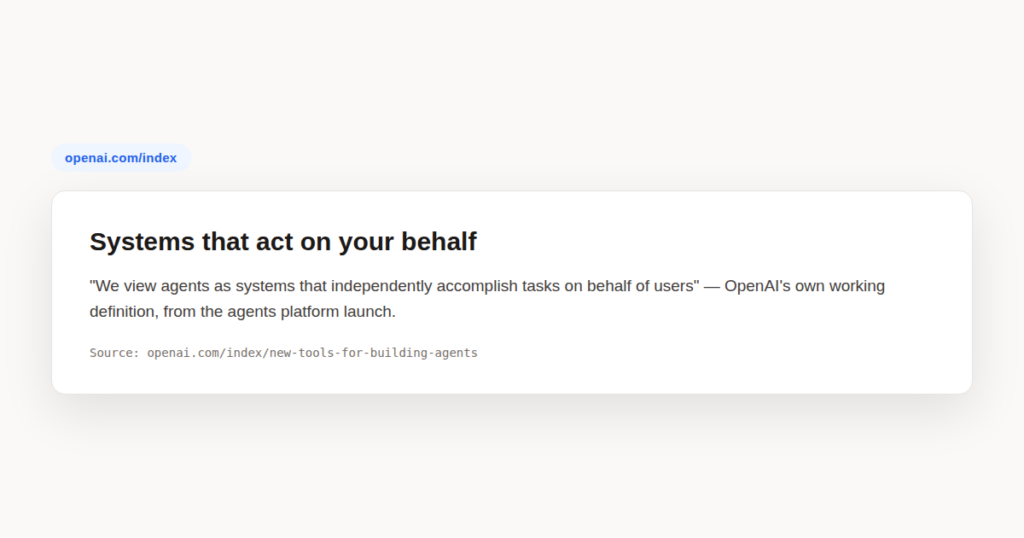
AI agents are one of the most transformative developments in modern technology. Unlike static chatbots that simply answer questions, AI agents can plan, reason, take actions, and complete multi-step tasks with minimal human intervention. In this beginner-friendly guide you will learn exactly what AI agents are, how they work, and how you can start using them today.

AI Agents: What You’ll Learn
In this lesson you will build a solid, practical understanding of AI agents — what they are, why they matter, and how the four core components work together to let them tackle complex goals. By the end you will be able to distinguish AI agents from ordinary chatbots and confidently describe their key capabilities to a colleague or manager.
What Are AI Agents and How Do They Differ from Chatbots?
A chatbot is essentially a very sophisticated question-and-answer machine. You type a prompt, it produces a reply, and the conversation ends there. Each exchange is largely independent. The chatbot does not go away and do things on your behalf — it waits passively for your next message.
An AI agent, by contrast, is designed to pursue a goal across multiple steps. It can break a large objective into smaller sub-tasks, decide which tools to call, execute those tool calls, observe the results, and then decide what to do next — all without you having to guide every individual move.
Think of the difference this way: a chatbot is like a knowledgeable friend you can ask questions. An AI agent is like a capable junior employee you can assign a project to. The employee goes away, figures out the steps, does the work, and comes back to you with results or questions only when genuinely stuck.
This shift from reactive answering to proactive task completion is what makes AI agents so significant. They mark the transition from language models as tools we consult to systems that can act as collaborators.
The Four Core Components of an AI Agent
Every AI agent, regardless of the platform or the task it handles, is built around four fundamental components. Understanding these components makes it far easier to predict how an agent will behave and where it might struggle.
1. Perception and Context
Before an agent can act it must understand its situation. Perception covers everything the agent takes in: your instructions, documents you share, web pages it can access, data feeds, previous conversation turns, and the results of any tools it has already used. The richer and clearer the context you provide, the more accurately the agent can orient itself toward your goal.
2. Reasoning
The reasoning layer is where the large language model lives. The agent uses its language model to interpret the goal, evaluate options, generate a plan, and decide which action to take next. Modern reasoning in agents often follows a loop sometimes called “think, act, observe.” The agent thinks about what to do, takes an action, observes the outcome, and thinks again. This loop continues until the goal is reached or the agent determines it cannot proceed further without your input.
Below is a simplified view of what that reasoning loop looks like in practice:
GOAL: Find the three most-cited academic papers on transformer models published after 2022.

STEP 1 — Think:
  I need to search an academic database. I have access to a web search tool.
  Query: "transformer models academic papers 2023 2024 highly cited"

STEP 2 — Act:
  CALL web_search("transformer models academic papers 2023 2024 highly cited")

STEP 3 — Observe:
  Results returned: [Paper A, Paper B, Paper C, Paper D, Paper E]
  Titles and citation counts visible in abstracts.

STEP 4 — Think:
  I need to rank by citation count. Papers A, C, and D have the highest counts.
  I should verify these figures and then format the final answer.

STEP 5 — Act:
  CALL web_search("Paper A citation count Google Scholar")

STEP 6 — Observe:
  Paper A: 1,847 citations confirmed.

... (loop continues until all three papers are verified)

FINAL OUTPUT:
  1. Paper A — 1,847 citations
  2. Paper C — 1,203 citations
  3. Paper D —   988 citations
3. Action
Reasoning alone is not enough — an agent must be able to do things. Actions are the tools an agent can invoke: web search, code execution, file reading and writing, API calls, calendar access, email sending, and more. The set of available actions defines the agent’s reach. An agent with only a web search tool has a very different capability profile from one that can also write and execute Python code or send emails.
4. Memory
Memory allows an agent to carry information forward across steps and, in some implementations, across sessions. Within a single task, short-term memory holds the entire reasoning trace so the agent can refer back to earlier findings. Some platforms also offer long-term memory, allowing the agent to remember preferences or facts about you between separate conversations.
Types of AI Agents
Not all AI agents operate the same way. Researchers and engineers classify them into several categories based on how they reason and adapt.
Simple Reflex Agents
Simple reflex agents follow predefined rules. They observe the current situation and respond according to a fixed condition-action table: “if X is true, do Y.” These agents are fast and predictable, but they cannot handle situations their rules do not cover. They are best suited to narrow, well-defined tasks with limited variability.
Goal-Based Agents
Goal-based agents do not just react — they plan. They receive a goal, assess the current state of the world, and search for a sequence of actions that will achieve the goal. Most AI agents you encounter in practice today, including those built on large language models, fall into this category. They are far more flexible because they can reason about paths to a goal rather than following rigid scripts.
Learning Agents
Learning agents improve over time. They incorporate feedback — from you, from the outcomes of their actions, or from reinforcement signals — and adjust their behaviour accordingly. Today’s most advanced AI agents combine goal-based reasoning with learning: they can generalise from experience, correct recurring mistakes, and become more effective the more you work with them.
ChatGPT as an Agent Platform
OpenAI’s ChatGPT — particularly in its latest iterations — is one of the most accessible entry points to working with AI agents. When you enable tools in ChatGPT (such as web browsing, code interpreter, or custom GPT actions), you are essentially turning it from a chatbot into a lightweight agent. It can search the web, write and run code, analyse uploaded files, and generate images, all within a single conversation.
OpenAI has also released a dedicated ChatGPT agent capability designed specifically for multi-step autonomous tasks. This moves beyond individual tool calls and lets ChatGPT operate a computer interface — clicking, typing, and navigating — to complete complex goals that span multiple applications.
For learners in the OpenAI Academy, ChatGPT is an ideal environment to experiment with agentic behaviour because the interface is familiar, the capabilities are immediately accessible, and no code is required to get started.
Agent Use Cases in the Workplace
AI agents are already delivering measurable productivity gains across a wide range of professional contexts. Understanding where they shine — and where they stumble — is essential before you start integrating them into your daily work.
Scheduling and Calendar Management
An agent with access to your calendar and email can handle the back-and-forth of meeting scheduling automatically. It reads incoming requests, checks availability, proposes times, sends confirmations, and updates your calendar — handling a task that typically consumes fifteen to thirty minutes of administrative effort per meeting.
Research and Information Synthesis
Research tasks are one of the strongest current use cases for AI agents. An agent can receive a broad research brief, decompose it into sub-questions, search multiple sources, extract relevant information, cross-check findings, and produce a structured summary — completing in minutes what might take a junior analyst several hours.
Writing and Content Drafting
AI agents can handle multi-stage writing workflows: conducting research, drafting an outline, writing a first draft, reviewing it against specified criteria, incorporating feedback, and formatting the final output. This is far more powerful than asking a chatbot to “write an article,” because the agent manages the entire pipeline from brief to finished document.
Data Analysis
With access to a code execution tool, an AI agent can accept a raw data file, write Python or SQL to explore it, identify trends and anomalies, generate visualisations, and return a written narrative of the findings. This brings data-analysis capability to professionals who do not know how to code.
What AI Agents Can and Cannot Do
It is important to set realistic expectations. AI agents are genuinely capable, but they have clear limitations that you need to understand before relying on them for important work.
Agents excel at tasks that are well-defined, information-rich, and decomposable into steps. They are good at sustained, systematic effort — working through a long checklist, exploring multiple search queries, or iterating through drafts. They are also good at combining capabilities: search plus code execution plus writing in a single workflow.
However, AI agents can make mistakes, especially when information is ambiguous, sources are unreliable, or the task requires genuine domain expertise and professional judgment. Agents also lack common sense in edge cases: they can confidently pursue the wrong plan if your instructions are unclear or if their tools return misleading results.
The practical implication is simple: treat agent outputs as high-quality first drafts that require your expert review, not as finished deliverables you can forward without reading.
Responsible Use of AI Agents
The autonomy that makes AI agents powerful also introduces new responsibilities. When an agent can send emails, make API calls, or modify files on your behalf, errors can propagate before you have a chance to catch them.
Responsible use of AI agents starts with scoping their permissions carefully. Grant agents only the access they genuinely need for the task at hand. Always maintain a human-in-the-loop for consequential actions. Most well-designed agent platforms allow you to configure checkpoints where the agent pauses and asks for your approval before taking an irreversible step.
Finally, be transparent with colleagues and clients when AI agents have contributed to work you share. Building trust in AI-assisted workflows requires honesty about how the work was produced and what review process was applied.
A Worked Example: How an AI Agent Handles a Research Task
Imagine you are a marketing manager preparing a competitive analysis. You need to understand how three rival companies have positioned their products over the past six months. Historically, this kind of report would take a junior analyst two to three days. With an AI agent, you can compress that timeline dramatically.
You open your agent platform and assign the task: “Research the product positioning of Company A, Company B, and Company C over the last six months. Focus on messaging themes, pricing signals, and any new feature announcements. Produce a structured comparative summary with one section per company and a final comparative table.” The agent begins immediately.
The agent first decomposes your brief into sub-tasks: one research thread per company. It runs a series of web searches for each company — press releases, product pages, news coverage, social media announcements. For each source it finds, it evaluates relevance, extracts the key claims, and notes the date.
Once the research phase is complete — typically within a few minutes — the agent begins drafting. It organises findings by company, identifies the dominant messaging themes for each, flags any pricing signals it detected, and lists new feature announcements chronologically. It then constructs the comparative table you requested.
Before finalising, the agent reviews its own draft. It checks that each company section is balanced in length, that the claims in the table match the details in the prose, and that no company has been omitted. It flags two sources it considers lower-confidence and notes them in a brief appendix so you can decide whether to verify them yourself.
When you receive the output, your job is to apply expert judgment: verify the agent’s interpretation of the competitive signals, add context the agent could not have access to, and refine the language for your specific audience. The agent handled the systematic, time-consuming research and drafting; you handle the insight and judgment. Together, a task that would have taken days is completed in under an hour.
AI Agents: Common Mistakes to Avoid
New users of AI agents tend to make a predictable set of errors. Recognising these pitfalls in advance saves you significant frustration and protects the quality of your work.
- Giving vague goals: Agents perform dramatically better with specific, well-scoped instructions. “Help me with marketing” is nearly useless; “draft three subject-line variants for a re-engagement email targeting customers who haven’t purchased in 90 days” is actionable.
- Granting excessive permissions: It is tempting to give an agent broad access so you don’t have to reconfigure it for each task. Resist this. Limit permissions to what the current task requires. Unnecessary access multiplies the blast radius of any mistake the agent makes.
- Skipping the review step: Agent outputs are probabilistic, not certain. Forwarding an agent-generated report, email, or analysis without reading it first is a professional risk. Always review before sharing or acting on agent output, especially for anything consequential.
- Assuming agents understand implicit context: Agents only know what you tell them or what they can discover through their tools. They do not know your company’s internal policies, the history of a client relationship, or the political sensitivities of a situation unless you explicitly include that context in your instructions.
AI Agents: Best Practices
- Start with a clear, measurable goal — define what “done” looks like before the agent begins so you can evaluate its output objectively.
- Break complex tasks into phases — review the agent’s output at each phase boundary rather than letting it run a long pipeline unsupervised from start to finish.
- Use the minimal permission set — grant only the tools and data access the specific task requires, and revoke or narrow access once the task is complete.
- Build a feedback habit — tell the agent explicitly what it got right and wrong so it can refine its approach within the same session and you can improve your prompting over time.
- Keep a human checkpoint for irreversible actions — configure your agent platform to pause and confirm before sending emails, modifying files, or making API calls that cannot be easily undone.
AI Agents: Frequently Asked Questions
How are AI agents different from a regular chatbot?
A chatbot answers the question you asked and stops there. AI agents pursue a goal across multiple steps on their own — they can decide what to do next, call tools to act in the world, and keep working toward the outcome instead of waiting for you to prompt each individual step.
What four components make up every AI agent?
Perception and context, reasoning, action, and memory. Perception takes in the current situation, reasoning decides what to do about it, action carries that decision out through tools, and memory carries information forward between steps — understanding these four helps you predict how an agent will behave and where it might fail.
What are the main types of AI agents?
Simple reflex agents react to the immediate situation with fixed rules, goal-based agents plan a sequence of actions toward a defined objective, and learning agents adjust their behavior based on past outcomes. Most AI agents on mainstream platforms today are goal-based, with growing learning capability layered on top.
Is it safe to let an AI agent run unsupervised?
Not without guardrails. Responsible use means setting a clear, narrow goal, granting only the minimum permissions the task needs, requiring human review of what the agent produces, and inserting explicit checkpoints before it takes any irreversible action — unsupervised full autonomy is not the recommended starting point.
Do I need to know how to code to start using AI agents?
No — many consumer AI agents on platforms like ChatGPT are usable through plain instructions and built-in tool access, no programming required. Coding becomes relevant if you want to build a custom agent with its own tools and memory, but using an existing one doesn’t require it.
AI agents represent a genuine leap forward in how we work with artificial intelligence — and mastering them now, at the beginning of their mainstream adoption, puts you years ahead of colleagues who are still thinking of AI as a simple question-answering tool.