


Authentication is the gatekeeper for every Claude Code session. Before the CLI can answer a single prompt, it needs a verified credential that proves who you are and which plan backs your usage. This guide walks through all six authentication methods, the OAuth browser flow, cloud provider setup, token precedence, and the troubleshooting steps that keep your workflow running.

Authentication: What You’ll Learn
The official authentication guide documents every supported method. For cloud provider setup, the Bedrock and Vertex AI references cover provider-specific configuration in detail.
Authentication in Claude Code is flexible by design. You can sign in with a Claude subscription, an Anthropic API key, or a major cloud provider. By the end of this guide you will know which authentication path fits your team, how to configure each one, and how to resolve the conflicts that arise when multiple credentials compete.
The Six Authentication Methods at a Glance
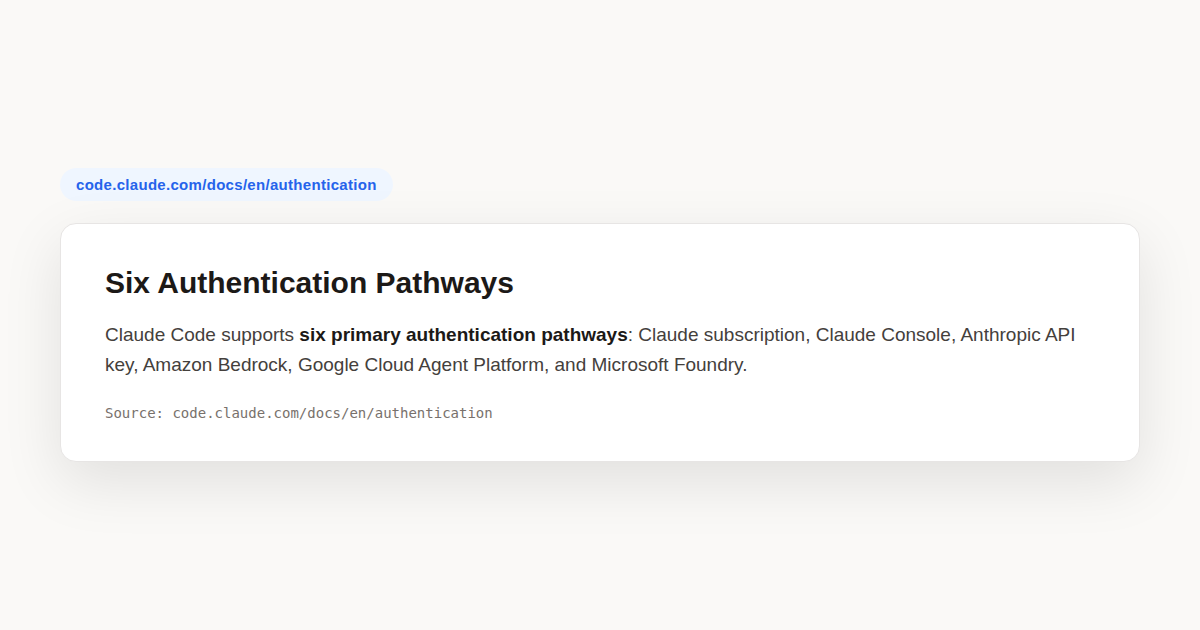
Claude Code supports six distinct authentication paths, and choosing the right one depends on who pays the bill and where inference runs. Individual developers usually pick a Claude subscription because it bundles Claude Code access with the web app. Teams that need centralized billing lean toward Claude for Teams or Enterprise.
Organizations that prefer API based billing can route authentication through the Claude Console, which issues API keys under role based access controls. Companies already invested in a cloud provider can skip Anthropic credentials entirely and authenticate through Amazon Bedrock, Google Cloud’s Agent Platform, or Microsoft Foundry.
The sixth path covers self hosted gateways. A corporate LLM gateway sits in front of inference and authenticates developers through single sign on. Each of these six authentication methods has its own env vars, storage rules, and precedence weight, which the rest of this guide covers in depth.
Quick comparison
- Claude Pro or Max. Personal subscription login via browser OAuth.
- Claude for Teams or Enterprise. Admin managed subscription with collaboration features.
- Claude Console. API based billing with Claude Code or Developer roles.
- Amazon Bedrock. AWS native inference with IAM authentication.
- Google Cloud Agent Platform. Vertex AI based inference with ADC credentials.
- Microsoft Foundry. Azure based inference with Foundry credentials.
The OAuth Browser Login Flow
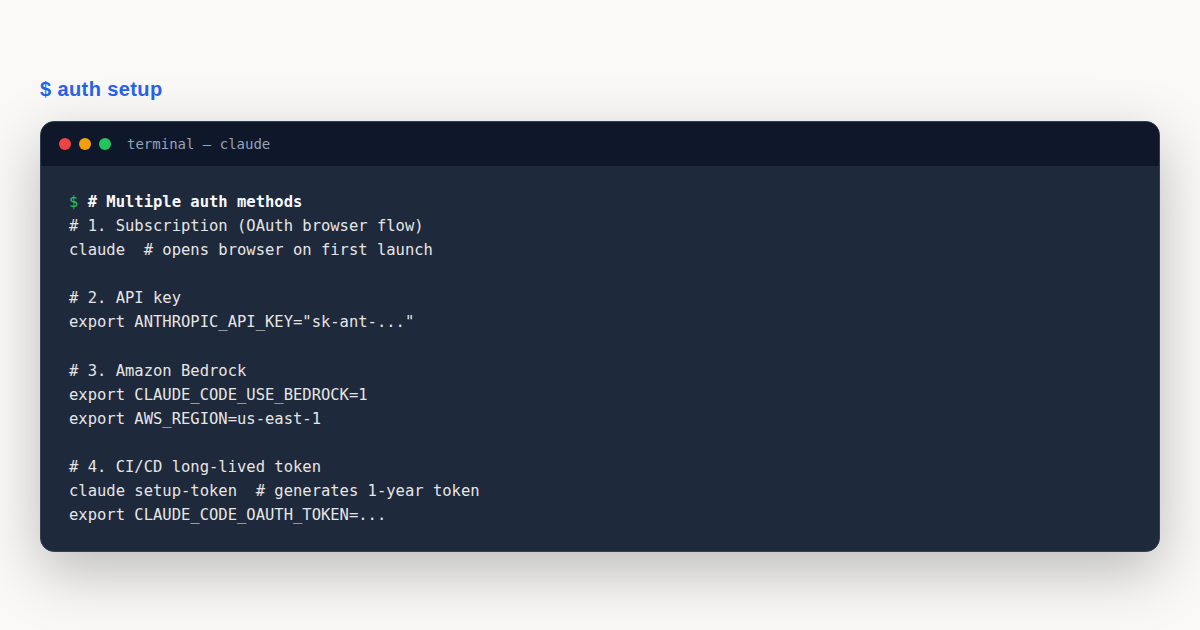
The default authentication experience starts the first time you run claude in a terminal. Claude Code attempts to open a browser window that loads the Anthropic OAuth login page. You sign in with your Claude.ai or Console account, approve the access prompt, and the browser redirects back to a local callback server that Claude Code started.
That callback hands a token to the CLI, which stores it and closes the loop. From that point on, every request the CLI sends carries the OAuth credential. The whole flow typically takes under ten seconds on a desktop with a working browser.
When the browser cannot reach the CLI
Headless environments complicate authentication. WSL2, SSH sessions, Docker containers, and remote dev boxes often cannot open a local browser or accept a redirect from one. When Claude Code detects that the browser did not open, it prints a URL and offers a keyboard shortcut.
Press c to copy the login URL to your clipboard. Paste it into any browser on a machine you trust, complete the sign in, and Anthropic will display a short login code. Copy that code back into the terminal at the Paste code here if prompted prompt. Authentication completes once Claude Code verifies the code.
Key slash commands
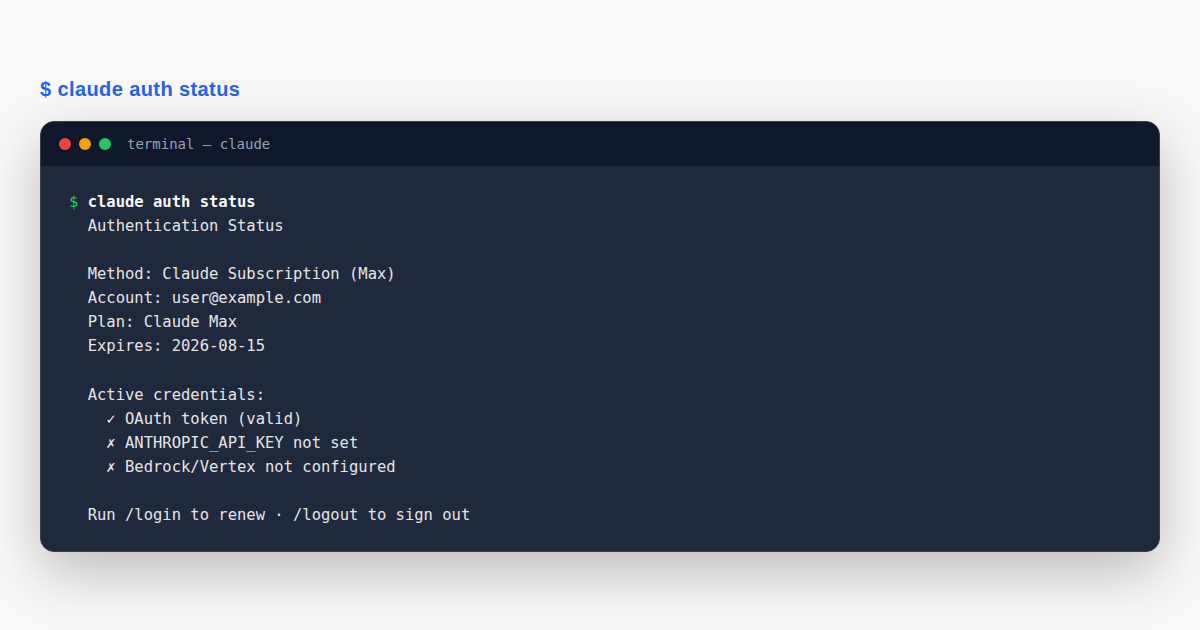
Four built in slash commands control the authentication lifecycle. Run /login to start a fresh browser OAuth flow at any time. Run /logout to clear stored credentials and force re authentication on the next launch.
Run /status to inspect which authentication method is currently active, including the account email and plan when a subscription is in use. Run /config to open the settings panel, where you can toggle a custom API key on or off, switch auto update channels, and adjust permissions.
Claude Subscription Tiers and Access
Claude Code requires a paid plan. The free Claude.ai tier does not include CLI access, so authentication will fail unless at least a Pro subscription backs the account. Understanding the tier differences helps you pick the right authentication source for your workload.
Pro and Max plans
Pro is the entry level paid subscription and the minimum requirement for Claude Code authentication. Max increases usage limits and adds higher rate ceilings for developers who push the CLI hard. Both plans authenticate through the same browser OAuth flow, and both store credentials the same way.
Claude for Teams
Teams is a self service plan built for groups. An admin subscribes, invites members from a dashboard, and each member authenticates with their own Claude.ai account. Centralized billing and collaboration features come standard. Authentication behaves identically to a personal subscription from the end user’s perspective.
Claude for Enterprise
Enterprise adds the security and compliance controls large organizations demand. Single sign on integration lets members authenticate through a corporate identity provider instead of a separate password. Domain capture auto provisions accounts for anyone who signs in with a company email.
Enterprise also adds role based permissions, a compliance API for audit logging, and managed policy settings that push organization wide Claude Code configuration to every member. Authentication through SSO still resolves to an OAuth token, so the same credential storage and precedence rules apply.
Anthropic API Key Authentication
The Anthropic API key is the most common authentication method for developers who want direct, billable access without a subscription. You generate a key in the Claude Console, then export it as an environment variable before launching the CLI.
export ANTHROPIC_API_KEY=sk-ant-api03-your-key-here
claude
When the variable is present, Claude Code sends the key as the X-Api-Key header on every request. In interactive mode, the CLI prompts you once to approve or decline the key. Your choice is remembered, so you are not asked again unless you reset it.
Approval behavior and the config toggle
The one time approval prompt exists because an unexpected key in your shell profile can silently route usage to the wrong organization. If you ever need to change the remembered decision, open /config and flip the Use custom API key toggle.
In non interactive mode, invoked with the -p flag, the key is always used when present. There is no approval prompt because no human is present to confirm. Plan your CI environment variables accordingly.
Precedence over subscription
Here is a subtlety that trips up many developers. If you have an active Claude subscription but also export ANTHROPIC_API_KEY, the API key wins once approved. This can cause authentication failures if the key belongs to a disabled or expired organization.
The fix is simple. Run unset ANTHROPIC_API_KEY to remove the variable from your shell session, then run /status to confirm the subscription is now the active authentication method. Check your shell profile too, so the variable does not return on the next terminal launch.
Amazon Bedrock Configuration
Amazon Bedrock lets you run Claude through AWS, which means authentication uses AWS credentials instead of Anthropic ones. Claude Code ships with an interactive setup wizard that walks you through the required variables.
The interactive wizard
Run /setup-bedrock inside a Claude Code session. The wizard asks for your AWS region, preferred model, and whether you want to enable cross region inference. It writes the resulting configuration to your settings file so you do not have to repeat the process.
Manual environment variables
If you prefer to configure authentication manually, or if you script it for a team, set these variables before launching the CLI.
export CLAUDE_CODE_USE_BEDROCK=1
export AWS_REGION=us-west-2
export ANTHROPIC_MODEL=us.anthropic.claude-sonnet-4-20250514-v1:0
The CLAUDE_CODE_USE_BEDROCK flag tells Claude Code to route inference through Bedrock instead of the Anthropic API. The region variable controls which AWS endpoint receives requests, and the model string pins the exact model identifier Bedrock should invoke.
AWS credential options
Authentication to AWS itself follows the standard credential chain. Claude Code inherits whatever credentials the AWS SDK resolves, which means any of these work.
- Environment variables.
AWS_ACCESS_KEY_IDandAWS_SECRET_ACCESS_KEY. - Named profile.
AWS_PROFILEpointing at a profile in~/.aws/credentials. - Instance or task role. IAM role attached to an EC2 instance, ECS task, or EKS pod.
- SSO.
aws sso loginpopulates a profile thatAWS_PROFILEreferences.
IAM policy template
The IAM principal you use needs permission to invoke the Claude models you target. A minimal policy looks like this.
{
  "Version": "2012-10-17",
  "Statement": [
    {
      "Effect": "Allow",
      "Action": [
        "bedrock:InvokeModel",
        "bedrock:InvokeModelWithResponseStream"
      ],
      "Resource": [
        "arn:aws:bedrock:*::foundation-model/anthropic.claude-*",
        "arn:aws:bedrock:*:*:inference-profile/*"
      ]
    },
    {
      "Effect": "Allow",
      "Action": [
        "bedrock:ListInferenceProfiles",
        "bedrock:GetInferenceProfile"
      ],
      "Resource": "*"
    }
  ]
}
The first statement grants invocation rights on Claude foundation models and any cross region inference profiles your account owns. The second lets Claude Code list profiles during model resolution. Attach this policy to the user or role your developers assume.
Region resolution and cross region inference
Model availability varies by region. Claude Code resolves the model in three steps. First it checks the explicit ANTHROPIC_MODEL variable. Next it consults the wizard generated settings file. Finally it falls back to a sane default for your region.
Cross region inference profiles let a single model identifier route to whichever AWS region has capacity. Prefix the model with us., eu., or apac. to opt in. This improves throughput when one region is rate limited, and it keeps authentication simple because one profile covers multiple regions.
Google Cloud Agent Platform and Vertex AI
Google Cloud’s Agent Platform, powered by Vertex AI, is the second major cloud authentication path. It uses Google Application Default Credentials instead of Anthropic keys. Setup mirrors the Bedrock pattern.
Interactive and manual setup
Run /setup-vertex to launch the interactive wizard. It prompts for your Google Cloud project ID, region, and model. Alternatively, set the variables yourself.
export CLAUDE_CODE_USE_VERTEX=1
export CLOUD_ML_REGION=us-east5
export ANTHROPIC_VERTEX_PROJECT_ID=your-project-id
The CLAUDE_CODE_USE_VERTEX flag activates Vertex authentication. The region variable targets a specific Vertex endpoint, and the project ID tells Google which billing project to charge.
Application Default Credentials
Vertex authentication relies on ADC. Generate ADC by running gcloud auth application-default login in a shell where you are signed in to the Google Cloud CLI. The command writes credentials that Claude Code picks up automatically.
In CI, export a service account key as GOOGLE_APPLICATION_CREDENTIALS pointing at a JSON key file. The ADC library loads it transparently. No Anthropic credential is involved at any point in the Vertex authentication flow.
Token refresh
ADC tokens expire after about an hour. Claude Code refreshes them automatically in the background using the gcpAuthRefresh mechanism, which calls the Google OAuth endpoint with your refresh material. If refresh fails, usually because the source credential was revoked, authentication breaks and you must re run gcloud auth application-default login.
Microsoft Foundry
Microsoft Foundry is the Azure based authentication path. It rounds out the three cloud providers and follows the same env var pattern as Bedrock and Vertex.
export CLAUDE_CODE_USE_FOUNDRY=1
export AZURE_CLIENT_ID=your-app-id
export AZURE_TENANT_ID=your-tenant-id
export AZURE_CLIENT_SECRET=your-secret
Authentication uses Azure service principal credentials or the Azure CLI login. When CLAUDE_CODE_USE_FOUNDRY is set, Claude Code resolves the Foundry endpoint from your Azure environment and routes inference through it. The same precedence and storage rules apply.
Long-Lived CI Tokens
Continuous integration pipelines and cron jobs cannot complete a browser OAuth flow. Claude Code solves this with claude setup-token, a command that mints a long lived OAuth token tied to your subscription.
Generating the token
Run the command on a machine with a browser. It walks you through OAuth authorization and prints a token to stdout. The token is not saved anywhere by the command itself, so copy it immediately.
claude setup-token
# Follow the prompts, then copy the printed token
Using the token
Set the token as CLAUDE_CODE_OAUTH_TOKEN wherever you need headless authentication.
export CLAUDE_CODE_OAUTH_TOKEN=your-long-lived-token
claude -p "summarize this log"
The token is valid for one year and authenticates with your Claude subscription, so it requires a Pro, Max, Teams, or Enterprise plan. Its scope is limited to inference only. It cannot establish Remote Control sessions or perform account management.
Bare mode caveat
Bare mode, triggered with the --bare flag, skips the standard credential resolution and does not read CLAUDE_CODE_OAUTH_TOKEN. If your CI script uses bare mode, authenticate with ANTHROPIC_API_KEY or an apiKeyHelper script instead. Plan your pipeline credentials around whichever mode your script invokes.
LLM Gateway and Proxy Authentication
Many enterprises run a self hosted LLM gateway or proxy in front of inference. These gateways typically authenticate with bearer tokens rather than Anthropic API keys. Claude Code supports this through two dedicated variables.
The bearer token variable
Set ANTHROPIC_AUTH_TOKEN to a bearer token your gateway accepts. Claude Code sends it as the Authorization: Bearer header on every request, which is the format most gateways expect.
export ANTHROPIC_AUTH_TOKEN=your-gateway-bearer-token
export ANTHROPIC_BASE_URL=https://gateway.corp.example.com
claude
Pair it with ANTHROPIC_BASE_URL to point the CLI at your gateway endpoint instead of the default Anthropic API. Together, these two variables redirect all inference traffic through your corporate proxy with authentication handled by the gateway.
Rotating credentials with apiKeyHelper
Static tokens expire. For short lived, rotating credentials, configure the apiKeyHelper setting. It points at a shell script that Claude Code executes to fetch a fresh key, typically from a secrets vault like HashiCorp Vault or AWS Secrets Manager.
#!/usr/bin/env bash
# /usr/local/bin/fetch-claude-key.sh
vault print -field=token claude-code-key
Add the script path to your settings file.
{
  "apiKeyHelper": "/usr/local/bin/fetch-claude-key.sh"
}
By default, Claude Code calls the helper every five minutes or whenever it receives an HTTP 401. Control the interval with CLAUDE_CODE_API_KEY_HELPER_TTL_MS, which accepts a value in milliseconds. If the helper takes longer than ten seconds to return, the CLI shows a warning in the prompt bar so you can investigate a slow vault.
Authentication Precedence: The Six-Level Order
When more than one credential is present, Claude Code does not guess. It applies a strict six level priority order to decide which authentication method to use. Understanding this order is the single most important troubleshooting tool you have.
The priority ladder
- Cloud provider credentials. Active when
CLAUDE_CODE_USE_BEDROCK,CLAUDE_CODE_USE_VERTEX, orCLAUDE_CODE_USE_FOUNDRYis set. - ANTHROPIC_AUTH_TOKEN. Sent as a Bearer header. Use this for LLM gateways.
- ANTHROPIC_API_KEY. Sent as the X-Api-Key header. Direct Console access.
- apiKeyHelper output. Dynamic keys from a script, refreshed on a timer.
- CLAUDE_CODE_OAUTH_TOKEN. The long lived CI token from setup-token.
- Subscription OAuth credentials. The default from
/login.
Higher on the list means higher priority. A cloud provider variable always wins if set, and the subscription login is the fallback when nothing else is configured.
The gateway exception
A signed in Claude apps gateway session sits outside this list entirely. It behaves like a provider selection. When a gateway session exists, the CLI authenticates with the gateway token even if Bedrock, Vertex, or Foundry variables are set, and the bearer token, API key, and helper entries are all ignored.
Why precedence matters in practice
Precedence explains the most common authentication mystery: you have a working subscription, but requests fail with a cryptic error. The cause is almost always an ANTHROPIC_API_KEY lingering in your shell profile that points at a disabled organization. Because the key outranks the subscription, every request uses it and fails. Run unset ANTHROPIC_API_KEY and /status to confirm the fix.
Credential Storage by Platform
Claude Code stores credentials differently depending on your operating system. Knowing where the token file lives helps with debugging, backup, and secure cleanup.
macOS Keychain
On macOS, authentication credentials live in the encrypted Keychain. This is the most secure of the three platforms because Keychain encrypts at rest and ties access to your user login. You can inspect entries with the Keychain Access app or the security command line tool.
Linux file
On Linux, credentials are stored in ~/.claude/.credentials.json with file mode 0600, meaning only your user can read or write it. The strict permission bits are the primary security control, so never loosen them.
Windows ACL
On Windows, the file lives at %USERPROFILE%.claude.credentials.json and inherits the access controls of your user profile directory. Windows restricts the profile directory to your account by default, which transitively protects the credentials file.
The CLAUDE_CONFIG_DIR override
If you set CLAUDE_CONFIG_DIR on Linux or Windows, the .credentials.json file moves under that directory instead of the default home location. This is useful for isolated test environments, multi account setups, or containerized deployments where the home directory is ephemeral.
Remember that Claude Code manages the credentials file through /login and /logout. Do not edit it by hand. To route requests through a custom endpoint, set ANTHROPIC_BASE_URL instead of modifying the stored token.
Login Expiry Warnings and Renewal
OAuth logins from /login have a finite lifetime. When your login is within five days of expiring, Claude Code shows a warning at startup that reads something like Your login expires in 3 days, run /login to renew. This feature requires version 2.1.203 or later.
The warning is informational only. It never blocks a request, and authentication keeps working until the login actually expires. Run /login at your convenience to mint a fresh token and reset the clock.
When warnings do not appear
The expiry warning only shows when a claude.ai or Console login is the active credential. It does not appear for cloud providers, ANTHROPIC_API_KEY, ANTHROPIC_AUTH_TOKEN, or apiKeyHelper, because those credentials either do not expire or manage their own refresh.
Unattended sessions
Renewing early matters most for sessions that run without a human watching. A background agent view or Remote Control session that outlives its login stops making progress the moment the credential expires, and it cannot recover on its own. You must sign in again manually. For long running automation, prefer a long lived token or an API key that does not suffer this fragility.
Authentication Troubleshooting
Most authentication failures fall into a handful of recognizable patterns. This section covers the symptoms and the fix for each, so you can recover quickly without digging through logs.
Symptom: requests fail but subscription is active
Cause: an ANTHROPIC_API_KEY from a disabled organization is taking precedence. Fix: run unset ANTHROPIC_API_KEY, confirm with /status, and remove the export from your shell profile so it does not return.
Symptom: browser does not open on first launch
Cause: headless environment or no default browser configured. Fix: press c to copy the login URL, paste it into a browser on another machine, then paste the resulting login code back into the terminal prompt.
Symptom: “login code” appears instead of redirect
Cause: the browser cannot reach the local callback server, common in WSL2, SSH, and containers. Fix: this is expected behavior. Copy the code from the browser and paste it at the Paste code here if prompted prompt.
Symptom: Bedrock calls return access denied
Cause: the IAM principal lacks bedrock:InvokeModel on the target model. Fix: attach the IAM policy from earlier in this guide, verify the model ARN matches what your account has access to, and confirm the region supports the model.
Symptom: Vertex calls fail with project not found
Cause: ANTHROPIC_VERTEX_PROJECT_ID is missing or points at a project where the Claude API is not enabled. Fix: set the project ID, enable the Claude API in the Google Cloud console, and refresh ADC with gcloud auth application-default login.
Symptom: apiKeyHelper runs too slowly
Cause: the vault or secrets manager is slow to respond. Fix: check the helper script for network round trips, cache where possible, and raise CLAUDE_CODE_API_KEY_HELPER_TTL_MS to reduce call frequency. If latency exceeds ten seconds, Claude Code shows a warning in the prompt bar.
A Worked Example: Onboarding a Ten Person Team
Imagine you run a ten person engineering team and want everyone on Claude Code by the end of the week. You weigh the authentication options and land on Claude for Teams, because it gives you centralized billing and an admin dashboard without the overhead of Enterprise SSO.
You subscribe, invite all ten members from the admin panel, and each person receives an email. They install Claude Code with the native installer, open a terminal in their project directory, and run claude. The browser OAuth flow fires, they sign in with the email you invited, and authentication completes. No env vars, no API keys, no IAM policy to write.
A month later, one developer reports that requests suddenly fail with a permissions error. You ask them to run /status. The output shows an API key is active, not the Teams subscription. It turns out they copied an ANTHROPIC_API_KEY from a personal project into their shell profile weeks ago, and that key’s organization was just disabled.
The fix takes thirty seconds. They run unset ANTHROPIC_API_KEY, delete the export line from their .zshrc, restart the terminal, and run /status again. The Teams subscription is now the active authentication method, and requests succeed.
Meanwhile, your platform team sets up a CI pipeline that runs Claude Code headlessly against every pull request. Browser OAuth is not an option there. A developer runs claude setup-token on their laptop, copies the one year token, and stores it in the CI secret store as CLAUDE_CODE_OAUTH_TOKEN. The pipeline authenticates without a browser, and the token renews annually through the same command.
Finally, a compliance requirement pushes inference onto AWS. You migrate the team to Bedrock. Each developer exports CLAUDE_CODE_USE_BEDROCK=1 and an AWS_PROFILE that assumes a role with the Bedrock invoke policy. Authentication now flows through IAM, billing lands in AWS, and the Anthropic subscription is retired for the engineers who moved over.
Authentication: Common Mistakes to Avoid
Even experienced developers trip over the same authentication issues. Here are the four most frequent mistakes and how to fix each one before it costs you an afternoon.
- Leaving a stale API key in the shell profile. An old
ANTHROPIC_API_KEYsilently overrides a working subscription because of precedence rules. Rununset ANTHROPIC_API_KEY, delete the export from your profile, and confirm with/status. - Mixing cloud provider flags. Setting both
CLAUDE_CODE_USE_BEDROCKandCLAUDE_CODE_USE_VERTEXconfuses resolution. Pick one provider per environment and keep the others unset. - Editing the credentials file by hand. The
.credentials.jsonfile is managed by/loginand/logout. Manual edits corrupt the token format. Use the slash commands or env vars instead. - Forgetting ADC refresh in CI. Vertex tokens expire hourly. If your service account key is revoked or the JSON file path changes, authentication breaks silently. Monitor refresh failures and keep the key file path stable.
Authentication: Best Practices
- Pick one authentication method per environment and document it, so every teammate knows which credential backs their session without guessing.
- Run
/statusafter any configuration change to confirm the active method matches your intent before you hit a confusing error mid task. - Use long lived tokens, not browser logins, for any pipeline or cron job that runs unattended, and calendar their annual renewal.
- Scope IAM policies to the minimum required actions, naming specific model ARNs instead of granting blanket
bedrock:*access. - Store the
apiKeyHelperscript under version control with a clear README, so the rotation logic is reviewable and reproducible.
Authentication: Frequently Asked Questions
Which authentication method should a solo developer use?
A Claude Pro or Max subscription is the simplest path. Run claude, complete the browser OAuth flow, and authentication is handled. No env vars or API keys to manage.
Does an API key override my subscription?
Yes. Once approved, ANTHROPIC_API_KEY takes precedence over subscription OAuth credentials because of the six level priority order. Run unset ANTHROPIC_API_KEY to fall back.
How do I authenticate Claude Code in a CI pipeline?
Generate a long lived token with claude setup-token, then export it as CLAUDE_CODE_OAUTH_TOKEN in your CI environment. The token is valid for one year and scoped to inference only.
Where are my credentials stored on Linux?
Claude Code stores authentication credentials in ~/.claude/.credentials.json with file mode 0600. Set CLAUDE_CONFIG_DIR to move the file elsewhere.
Why does my browser show a login code instead of redirecting?
This happens in WSL2, SSH, and containers where the browser cannot reach the local callback server. Copy the code from the browser and paste it at the terminal prompt to complete authentication.
Authentication ties everything together: pick the right method for your billing model, respect the six level precedence order so credentials never conflict, and use long lived tokens or IAM roles for any headless workload. Master these three points and your Claude Code sessions will stay connected and billable without surprises.