


Fast mode is a high-speed serving configuration for Claude Opus inside Claude Code, pushing responses up to 2.5 times faster than the standard tier. It is not a different model, a different permission level, or a thinking-time dial. It is an infrastructure switch you toggle with a single command when latency matters more than cost.

Fast Mode: What You’ll Learn
Fast mode changes how Claude Opus responses are delivered, not what the model can do. You will learn how to toggle it, what it costs, where it is available, and when the speed premium is worth paying for. By the end you will know exactly when to switch it on and when to leave it off.
One distinction up front: fast mode is different from Auto Mode (covered in our Advanced Features guide). It changes response speed. Auto Mode changes permission autonomy. They are independent levers and you can use either one without the other.
What Is Fast Mode?
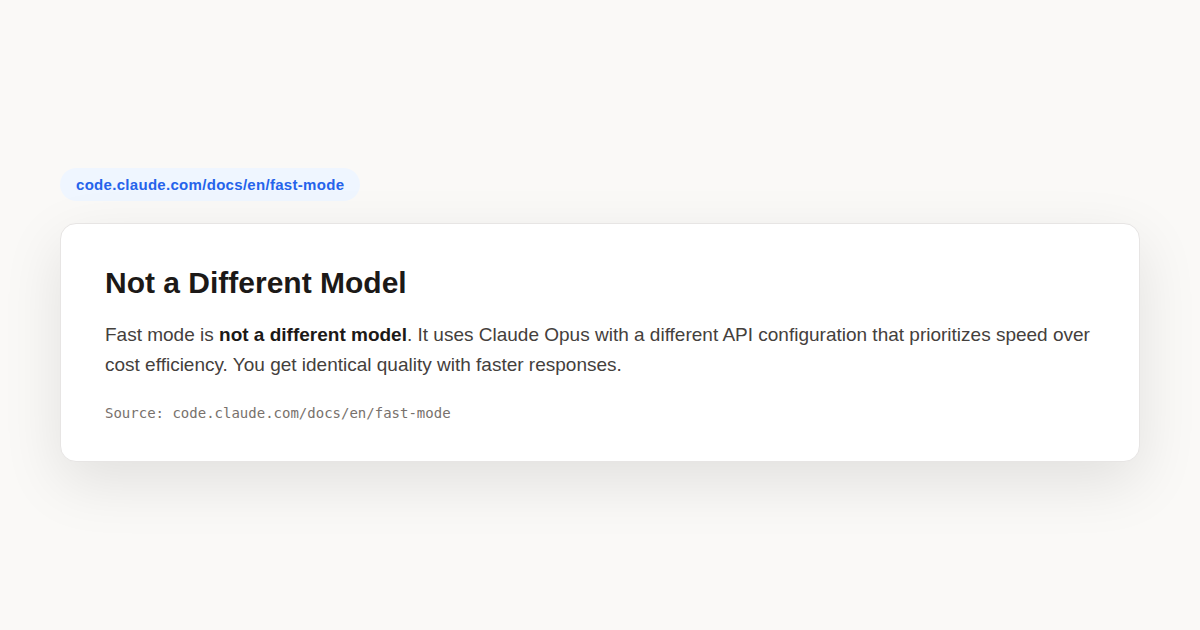
Fast mode is a serving-layer configuration that tells Anthropic’s infrastructure to prioritize delivery speed for your requests. When enabled, Claude Opus generates output tokens up to 2.5 times faster than the standard tier. The model itself is identical. You get the same reasoning quality, the same context window, the same tool-use capabilities. Only the pipeline that serves the response changes.
This is a common point of confusion. People hear “fast” and assume it means a smaller or less capable model. It does not. It runs Claude Opus, the most capable model in the family, with a routing configuration that favors throughput. There is no quality downgrade, no feature removal, no context reduction. The tradeoff is purely financial: you pay more per token in exchange for lower latency.
The feature is supported on Opus 4.8 and Opus 4.7. It is not available on Sonnet, Haiku, or any other model. If you are working on a different model when you enable it, Claude Code automatically switches you to Opus so the configuration can take effect. You cannot use it with a non-Opus model.
The feature is currently in research preview. That means Anthropic may adjust pricing, availability, and the underlying API configuration based on feedback. The core promise, faster Opus responses at a higher per-token cost, is stable, but the specifics could shift. Always check the official documentation for current details.
Three Independent Levers: Fast Mode vs Auto Mode vs Effort
Claude Code has three settings that all affect how the agent behaves during a session, and they are frequently conflated. Understanding the difference is essential before you reach for any of them. Each lever controls something completely different, and you can combine them in any configuration.
Fast mode controls serving speed. Auto Mode controls how much the agent can do without asking for your confirmation. Effort level controls how deeply the model reasons before responding. None of these imply or require any of the others. You can run it with manual permissions and high effort. You can run Auto Mode at standard speed with low effort. The combinations are yours to choose.
| Lever | What it controls | Effect on output | Cost impact |
|---|---|---|---|
| Fast mode | Serving infrastructure (delivery speed) | Same quality, lower latency | Higher per-token cost |
| Auto Mode | Permission autonomy (confirmation prompts) | Fewer interruptions, same quality | No direct cost change |
| Effort level | Thinking budget (reasoning depth) | Less reasoning, faster replies, sometimes lower quality | Lower cost (fewer tokens consumed) |
If you want maximum raw speed on straightforward tasks, you can combine it with a lower effort level. The two stack: it speeds up token delivery, and lower effort reduces how many thinking tokens the model spends before answering. Just be aware that lowering effort can degrade quality on complex reasoning, while the speed tier never does.
Auto Mode is orthogonal to both. It removes permission prompts so the agent can run file edits and commands without pausing. That saves wall-clock time but has nothing to do with model speed or reasoning depth. Our Advanced Features guide covers Auto Mode in full detail if you want to pair it with the speed tier.
How to Toggle Fast Mode On and Off
Claude Code gives you four ways to control the feature, each suited to a different workflow. The quickest is the slash command. Type /fast in your session and press Tab. Claude Code toggles the setting and shows a confirmation message. Run /fast again at any time to check whether it is currently on or off, or to toggle it back off.
For keyboard-first users, the Meta+O shortcut (Option+O on macOS, Super+O on Linux) toggles the setting instantly without typing. This is useful during rapid iteration when you want to flip between speed tiers without breaking your flow.
# Toggle fast mode from within a session
/fast<Tab>

# Check current status without changing it
/fast
The third option is persistent configuration. Add the fastMode key to your user settings file and it will be on by default in every interactive session. This is the right choice if you know you always want the speed premium.
{
  "fastMode": true
}
By default, the setting you turn on interactively persists across sessions. If you type /fast once, it stays on the next time you launch Claude Code. Administrators can change this behavior to require per-session opt-in, which is covered later in the admin controls section.
The fourth method is for headless and non-interactive sessions. When you run Claude Code with the -p flag (print mode), the /fast toggle is not available interactively. Instead, you pass the toggle through the --settings flag as a JSON payload. The toggle applies to that session only and is never saved as your default.
# Enable fast mode in a headless session
claude -p --settings '{"fastMode": true}' "Refactor this module"
In any headless session launched without the --settings flag, the /fast command reports that the feature is not available. This keeps CI pipelines and batch scripts deterministic: you must explicitly opt in through settings, never through an interactive toggle that might not fire.
What Happens When Fast Mode Is Active
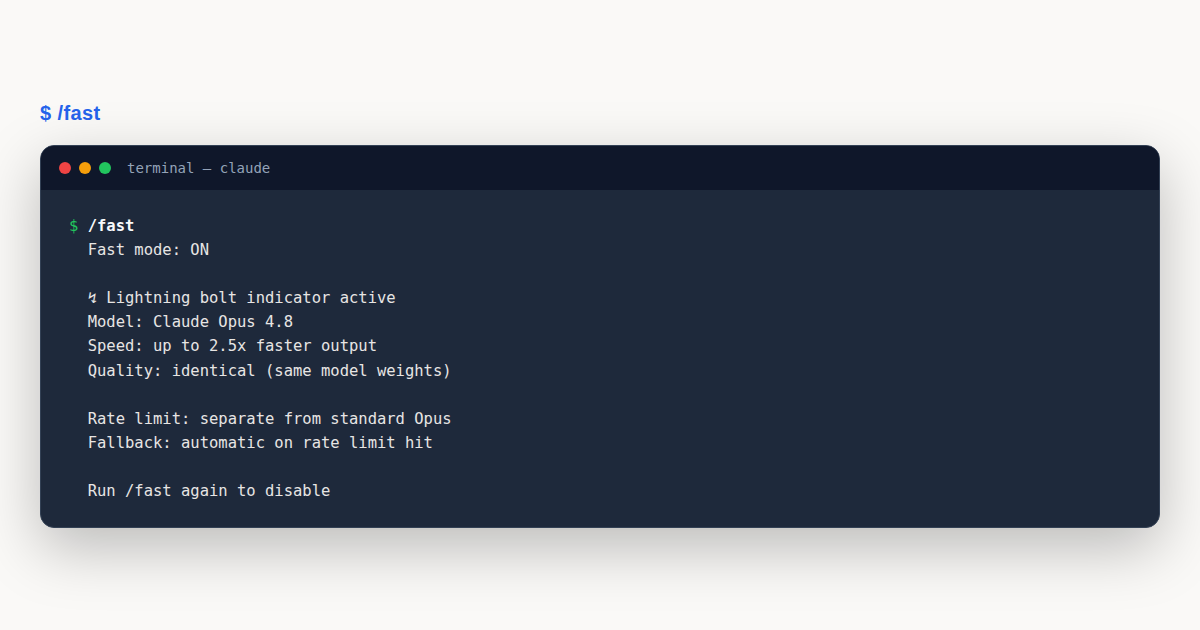
When you enable it, three things happen immediately. First, if you are currently on a different model, Claude Code automatically switches you to Opus. You do not need to change models manually first. The switch is silent and instant.
Second, you see a confirmation message in your terminal: Fast mode ON. When you toggle it off, you see Fast mode OFF. There is no ambiguity about the current state.
Third, a small ↵ lightning bolt icon appears next to your prompt for as long as it is active. This icon is your persistent visual cue. If you forget whether it is on, glance at the prompt. If the bolt is there, you are paying premium rates.
One important detail about disabling: when you toggle it off, you remain on Opus. Claude Code does not revert to whatever model you were on before. If you were on Sonnet, enabled the setting (which switched you to Opus), then disabled it, you stay on Opus at standard pricing. To return to a different model, use the /model command explicitly.
The default speed-tier model is Opus 4.8 on Claude Code v2.1.154 and later. On earlier versions (v2.1.142 through v2.1.153), it defaults to Opus 4.7. Make sure you are running v2.1.36 or later to use the feature at all. Check your version with:
claude --versionPricing and the Cache-Miss Cost Trap
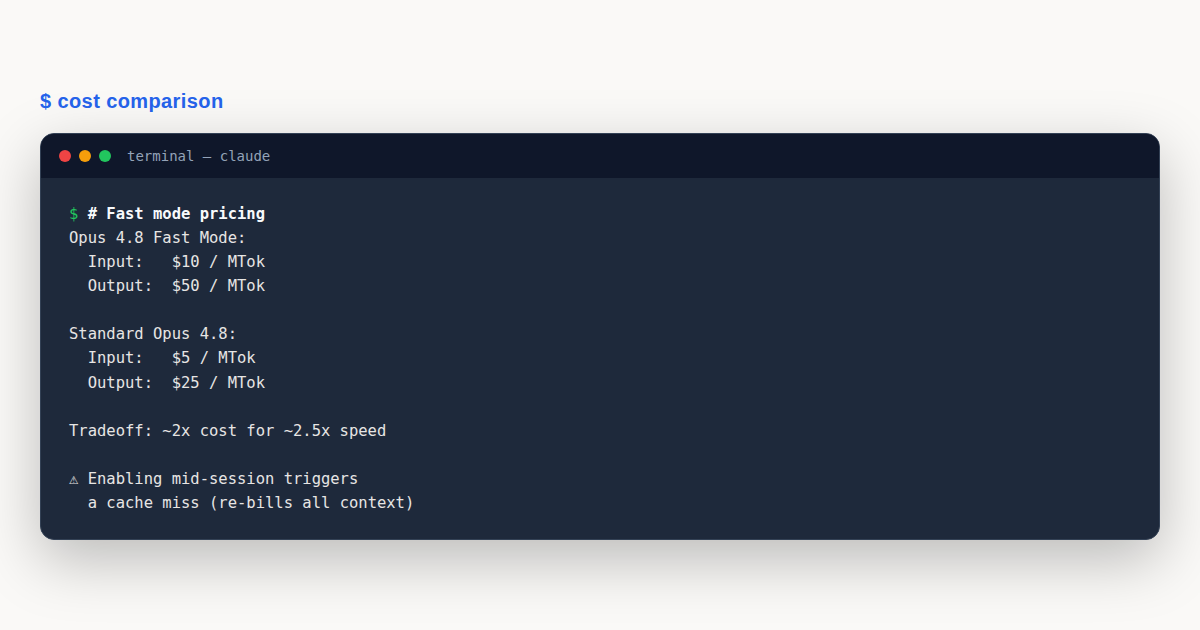
Fast mode pricing is higher than standard Opus on a per-token basis, and it is flat across the full one-million-token context window. There is no tiered discounting at higher context lengths. The rates differ between Opus versions:
| Model | Input (per MTok) | Output (per MTok) | Speed gain |
|---|---|---|---|
| Opus 4.8 fast mode | $10 | $50 | Up to 2.5x |
| Opus 4.7 fast mode | $30 | $150 | Up to 2.5x |
Opus 4.8 fast mode is dramatically cheaper than 4.7 fast mode, which is one more reason to migrate before the 4.7 deprecation completes. For standard Opus pricing to compare against, see the Claude pricing reference.
Here is the trap that catches nearly every new user. Claude Code uses a prompt cache to avoid re-processing your entire conversation on every turn. When you enable the setting for the first time in a conversation, that cache is invalidated. You pay the full uncached premium input price for the entire conversation context accumulated so far.
If you have been chatting for an hour and accumulated 150,000 tokens of context, enabling it at that point means re-billing all 150,000 tokens at the premium input rate. That single first turn can cost significantly more than any individual response. The deeper into a conversation you are when you flip the switch, the larger this one-time charge.
The cost applies once per conversation. Toggling it off and back on later in the same session does not repeat the re-billing. Once the cache is warm, subsequent turns use it normally. This is why the single most impactful cost-saving decision is simple: enable it at the very start of a session, not partway through.
If you know you want the speed premium for a task, turn it on before you send your first message. The cache builds at premium rates from the beginning, and there is no expensive re-billing event. If you are unsure, start without it and only enable it if latency becomes a problem, accepting that the first fast turn will carry a premium.
Availability and Access Requirements
Fast mode is not universally available. It has specific requirements that filter who can use it and under what conditions. Missing any of these will cause the /fast command to refuse or silently fail.
First, it is available only through the Anthropic API and Claude subscription plans (Pro, Max, Team, Enterprise). It is not available on Amazon Bedrock, Google Cloud’s Agent Platform, Microsoft Foundry, or Claude Platform on AWS. If your Claude Code instance is configured to route through one of those providers, the feature will not work.
Second, usage credits must be turned on. It draws directly from usage credits, which means billing beyond your plan’s included usage. Even if you have remaining quota on your subscription, premium tokens do not count against it. They are charged at premium rates from the very first token.
For individual accounts, you enable usage credits in your Console billing settings. For Team and Enterprise plans, an admin must turn on usage credits for the entire organization before anyone can access it.
Third, it is CLI only. It works in the Claude Code terminal application. It does not work in the VS Code extension. If you primarily use Claude Code through the editor integration, you will need to switch to the terminal to use it.
Fourth, for Team and Enterprise organizations, it is disabled by default. An Owner must explicitly enable it before users can access it. If it has not been enabled for your organization, the /fast command shows: “Fast mode has been disabled by your organization.”
There is also an allowlist consideration. If your organization restricts model selection through the availableModels setting and the premium Opus model is not on that list, /fast is refused with a message that the model is not in your allowed models. The one exception: if you are already running on an allowed Opus model that supports the feature, /fast enables it on your current model without switching.
Rate Limits and Graceful Fallback
The feature has its own rate limit pool, separate from standard Opus. Opus 4.8 fast mode and Opus 4.7 fast mode share the same pool, so usage on either draws from the same limits. This matters if you are migrating between versions: your budget does not reset when you switch models.
When you hit the rate limit or run out of usage credits, the system does not hard-stop your work. Instead, it falls back gracefully through a defined sequence.
First, it automatically falls back to standard speed. You are not cut off. Your request still completes, just at the normal Opus serving tier. Second, the lightning bolt icon next to your prompt turns gray, signaling that you are in a cooldown period. Third, you continue working at standard speed and standard pricing for the duration.
When the cooldown expires, it automatically re-enables. The icon returns to its normal color and subsequent responses pick up the fast tier again. You do not need to do anything. If you prefer not to wait for the cooldown, you can disable it manually by running /fast again, which removes the gray icon and keeps you at standard speed deliberately.
This fallback design means it is safe to leave on for interactive work. You will never be blocked by a rate limit. The worst case is a temporary return to standard speed until either the cooldown clears or you add more usage credits.
When to Use Fast Mode (and When Not To)
The speed tier shines in interactive scenarios where you are sitting in front of the terminal, waiting for responses, and the cost of your time exceeds the cost of the tokens. Human latency is the bottleneck, and shaving seconds off each response compounds across dozens of turns.
Use it for rapid iteration on code changes where you want immediate feedback on each edit. Use it for live debugging sessions where you are cycling between reading output, forming hypotheses, and asking follow-up questions. Use it for time-sensitive work with tight deadlines where every minute of waiting has real opportunity cost.
Do not use it for long autonomous tasks where the agent runs for minutes or hours without your involvement. If you are not watching the terminal, response latency does not matter. Standard Opus will complete the same work at lower cost. The speed premium buys nothing when there is no human waiting.
Do not use it for batch processing or CI/CD pipelines. In headless mode, each invocation is independent and the interactive latency benefit disappears entirely. Your pipeline does not care whether a response arrives in four seconds or ten. Paying the premium in CI is pure waste.
Do not use it for cost-sensitive workloads where budget is the primary constraint. If you are processing large volumes of code or documents and the per-token cost matters more than turnaround time, standard Opus is the right choice. The pricing multiplier adds up quickly at scale.
The decision framework is simple. Ask yourself: am I waiting for this response right now? If yes, it is worth it. If no, turn it off and let standard pricing apply. For more on tuning model behavior, see our Model Config Guide.
A practical signal: if you find yourself reaching for your phone or switching tabs while Claude thinks, you are in an interactive latency-bound session and the speed premium will improve your experience. If you have moved on to other work entirely and will check back whenever, standard Opus serves you just as well at a fraction of the cost.
Organization Admin Controls
Administrators on Team and Enterprise plans have two mechanisms to control the feature’s behavior across their organization. These exist because it draws from usage credits, and unchecked adoption can produce surprising bills.
The first control is the per-session opt-in flag. By default, the toggle that a user turns on in an interactive session persists across all future sessions. It stays on until they explicitly turn it off. For organizations where users run many concurrent sessions, this can lead to it silently accumulating costs across sessions the user forgot about.
Setting fastModePerSessionOptIn to true in managed settings or server-managed settings changes this behavior. Each session starts with it off. Users must explicitly enable it with /fast every time they want the speed premium. The user’s preference is still saved, so removing this setting later restores the default persistent behavior.
{
  "fastModePerSessionOptIn": true
}
The second control is a hard kill switch. Setting the environment variable CLAUDE_CODE_DISABLE_FAST_MODE=1 disables the feature entirely for any session where it is present. This is useful in CI environments, shared machines, or any context where it should never be available regardless of user preference. Our Debug Config Guide covers environment variables in more depth.
# Disable fast mode entirely in this environment
export CLAUDE_CODE_DISABLE_FAST_MODE=1
To enable the feature for an organization in the first place, the path depends on the product. For Console (API customers), an admin enables it in Claude Code preferences. For Claude AI Team and Enterprise, an Owner enables it through Admin Settings under the Claude Code section. Until this step is done, no one in the organization can use it regardless of their individual settings.
Opus 4.7 Deprecation and Migration
Speed-tier serving on Opus 4.7 is deprecated. The deprecation was announced and the feature is scheduled for removal in the near future. After removal, requests targeting Opus 4.7 will return an error. They will not fall back to standard Opus 4.7 silently. Your session will fail if you are still pinned to the old model.
If you are running Claude Code v2.1.142 through v2.1.153, it defaults to Opus 4.7. You should update to v2.1.154 or later, where the default became Opus 4.8. Updating both avoids the deprecation cliff and reduces your costs, since Opus 4.8 fast mode is significantly cheaper per token than 4.7.
To migrate, update Claude Code to the latest version and let it use the Opus 4.8 default. If you have pinned a specific Opus version in your settings, change it to 4.8 or remove the pin so the default applies. Verify with /model that you are on Opus 4.8, then enable it with /fast.
A Worked Example: Live Debugging with Fast Mode
Imagine you are debugging a flaky test suite that only fails in production. You have a narrow window before a deployment and you need to move fast. You open Claude Code in the terminal and assess your situation: the bug is intermittent, the logs are long, and you will be going back and forth between reading output, forming hypotheses, and asking Claude to inspect specific files.
This is a textbook speed-tier scenario. You are the bottleneck. Every second Claude spends generating a response is a second you spend staring at the terminal. Across thirty or forty turns of debugging, shaving two seconds off each response saves you over a minute of cumulative waiting. That is not dramatic, but it keeps you in flow.
You enable the setting before sending your first message. This is critical. If you had already been chatting for twenty minutes and accumulated a large context, enabling it now would re-bill that entire context at fast mode input rates. By turning it on at the start, the cache builds at premium rates from the beginning and there is no expensive surprise on the first fast turn.
You type /fast, press Tab, and see the confirmation. The lightning bolt appears next to your prompt. You ask Claude to pull the production logs and identify the failing test. The response comes back noticeably faster than standard Opus. You read it, form a hypothesis, and immediately ask a follow-up about a specific function. Again, the response is quick.
Halfway through the session, you hit the rate limit. The bolt turns gray. You are now in cooldown, running at standard speed. You do not panic and you do not stop. The fallback is graceful. Your next request completes at standard latency, and within a minute or two the cooldown expires and the bolt returns to its normal color. It re-enables automatically.
You find the bug. It is a race condition in a background worker. Claude helps you write the fix. You review the diff, approve it, and run the tests. They pass. Total session time was tighter than it would have been at standard speed, and the cost premium was justified by the deadline pressure. This is the sweet spot: interactive, latency-sensitive, human-in-the-loop work.
Now imagine a different scenario. You need to run a large refactoring pass across fifty files. You write a detailed prompt, launch Claude Code in headless mode with -p, and walk away to get coffee. Twenty minutes later, the job is done. In this case, the speed tier would have added cost without adding value. Nobody was waiting. Standard Opus would have produced identical output at lower rates. This is when you leave it off.
The pattern holds beyond these two examples. Anytime the value you derive scales with response speed, the premium is justified. Anytime it does not, standard Opus is the better call. Code review sessions where you read diffs in real time benefit from the boost. Long-running migrations where you check back in an hour do not. Pair programming on tricky logic benefits. Generating documentation overnight does not. Match the setting to the workflow, not to habit.
Fast Mode: Common Mistakes to Avoid
Even experienced developers stumble here. The feature is straightforward in concept but the edge cases around pricing, caching, and availability catch people off guard. Here are the most frequent pitfalls and how to avoid each one.
- Enabling fast mode mid-conversation. The first fast turn re-bills your entire accumulated context at fast mode input rates. Fix: enable fast mode at the start of a session, or accept the one-time premium consciously.
- Using the feature in CI pipelines. Headless batch jobs have no human waiting, so the latency benefit is wasted and you pay the full premium for nothing. Fix: leave it off in headless mode unless a specific turnaround requirement justifies it.
- Expecting it to work in VS Code. The feature is CLI only. Fix: switch to the terminal application if you need the speed tier, or accept standard speed in the editor integration.
- Assuming Auto Mode and the speed tier are the same thing. They are independent levers controlling different things. Fix: remember that one changes speed, Auto Mode changes permission autonomy, and effort level changes reasoning depth. See our Advanced Features guide for Auto Mode details.
- Forgetting it persists across sessions. If you turned it on yesterday, it may still be on today, silently drawing from usage credits. Fix: run
/fastto check current status, or ask your admin to enable per-session opt-in. - Ignoring the Opus 4.7 deprecation. Serving on 4.7 is deprecated and scheduled for removal, and it is far more expensive than 4.8. Fix: update Claude Code and let it default to Opus 4.8.
Fast Mode: Best Practices
- Enable fast mode at the start of a session, before your first message, to avoid the cache-miss re-billing on accumulated context.
- Check status with
/fastwhenever you are unsure. The lightning bolt icon next to your prompt is your persistent visual indicator. - Turn it off when you step away from the terminal. If no human is waiting, the speed premium buys nothing and drains usage credits silently.
- Migrate to Opus 4.8 before the 4.7 deprecation completes. Opus 4.8 fast mode is cheaper, and 4.7 requests will eventually error with no fallback.
- Use per-session opt-in (
fastModePerSessionOptIn) in organizations where users run many concurrent sessions, to prevent fast mode from persisting and accumulating costs unnoticed. - Combine it with a lower effort level only for straightforward tasks. On complex reasoning, keep effort high and let the speed tier handle the rest.
Fast Mode: Frequently Asked Questions
Does fast mode use a different model than standard Opus?
No. Fast mode runs the same Claude Opus model with a different serving configuration that prioritizes speed. Quality and capabilities are identical. The only difference is latency and per-token cost.
How much faster is fast mode?
Fast mode delivers responses up to 2.5 times faster than standard Opus. The exact speedup varies with request size and current load, but the throughput improvement is significant for interactive work.
Can I use fast mode in VS Code?
No. It is supported only in the Claude Code CLI, not in the VS Code extension. Use the terminal application to access the toggle and its speed benefits.
What happens if I hit the fast mode rate limit?
Claude Code falls back to standard speed automatically. The lightning bolt icon turns gray during cooldown, and it re-enables itself when the cooldown expires. Your work is never interrupted.
Does fast mode work on Amazon Bedrock or Google Cloud?
No. It is available only through the Anthropic API and Claude subscription plans using usage credits. It is not supported on Bedrock, Vertex AI, Microsoft Foundry, or Claude Platform on AWS.
Fast mode is a serving-layer speed boost for Claude Opus, not a model change or a permission change. Turn it on at the start of latency-sensitive interactive sessions, leave it off for batch and CI work, and remember that the first-turn cache re-billing makes mid-conversation activation expensive. Migrate to Opus 4.8 to get the best fast mode pricing before the 4.7 deprecation completes.