30 sec6 min coredeep dive optional
These five AI infrastructure projects climb the same ladder a production team does: a local LLM tool on your laptop, a multi-replica serving stack on Kubernetes, and finally autoscaling and scale-to-zero GPU inference.
- Each project targets one layer: local tooling, cluster serving, platform operations, GPU autoscaling, scale-to-zero.
- The strongest pick is vLLM production-stack, the vLLM team’s own reference implementation, at 2,609 stars on GitHub.
- Four of the five run without owned GPUs, and the KEDA repo ships a local CPU phase before its GKE GPU phase.
- New to Kubernetes? Start with the Ollama Dockerfile generator. Already run a cluster? Go straight to production-stack.
The gap between running a model and running AI infrastructure is the gap between a notebook and a platform. These five AI infrastructure projects close that gap in order. You start with a local LLM tool you can build on a laptop this weekend, and you finish with a GPU serving platform that scales to zero between traffic bursts. Every entry points at a working source you can clone or follow.
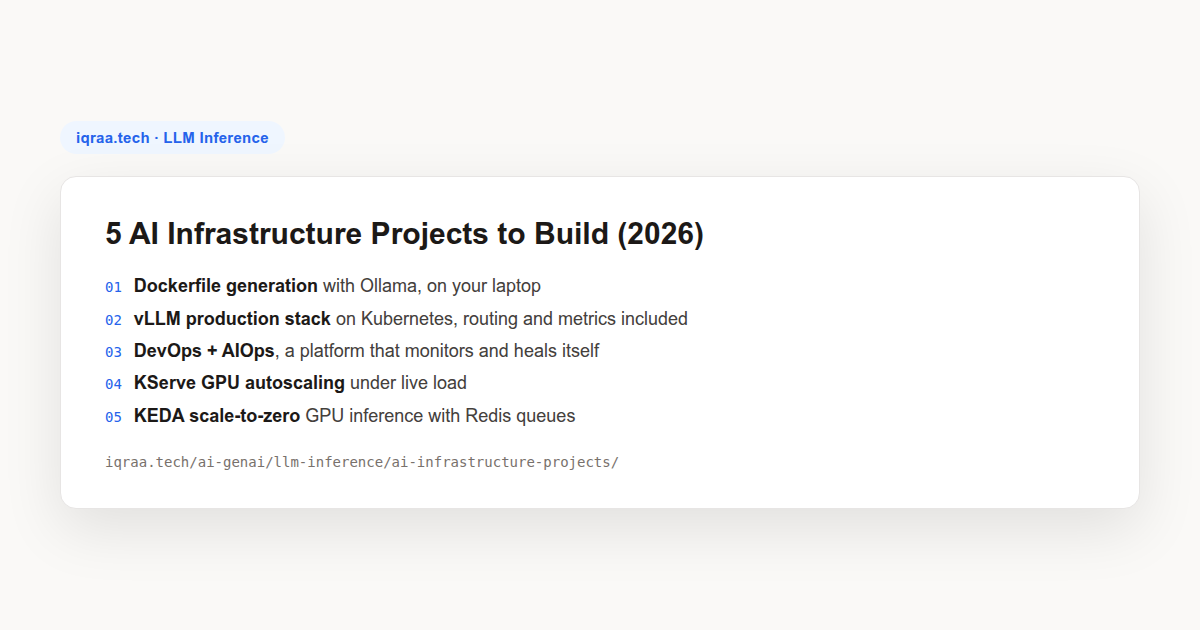
The list is a learning path. The first project needs nothing but a laptop, and the last provisions GPU nodes and then removes them when traffic stops. Each entry notes what you build, the tools involved, and where the working source lives, so you can pick the level that matches your setup rather than starting over every time.
Start on your laptop: a local LLM that writes Dockerfiles
Dockerfile generation with Ollama
Gen-AI for DevOps, Day 3 (Abhishek Veeramalla, YouTube, beginner). You build a small Python tool that hands a project’s structure to an open-weight model served by Ollama and pulled from Hugging Face, then writes out a Dockerfile you can actually build.
As a product it is modest. As a first rep it is the cheapest AI project there is: you stand up local inference, wire a model into a script, and judge its output against something concrete. No API keys, no per-token billing, and no data leaving the machine.
Watch the Day 3 video, a single episode in a free series.
Serve models in production on Kubernetes
The vLLM production stack: routing, replicas, and metrics
vLLM production-stack (vLLM project, GitHub, 2,609 stars). This is the reference implementation from the vLLM team itself: a request router in front of multiple vLLM engines, installed with Helm, with Prometheus and Grafana observability in the box.
The lesson is that serving is a cluster problem, not a container problem. The router directs requests by session and routing key to maximize KV-cache reuse, the stack can offload KV cache through LMCache, and your application talks to one endpoint while the engines scale underneath it. The repo’s tutorials start from a minikube install and continue to cloud deployments on AWS, GCP, Azure, and Lambda Labs.
View vLLM production-stack on GitHub. If you want the conceptual grounding first, our LLM serving engines comparison covers what vLLM does well before you deploy it.
What is KV-cache-aware routing and why does it matter?
Every token a model processes produces keys and values that live in GPU memory as the KV cache. When the next request from the same conversation lands on the same engine, all of that prefix work is reused and the model starts generating almost immediately. Land it on a different engine, and the prefix gets recomputed from scratch.
A naive round-robin load balancer ignores this completely: it scatters sessions across replicas and throws the reuse away. The production-stack router instead directs requests by session ID and routing key so a conversation tends to stay with the engine that already holds its cache, and prefix-aware matching extends the same idea to shared system prompts. LMCache can additionally offload cache to CPU memory so an engine survives more concurrent context than its GPU alone could hold.
You can watch the difference instead of taking it on faith. The stack’s Grafana dashboards surface per-engine metrics, so a routing change shows up in the numbers within minutes: cache hit rate, requests per engine, time-to-first-token. Run the same conversation twice, once against round-robin and once against session routing, and compare the second request’s latency in each setup. That single measurement explains why every serious serving platform grew a router.
The payoff shows up as lower time-to-first-token and higher throughput per GPU, which is why routing sits at the center of this stack rather than in front of it as an afterthought. We trace the full path of a request, router included, in How ChatGPT Works: KV-Cache, GPU Cluster, and the Router, and the serving engines roundup explains where vLLM fits among its alternatives.
KServe GPU autoscaling: replicas that follow load
KServe autoscaling samples (KServe docs, GitHub). KServe, the standardized inference platform on Kubernetes at 5,962 stars, keeps a small set of official autoscaling manifests in its docs: default scaling, custom metrics, and GPU, plus debug screenshots of the scaling behavior in action.
The exercise is simple and it sticks. Deploy the sample, point a load generator at it, and watch replicas arrive and leave against the very metrics that drove them. Autoscaling stops being a checkbox and becomes a control loop you can observe. The GPU manifest targets GPU nodes, but the scaling mechanics are identical on CPU, which is what makes this a cheap lab.
Open the KServe autoscaling samples.
How do HPA, KEDA, and the Cluster Autoscaler divide the work?
Kubernetes autoscaling is three mechanisms stacked, not one. The Horizontal Pod Autoscaler adds or removes pods based on metrics it scrapes from those same pods: CPU, memory, or a custom metric an exporter publishes. It is the default answer, and it cannot scale to zero, because once the last pod is gone there is nothing left to report metrics.
KEDA closes that gap by watching an external signal instead: a Redis queue length, a Kafka consumer lag, a Prometheus query. Because the signal lives outside the workload, KEDA can hold a deployment at zero replicas and wake it on the first event. The Cluster Autoscaler works one layer down, on nodes: it notices pods stuck pending for lack of capacity, asks the cloud provider for a machine that fits, and removes nodes that stay underutilized.
Each layer also has its own timing, and the timing is where tuning lives. The Horizontal Pod Autoscaler evaluates on a sync interval and applies a stabilization window before scaling down, so a traffic spike that ends in ninety seconds may never trigger a removal at all. KEDA adds its own cooldown and stabilization settings per scaler, and the Cluster Autoscaler waits out a node’s underutilization before deleting it. Stack those delays deliberately: aggressive scale-down paired with slow scale-up produces a system that oscillates, and the cure is almost always more patience on the way down.
The KEDA repo in the last project chains all three deliberately, which is why its architecture is worth reading even if you never run the GPU phase: queue depth wakes pods, pending pods wake nodes, and quiet tears it all back down.
KEDA scale-to-zero: GPU inference that costs nothing idle
gpu-autoscale-inference (Adityo Nugroho, GitHub, 18 stars). Honesty first: this is a personal project, not a vendor reference. It earns its slot by being complete. Requests queue in Redis; KEDA scales the vLLM deployment up from zero when queue depth rises; on GKE the Cluster Autoscaler provisions a GPU node only when a pod actually requests one. When traffic stops, both the pods and the node go away.
The repo is careful about the parts teams usually skip. Model weights persist on a PersistentVolumeClaim so restarted pods don’t re-download them. Container image layers are pre-cached through GKE secondary boot disks to cut cold starts. NVIDIA DCGM and vLLM’s Prometheus exporters expose GPU utilization, KV cache state, and time-to-first-token, so you can watch the loop work instead of trusting it.
View gpu-autoscale-inference on GitHub.
What does scale-to-zero actually cost you in cold starts?
Walk the timeline of the first request after an idle period. It lands in Redis and waits. KEDA polls the queue on its configured interval, notices the depth, and creates pods. If no node can fit a pod that requests a GPU, the Cluster Autoscaler provisions a VM, which then boots, joins the cluster, and gets its NVIDIA drivers and container runtime in order. Only after that does the image pull finish, the model weights load from the persistent volume, and vLLM open its port. The request that started all of this finally gets answered.
Measure the chain before you judge it. Timestamp the request when it enters Redis, when KEDA creates the pods, when each pod becomes ready, and when the first token comes back. The gaps between those stamps tell you which step owns your cold start, and it is rarely the one you suspect: node join usually dominates on a real GPU cluster, while image pull and weight loading dominate once nodes are warm. Continuous batching helps on the recovery side, because once vLLM is up, new requests join batches already in flight and throughput climbs quickly.
That chain is why the repo buffers through Redis at all: nothing is dropped and no client needs retry logic, but latency on the first request is the price. The repo’s own mitigations, weights on a PVC and pre-cached image layers, attack the two slowest steps directly. The honest conclusion is that scale-to-zero fits bursty and internal workloads, while anything with steady traffic should keep a minimum replica count and accept the bill. A useful compromise is a minimum of one replica during working hours and zero overnight, which keeps the worst cold start out of your busiest window.
Operate the platform: DevOps and AIOps end to end
A complete DevOps + AIOps project series
End-To-End DevOps + AIOps Project (complete YouTube series). This is the outlier on the list: nothing here is inference. It covers the platform layer around everything else, with Kubernetes, monitoring, and observability wired into AIOps, where the platform detects issues and triggers operational responses itself instead of paging a human to click a button.
AIOps rarely gets taught end to end. Most material stops at dashboards and leaves the response half implicit, which is a bit like teaching diagnosis without treatment. A full build that connects detection to automated response is worth your time if platform engineering is the direction you want, and it pairs well with the serving projects above: one teaches you to run models, the other teaches you to run anything.
Open the complete series playlist.
What does AIOps actually automate?
AIOps applies pattern recognition to operational telemetry. Metrics, logs, and traces flow in; the system detects anomalies against learned baselines instead of fixed thresholds, correlates the resulting alerts so one root cause doesn’t page you twelve times, and then suggests or executes a response: restart a deployment, scale a service, roll back a release.
The telemetry these serving projects export is exactly what an AIOps layer consumes. Queue depth from Redis, time-to-first-token and KV cache state from vLLM’s exporter, GPU utilization and power draw from DCGM, pod and node lifecycle from kube-state-metrics: wire those into the platform and the anomaly detection has something real to detect. That is the cleanest way to see the relationship between the two halves of this list. The serving projects produce the signals, and the operations layer decides what to do when the signals go wrong.
Its limits matter as much as its promises. The detection layer is only as good as the telemetry feeding it, and the automation layer usually earns trust gradually, starting with actions a human approves before graduating to the ones nobody reviews. The useful mental model is a control loop wrapped around the same dashboards you already run, closing by itself for the boring failure modes first and escalating the rest. Start with alert correlation alone; it is the fastest win and the easiest part to evaluate.
How to run these AI infrastructure projects without a GPU
GPU access is the stated barrier to most of these AI infrastructure projects, and it is a smaller barrier than it looks. The Ollama project runs on CPU with a small model. The KServe scaling mechanics don’t change because the node has an NVIDIA card in it: same metrics, same thresholds, same replica behavior.
The production-stack tutorials begin on minikube, and the KEDA repo explicitly separates a local phase from the GKE GPU phase, so you can build the queue-to-scaling loop on a laptop and read about node provisioning. What you cannot simulate cheaply is GPU cold start behavior, and for that, working through the architecture on paper is genuinely useful: which component waits on which, and what a request experiences during each wait.
The economic point is worth internalizing anyway. GPU nodes bill continuously whether traffic exists or not, and that is exactly why scale-to-zero exists: a platform that removes idle GPU nodes between bursts is the difference between a demo and a budget.
Which of these projects belongs on a resume?
Not all five carry the same weight. The Ollama Dockerfile generator is a warm-up, and listing it alone signals beginner. The vLLM production stack and the KEDA scale-to-zero build are the two that read as production engineering, because they involve the decisions teams actually pay for: routing, replica counts, node costs, cold starts. The KServe samples are a lab; fold them into a story about autoscaling rather than leading with them.
Whichever you pick, be ready to answer what broke. The credible line is not “deployed vLLM on Kubernetes” but something closer to “deployed a multi-replica vLLM stack and cut time-to-first-token by fixing session routing”, because the second version contains a measurement and a decision. Build one project deeply, break it on purpose, benchmark the before and after, and you have a better story than someone who skimmed all five.
A practical sequencing if you have one free weekend a month: build the Ollama tool first for confidence, spend the next month on the production stack, then do the KEDA build in a third sprint. By the last one you will recognize every component because you have already run it somewhere else, and that recognition is most of what the job title actually describes.
If you build only one of these AI infrastructure projects, build the vLLM production stack. It is the official reference, it teaches routing, replica management, and cache-aware serving as one system, and those three skills transfer to every serving platform you will touch afterwards. Add the KServe samples when interviews ask about elasticity, and the KEDA repo when they ask what it costs.
Keep going with the rest of the Iqraa LLM Inference series.
- LLM Serving Engines: vLLM, BentoML, and the field compares the engines you would deploy inside the production stack, and it is the conceptual companion to project two.
- LLM Inference GPUs: The Best Hardware Primer explains the hardware these autoscaling projects are scheduling, and why cold starts hurt the way they do.
- How ChatGPT Works: KV-Cache, GPU Cluster, and the Router traces one request through a production serving path, which is the architecture the vLLM stack implements.
- Tiny-LLM: Build a Mini vLLM on Apple Silicon
- Zero to SGLang: the Official Inference Course
- Train an LLM from Scratch: the Full Tutorial Repo