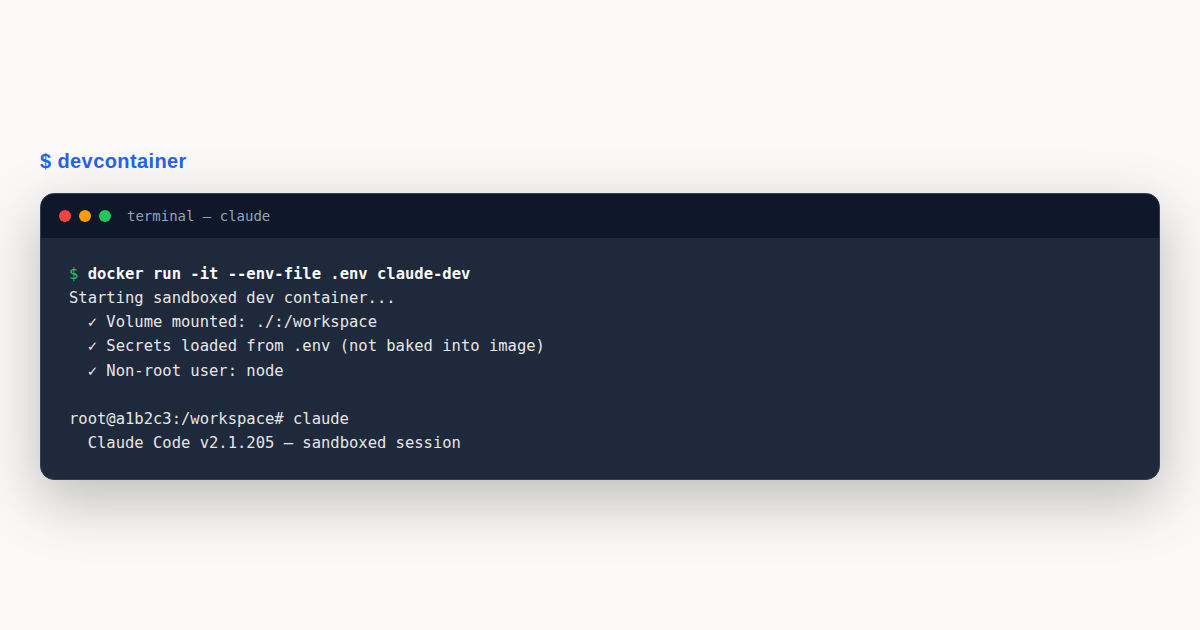
Claude Code Docker deployments containerize the agent so it runs in a sandboxed, reproducible environment isolated from your host system. The pattern is popular for CI pipelines, ephemeral development containers, devcontainer setups inside VS Code, and locked-down enterprise environments where running an AI agent directly on a developer laptop is not acceptable. This guide covers production-grade Dockerfile patterns, secret management, volume strategies for persisting configuration, devcontainer integration, and the security considerations that separate a working container from one you would actually deploy.
Claude Code Docker: What You’ll Learn
This is a practical claude code docker guide for teams who need to run Claude Code in containers rather than directly on workstations. You will see two complete Dockerfiles (minimal and full-featured), a devcontainer.json pattern for VS Code integration, docker-compose snippets for multi-service setups, the right way to pass the ANTHROPIC_API_KEY without baking it into the image, and the volume-mount strategy that persists your .claude configuration across container rebuilds. The end result is a containerized Claude Code setup you can deploy with confidence.
We will also address where Docker adds friction. Container rebuilds are slower than direct installs, file-system performance can suffer on macOS and Windows, and the interactive terminal experience Claude Code is built around requires careful TTY handling to feel native inside a container. If you want a deeper grounding in Claude Code’s headless mode (the natural fit for containerized CI use), the Headless Mode and CI Automation guide covers that pattern in detail.
Why Run Claude Code in Docker?
The decision to set up a Claude Code Docker environment is usually driven by one of four motivations. Understanding which one applies to your team determines the right Dockerfile pattern, because the patterns are not interchangeable. A CI runner has very different requirements from a developer-facing devcontainer, and a locked-down enterprise deployment is different again from either.
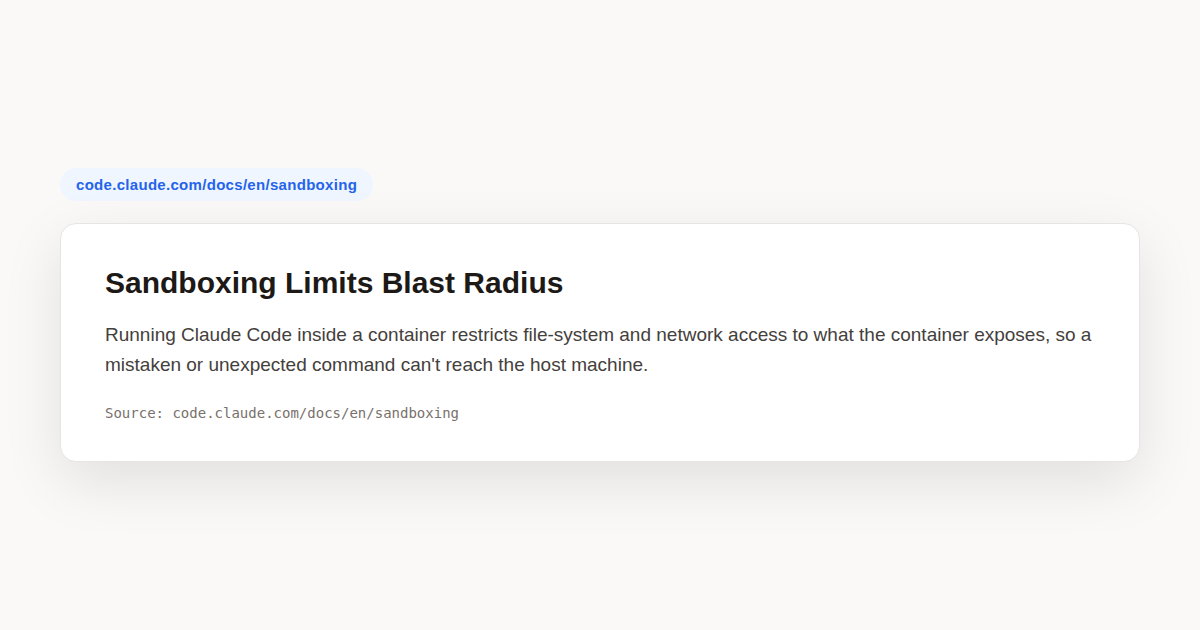
The first motivation is isolation. Claude Code, by design, reads files and runs commands on the host system. Running it inside a container constrains that blast radius to the container’s filesystem and network, which matters for compliance-sensitive environments, shared developer machines, and any workflow where the host system must not be touched. A misbehaving agent inside a container is a restart away from a clean slate; the same agent on a workstation may have written files anywhere the developer has write access.
The second motivation is reproducibility. A pinned Docker image with a specific Node.js version, a specific Claude Code version, and a specific set of system dependencies guarantees that every developer and every CI runner has the same environment. The “works on my machine” problem disappears entirely, and debugging an issue that only reproduces in one environment becomes a question of comparing image digests rather than investigating host differences.
The third motivation is automation. CI pipelines run inside containers natively: GitHub Actions, GitLab CI, and Jenkins all use container-based runners. Running Claude Code in CI means running it inside a container, full stop. The Dockerfile you use for CI may be identical to the one developers use locally, or it may be a stripped-down variant optimized for build-cache performance.
The fourth motivation is enterprise governance. Some security teams require AI tools to run inside approved containers, scanned for vulnerabilities, with network policies restricting outbound traffic. A Dockerfile gives the security team a single artifact to review, sign, and deploy. Direct workstation installs are harder to govern because they bypass any image-scanning pipeline.
The Minimal Dockerfile
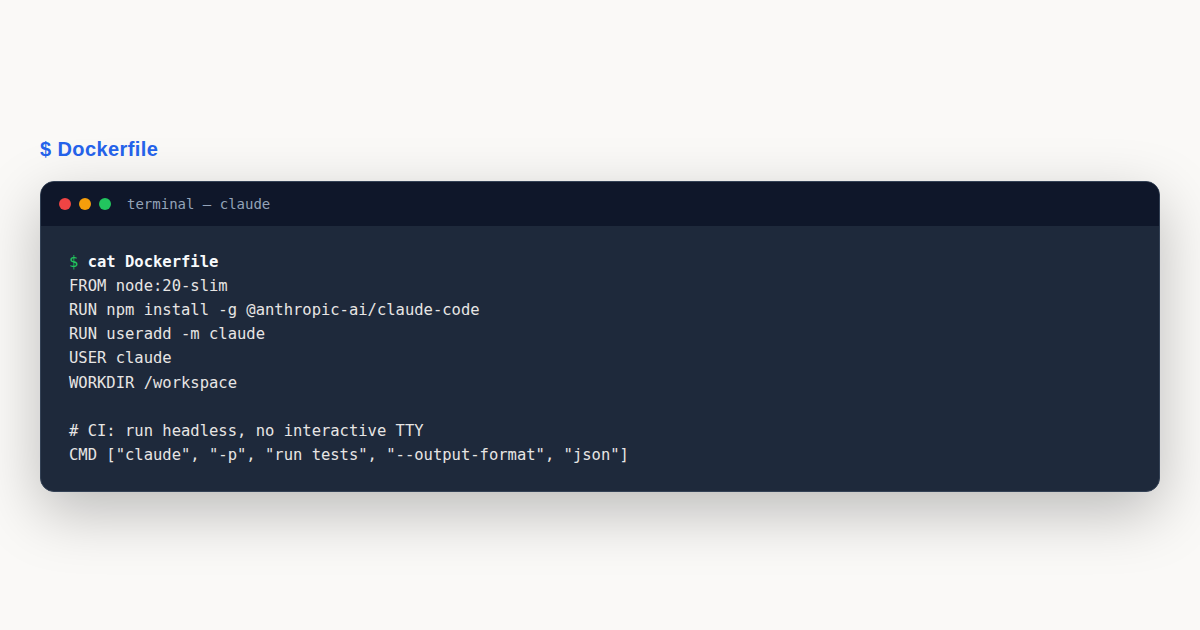
The minimal Claude Code Docker image starts from this Dockerfile: it installs Node.js, fetches the Claude Code binary, sets up a non-root user, and configures the entrypoint. It is the right starting point for CI runners and ephemeral containers where you do not need developer-facing tooling.
FROM node:20-slim

# Install git and minimal system deps
RUN apt-get update && apt-get install -y --no-install-recommends
    git ca-certificates curl
    && rm -rf /var/lib/apt/lists/*

# Create non-root user
RUN useradd --create-home --shell /bin/bash claude
USER claude
WORKDIR /home/claude/workspace

# Install Claude Code globally for the claude user
RUN npm install -g @anthropic-ai/claude-code

# Default entrypoint
ENTRYPOINT ["claude"]
CMD ["--help"]
This Dockerfile is intentionally minimal: a single stage, no caching layers beyond what the base image provides, no Claude Code configuration baked in. The expectation is that ANTHROPIC_API_KEY is passed via environment variable at runtime, and the workspace directory is mounted as a volume. Image size lands around 350 MB, which is small enough to push and pull quickly in CI pipelines.
The non-root user is not optional for any container that will touch production-like environments. Running Claude Code as root inside the container means a misbehaving agent has root inside the container’s namespace, which combined with mounted volumes can write files with root ownership on the host. The claude user keeps things scoped to a regular UID, which is what mounted volumes expect anyway.
Node.js 20 is the long-term-support version Claude Code targets. Pinning to node:20-slim rather than node:latest ensures a future Node.js release does not break the image. Bump the major version explicitly when you have tested Claude Code against a new LTS, not as a side effect of pulling :latest.
The Full Development Dockerfile
For developer-facing containers and devcontainer use, you want more than the bare minimum. A development image includes git history tools, language runtimes your project depends on, an interactive shell setup, and persistent configuration directories.
FROM node:20-slim

# System packages for general development
RUN apt-get update && apt-get install -y --no-install-recommends
    git ca-certificates curl wget unzip vim jq
    build-essential python3
    && rm -rf /var/lib/apt/lists/*

# Optional: install Docker CLI for Docker-in-Docker patterns
# (without installing the docker daemon itself)
RUN curl -fsSL https://download.docker.com/linux/static/stable/x86_64/docker-27.0.3.tgz
    | tar -xz -C /tmp && mv /tmp/docker/docker /usr/local/bin/ && rm -rf /tmp/docker

# Create developer user with explicit UID for volume permissions
RUN useradd --uid 1000 --create-home --shell /bin/bash dev
USER dev
WORKDIR /workspace

# Install Claude Code
RUN npm install -g @anthropic-ai/claude-code

# Persist configuration in a known location
ENV CLAUDE_CONFIG_DIR=/home/dev/.claude
VOLUME ["/home/dev/.claude", "/workspace"]

# Use an interactive entrypoint
CMD ["/bin/bash"]
The full image is roughly 1.2 GB, which is the cost of including build tools, Python, and the Docker CLI. The trade-off is that developers inside this container can run almost any task Claude Code might suggest, including compiling native modules, running Python tooling, and even invoking Docker commands if you mount the host’s Docker socket (with appropriate security caveats covered below).
The explicit --uid 1000 is important for volume permissions. Files written by the container’s dev user will be owned by UID 1000 on the host, which on most Linux distributions matches the primary user account. Without this alignment, files created in mounted volumes appear with “no owner” or with root ownership on the host, requiring manual chown cleanup.
The Docker CLI install (without the daemon) is the pattern for Docker-in-Docker workflows where the container needs to run docker build or docker push against the host’s Docker daemon. Mounting /var/run/docker.sock lets the container’s Docker CLI talk to the host daemon. This is convenient but a security trade-off: anything inside the container can run any Docker command, which is effectively host root.
Secret Management: Never Bake the API Key
The single most important Docker rule for Claude Code is: never put ANTHROPIC_API_KEY in the Dockerfile, in a build argument, or in any layer of the image. Once the key is in an image layer, anyone with access to the image can extract it via docker history or by inspecting layer contents. Treat the API key as a runtime secret that lives outside the image entirely.
The correct patterns, in order of preference, are environment variables at runtime, Docker secrets (Swarm mode), Kubernetes secrets, or your cloud provider’s secret manager. The common thread is that the key is injected when the container starts, never when it is built.
# Pattern 1: Environment variable at runtime (CI/CD, local dev)
docker run --rm -it
  -e ANTHROPIC_API_KEY="$ANTHROPIC_API_KEY"
  -v "$PWD":/workspace
  -v claude-config:/home/dev/.claude
  claude-code:latest

# Pattern 2: Env file (never commit the file!)
echo "ANTHROPIC_API_KEY=sk-ant-..." > .env
docker run --rm -it --env-file .env
  -v "$PWD":/workspace
  claude-code:latest

# Pattern 3: Docker Compose with env var passthrough
# (compose.yml)
services:
  claude:
    image: claude-code:latest
    environment:
      - ANTHROPIC_API_KEY  # pulls from host env
    volumes:
      - ./:/workspace
      - claude-config:/home/dev/.claude
For CI/CD pipelines, the secret should live in the pipeline’s secret store (GitHub Actions secrets, GitLab CI variables, Jenkins credentials) and be exposed to the container as an environment variable. The pipeline’s secret store is the right place for long-lived keys because it has audit logs, scoped access, and rotation workflows built in.
For developer-facing containers, prefer short-lived keys issued by an OIDC exchange or SSO flow. Long-lived developer keys tend to leak, and a leaked Claude API key can rack up significant inference charges before anyone notices. If your organization uses Anthropic’s enterprise tier, ask about short-lived token exchange patterns that issue per-session credentials rather than persistent API keys.
Persisting Configuration with Volumes
Claude Code stores configuration, session history, and learned preferences in ~/.claude/. By default, that directory lives inside the container and is lost when the container is removed. For any non-ephemeral use, you want this directory to persist across container rebuilds.
The pattern is a named Docker volume mounted at the configuration path. Named volumes survive container deletion and image rebuilds, and they can be backed up, inspected, and shared between containers.
# Create a named volume for Claude Code configuration
docker volume create claude-config-dev

# Mount it on every run
docker run --rm -it
  -e ANTHROPIC_API_KEY="$ANTHROPIC_API_KEY"
  -v "$PWD":/workspace
  -v claude-config-dev:/home/dev/.claude
  claude-code:latest
For devcontainer use, the volume is declared in devcontainer.json (covered below) and is created automatically the first time the container starts. The volume persists across VS Code workspace reloads and across machine reboots, which means your CLAUDE.md project memory, command history, and saved slash commands survive.
A common mistake is mounting the configuration directory to a host path (-v /home/me/.claude:/home/dev/.claude) instead of a named volume. Host-path mounts work but introduce permission issues: the container’s dev user may not have write access to the host directory, depending on host UID/GID and filesystem permissions. Named volumes avoid this entirely because Docker manages their permissions.
If you need to inspect or back up the configuration volume, use docker run --rm -v claude-config-dev:/data alpine tar czf - -C /data . > backup.tar.gz. Restore is the reverse: pipe the tarball back into a container that mounts the volume.
Devcontainer Integration
VS Code’s devcontainer system is the most polished path to a Claude Code Docker workflow for developers. The pattern pairs a Dockerfile with a devcontainer.json that configures how VS Code connects to the container, which extensions to install, and which volumes to mount.
// .devcontainer/devcontainer.json
{
  "name": "Claude Code Dev",
  "build": {
    "dockerfile": "Dockerfile",
    "context": ".."
  },
  "remoteUser": "dev",
  "workspaceMount": "source=${localWorkspaceFolder},target=/workspace,type=bind,consistency=cached",
  "workspaceFolder": "/workspace",
  "mounts": [
    "source=claude-config-${localWorkspaceFolderBasename},target=/home/dev/.claude,type=volume"
  ],
  "containerEnv": {
    "CLAUDE_CONFIG_DIR": "/home/dev/.claude"
  },
  "runArgs": [
    "--env-file", ".devcontainer/.env"
  ],
  "customizations": {
    "vscode": {
      "extensions": [
        "anthropic.claude-code",
        "dbaeumer.vscode-eslint",
        "esbenp.prettier-vscode"
      ]
    }
  },
  "postCreateCommand": "npm install && git config --global --add safe.directory /workspace"
}
The workspaceMount with consistency=cached is essential on macOS and Windows, where the default bind-mount consistency can be painful for file-heavy projects. The cached option optimizes for container-side read performance at the cost of slower host-side sync, which matches the dominant pattern of editing inside the container and reading from the host occasionally.
The named volume claude-config-${localWorkspaceFolderBasename} creates a separate configuration volume per workspace, so each project has its own Claude Code history. This matches how most developers want Claude Code to behave in a devcontainer: project-scoped memory rather than a global cross-project history.
The --env-file pattern keeps secrets out of the devcontainer.json file (which is typically committed to version control). The .env file itself is gitignored. On first setup, developers create .devcontainer/.env locally with their ANTHROPIC_API_KEY=sk-ant-... line, and the container picks it up automatically.
The postCreateCommand runs once when the container is created. It is the right place for project-specific setup: installing npm dependencies, configuring git safe directories, or setting up language-specific tooling. Avoid heavy work here that would slow container startup; prefer a separate postStartCommand for things that need to run on every container start.
Docker Compose for Multi-Service Setups
When Claude Code is part of a larger development environment that includes a database, queue, or other services, Docker Compose orchestrates the whole stack. Claude Code becomes one service alongside Postgres, Redis, or whatever your application needs.
# compose.yml
services:
  app:
    build:
      context: .
      dockerfile: Dockerfile
    environment:
      - ANTHROPIC_API_KEY
      - DATABASE_URL=postgres://app:app@db:5432/app
    volumes:
      - ./:/workspace
      - claude-config:/home/dev/.claude
    depends_on:
      db:
        condition: service_healthy
    stdin_open: true
    tty: true

  db:
    image: postgres:16
    environment:
      - POSTGRES_USER=app
      - POSTGRES_PASSWORD=app
      - POSTGRES_DB=app
    volumes:
      - pgdata:/var/lib/postgresql/data
    healthcheck:
      test: ["CMD-SHELL", "pg_isready -U app"]
      interval: 5s
      timeout: 3s
      retries: 10

volumes:
  claude-config:
  pgdata:
The stdin_open: true and tty: true flags are essential for interactive Claude Code sessions. Without them, the container’s stdin is not connected to your terminal, and Claude Code’s interactive prompts cannot receive input. This is the single most common “Claude Code doesn’t work in Docker Compose” issue, and the fix is two lines of YAML.
The depends_on with condition: service_healthy ensures Claude Code does not start until the database is ready to accept connections. Without it, Claude Code might try to inspect the database schema before the database is up, leading to confusing “connection refused” errors that an agent has no good way to recover from.
CI/CD Patterns
In CI pipelines, the same Claude Code Docker image runs headless inside the pipeline’s container. The Dockerfile is the same one developers use locally, but the invocation is different: no interactive TTY, a defined prompt, an output format suitable for machine parsing, and a hard budget cap.
# .github/workflows/claude-review.yml
name: Claude Code Review
on:
  pull_request:
    types: [opened, synchronize]

jobs:
  review:
    runs-on: ubuntu-latest
    permissions:
      contents: read
      pull-requests: write
      id-token: write  # for OIDC if using Bedrock
    steps:
      - uses: actions/checkout@v4
        with:
          fetch-depth: 0

      - name: Run Claude Code Review
        env:
          ANTHROPIC_API_KEY: ${{ secrets.ANTHROPIC_API_KEY }}
        run: |
          docker run --rm
            -v "$PWD":/workspace
            -e ANTHROPIC_API_KEY
            -w /workspace
            claude-code:latest
            claude --headless --print
              --max-budget-usd 5
              "Review this PR for bugs, security issues, and style. Output a markdown summary."
The --max-budget-usd 5 flag caps the per-pipeline spend, which is the single most important CI hygiene rule for AI-assisted pipelines. Without it, a runaway agent can spend hundreds of dollars in a single failed run. Five dollars is generous for routine PR review and tight enough to prevent surprises.
The --headless --print combination disables interactive features and prints output to stdout, which the CI pipeline captures as the step’s output. Parse this output in subsequent steps if you need to gate the pipeline on Claude Code’s findings.
For Bedrock-based CI deployments, swap ANTHROPIC_API_KEY for AWS OIDC federation. The id-token: write permission in the workflow grants the OIDC token, and an IAM role with the Bedrock invoke policy (covered in our Bedrock setup guide) can be assumed via aws-actions/configure-aws-credentials.
Network Policies and Security Hardening
A Claude Code container with unrestricted network access can call any external endpoint, which is rarely what enterprise security teams want. The agent’s value comes from its ability to read files and execute commands, but the same capability means a compromised or misconfigured agent can exfiltrate source code or call unauthorized APIs. Network policies at the container level are the right mitigation.
Docker’s network model offers several built-in options: the default bridge network (which has outbound internet access), user-defined bridge networks (which can be combined with custom rules), host networking (which removes container isolation entirely and should be avoided), and the none network (which removes all networking). For most Claude Code deployments, a user-defined bridge network with explicit outbound allowlisting is the right choice.
For Kubernetes-based deployments, NetworkPolicy resources let you specify which pods may talk to which destinations. A typical Claude Code NetworkPolicy allows DNS resolution, outbound HTTPS to api.anthropic.com (or bedrock-runtime.<region>.amazonaws.com for Bedrock deployments), and outbound to your internal package registries. Everything else is denied by default.
# Kubernetes NetworkPolicy for Claude Code
apiVersion: networking.k8s.io/v1
kind: NetworkPolicy
metadata:
  name: claude-code-egress
  namespace: ai-tools
spec:
  podSelector:
    matchLabels:
      app: claude-code
  policyTypes:
    - Egress
  egress:
    # DNS
    - to:
        - namespaceSelector: {}
      ports:
        - protocol: UDP
          port: 53
    # Anthropic API
    - to: []
      ports:
        - protocol: TCP
          port: 443
    # Internal package registry
    - to:
        - namespaceSelector:
            matchLabels:
              name: platform
Beyond network policies, harden the container filesystem. Use a read-only root filesystem (--read-only flag) and explicitly declare writable paths via --tmpfs for /tmp and a named volume for /home/dev/.claude. This prevents an agent from writing to unexpected locations even if it tries to.
Drop Linux capabilities by default (--cap-drop=ALL) and add back only what your specific use case requires. Claude Code rarely needs any capabilities beyond a standard unprivileged process, so a full drop is usually fine. Avoid privileged mode (--privileged) at all costs. It disables nearly all security isolation and is the equivalent of host root.
Multi-Architecture Builds
Developer machines and CI runners span multiple CPU architectures. Apple Silicon laptops use ARM64, while most Linux CI runners are still x86-64. Building a Claude Code image that works on both requires multi-architecture builds via Docker Buildx.
# Create a buildx builder (once per machine)
docker buildx create --name multiarch --use

# Build and push for both amd64 and arm64
docker buildx build
  --platform linux/amd64,linux/arm64
  -t your-registry/claude-code:latest
  --push
  .
The base image choice matters for multi-arch. The official node:20-slim image publishes both amd64 and arm64 variants, so it transparently supports both architectures. If you use a custom base image, verify it has both variants published, otherwise the multi-arch build fails on the missing architecture.
For ARM64-specific gotchas, watch for system packages that ship pre-compiled binaries for amd64 only. Most popular packages (git, curl, jq, build-essential) have native ARM64 builds in modern Debian and Ubuntu, but obscure or vendor-supplied tools may not. Test the image on the target architecture rather than assuming. QEMU-based emulation during build can mask issues that only surface at runtime.
For Apple Silicon developers running the image locally, Docker Desktop’s built-in virtualization handles ARM64 natively. For amd64 images on Apple Silicon, Docker Desktop uses Rosetta 2 emulation, which works but is significantly slower. Publishing a native arm64 variant of your image makes the developer experience noticeably faster on modern Mac hardware.
Image Scanning and Vulnerability Management
Claude Code images, like any container image, accumulate CVEs over time as new vulnerabilities are discovered in base layers and dependencies. A weekly or monthly scan via Docker Scout, Snyk Container, Trivy, or AWS Inspector keeps your image secure. The scan output identifies specific vulnerable packages and usually suggests patched versions to upgrade to.
Make image scanning a CI step rather than an ad-hoc activity. A simple workflow rebuilds the image on a schedule, scans it, and fails the build if any high-severity CVEs are found. The platform team triages failures and decides whether to upgrade immediately or document an accepted risk for lower-severity findings.
# Trivy scan in CI
- name: Scan image
  run: |
    trivy image --exit-code 1 --severity HIGH,CRITICAL
      your-registry/claude-code:latest
Track image provenance via signatures. Sigstore Cosign lets you sign images with OIDC-bound keys, producing a verifiable record of which image was built by which pipeline. Signed images are increasingly required by enterprise procurement and compliance frameworks, and signing early avoids a retrofit later.
Performance and Build Optimization
Claude Code Docker images do not have to be slow to build or large to ship. BuildKit, the modern Docker build backend, offers cache mounts and secret mounts that significantly improve build performance without bloating the final image. The patterns are well documented but underused in most Claude Code Dockerfiles we review.
Cache mounts are the highest-impact optimization for images that install npm packages. The --mount=type=cache,target=/root/.npm instruction in a RUN command persists the npm cache across builds, so subsequent builds skip already-downloaded packages. The cache is shared across builds of the same Dockerfile but is not included in the final image, so there is no size cost.
# syntax=docker/dockerfile:1.7
FROM node:20-slim

# Cache npm downloads across builds (not in final image)
RUN --mount=type=cache,target=/root/.npm,sharing=locked
    --mount=type=cache,target=/var/cache/apt,sharing=locked
    apt-get update && apt-get install -y --no-install-recommends
      git ca-certificates curl &&
    npm install -g @anthropic-ai/claude-code
Secret mounts let you pass credentials to a RUN step without exposing them in the image layer. The classic example is authenticating to a private npm registry during install: the token is needed at build time but must not appear in the final image. Use --mount=type=secret rather than ARG or ENV.
# Build with a secret
# docker build --secret id=npmrc,src=$HOME/.npmrc .
RUN --mount=type=secret,id=npmrc,target=/root/.npmrc
    npm install
Multi-stage builds are the standard pattern for keeping the final image small. The first stage includes build tools and compiles whatever needs compilation; the second stage copies only the artifacts into a minimal base image. For Claude Code, the multi-stage payoff is modest because Claude Code itself is a Node.js package with no native compilation, but if you bundle additional tooling (like a compiled language runtime), the savings can be substantial.
Image size matters for two reasons: push and pull time in CI pipelines, and cold-start time in serverless container environments. A 300 MB image pulls three times faster than a 900 MB image, which shaves minutes off every CI run. For a team running hundreds of Claude Code CI pipelines per day, the cumulative time savings is significant.
Use docker build --squash experimentally to flatten layers, but be aware that squashing sacrifices layer caching and is not always a net win. The more reliable path to a small image is careful layer ordering, aggressive removal of apt and npm caches within the same RUN instruction, and choosing slim base images over their full counterparts.
A Worked Example: Polyglot Monorepo
Imagine a 40-engineer team working on a monorepo containing a Python backend, a TypeScript frontend, and a Rust data pipeline. The team has struggled with “works on my machine” issues across the three language stacks, and they have decided to standardize on a devcontainer that includes all three runtimes plus Claude Code as the AI assistant.
The platform team writes a single Dockerfile based on node:20-slim that adds Python 3.12, Rust via rustup, and the system dependencies each language needs. The image lands at 2.4 GB, which is large but acceptable given the polyglot scope. Build times are kept reasonable by ordering the Dockerfile layers from least-frequent to most-frequent changes, with the system packages and language runtimes near the top and the application code near the bottom.
The devcontainer.json declares a named volume for /home/dev/.claude and mounts the workspace with consistency=cached for macOS developers. The team’s CLAUDE.md lives at the repository root and documents the per-language build commands, test commands, and lint commands, so Claude Code always knows how to validate work in any of the three stacks.
The team configures the Dockerfile to install Claude Code with a pinned version (@anthropic-ai/claude-code@1.0.32) rather than latest, so an unexpected upstream release does not change behavior mid-sprint. Version bumps happen deliberately in a dedicated PR with release notes reviewed by the platform team.
For CI, the same Dockerfile is reused with a different entrypoint. The CI runner pulls the pre-built image from a private registry rather than building on every run, which cuts pipeline startup time from 12 minutes to under 30 seconds. Claude Code runs headless for code review and test generation, with a per-pipeline budget of $5.
The trickiest issue was Docker-in-Docker support. The Rust pipeline uses Docker to build release binaries for multiple architectures, which requires the devcontainer to invoke Docker. The team mounts the host’s Docker socket but scopes it behind an explicit DOCKER_HOST environment variable and documents the security trade-off in their internal threat model. The alternative (running a separate Docker daemon inside the container) was rejected as too slow for CI workloads.
The rollout took three weeks of platform engineering effort, but the payoff was immediate: new developers could clone the repo, open it in VS Code, and have a fully functional Claude Code environment in under five minutes. The previous setup, which required manual installation of Python, Node, Rust, and Claude Code per machine, routinely took half a day and frequently broke on macOS updates.
Claude Code Docker: Common Mistakes to Avoid
Containerized Claude Code deployments fail in predictable ways. These five mistakes cover the vast majority of issues we see in production.
- Baking the API key into the image: Putting
ANTHROPIC_API_KEYin a DockerfileENVorARGinstruction makes it extractable from any image layer. Never do this. Use runtime environment variables, Docker secrets, or your CI system’s secret store. - Running as root: A Claude Code container running as root means any file the agent writes inside a mounted volume is owned by root on the host. Always use a non-root user with an explicit UID that matches the host user.
- Missing stdin/tty in Compose: Without
stdin_open: trueandtty: true, interactive Claude Code sessions cannot receive input through Docker Compose. This presents as “Claude Code hangs on startup” and is a two-line fix. - Not pinning versions: Using
node:latestor@anthropic-ai/claude-code@latestmeans an upstream release can break your build with no warning. Pin both the Node base image and Claude Code to specific tested versions, and bump them deliberately. - Ignoring volume permissions: The container’s user UID must match the host user’s UID for file operations in mounted volumes to work cleanly. Use
--uid 1000when creating the container user, which matches the primary user on most Linux distributions. - Mounting the Docker socket carelessly: Mounting
/var/run/docker.sockgives the container full control over the host’s Docker daemon, which is effectively host root. Only mount it when you genuinely need Docker-in-Docker, and document the security trade-off in your threat model.
Claude Code Docker: Best Practices
- Pin everything: Node base image major version, Claude Code package version, system package versions where reasonable. Reproducibility is the main benefit of containers; do not throw it away with floating tags.
- Use multi-stage builds for production images. The development image with build tools and language runtimes can be 2 GB; a production CI runner that only needs Node and Claude Code can be 300 MB.
- Always create a non-root user with an explicit UID (typically 1000) matching the host user. This avoids file ownership issues on mounted volumes and contains the blast radius of any agent misbehavior.
- Pass
ANTHROPIC_API_KEYat runtime via environment variable, never via DockerfileARGorENV. For CI, use the pipeline secret store; for local dev, use an.envfile that is gitignored. - Persist
~/.claudevia a named Docker volume rather than a host-path mount. Named volumes avoid permission issues and survive container removal and image rebuilds. - Use
--max-budget-usdfor every CI-based headless run. A budget cap converts a runaway agent from a multi-hundred-dollar incident into a failed pipeline, which is a much smaller operational event. - Run
docker scanor Snyk Container on your Claude Code image regularly. The Node base image and system packages have CVEs over time, and an image that was secure on build day may not stay secure six months later. - Document your container’s expected environment variables, mounted paths, and security trade-offs in a README. The next engineer to maintain the Dockerfile will thank you, and security reviews will go faster with the trade-offs explicit.
Claude Code Docker: Frequently Asked Questions
Can I run Claude Code interactively inside Docker?
Yes. Use docker run -it with appropriate TTY flags. For Docker Compose, set stdin_open: true and tty: true. The container then connects to your terminal, and Claude Code’s interactive prompts work normally.
How do I persist Claude Code configuration across rebuilds?
Mount a named Docker volume at /home/dev/.claude. Named volumes survive container deletion and image rebuilds, with permissions managed by Docker. Avoid host-path mounts because UID mismatches cause permission errors.
Should I use the same Dockerfile for dev and CI?
Often yes. A shared Dockerfile ensures developer and CI environments match. For large dev images, use multi-stage builds to produce a smaller CI-specific variant. Pin versions explicitly in both cases.
Is it safe to mount the Docker socket?
Mounting /var/run/docker.sock gives the container full control of the host Docker daemon, equivalent to host root. Only do this when you genuinely need Docker-in-Docker, and document the trade-off in your threat model.
What is the right budget cap for CI-based Claude Code?
Start with --max-budget-usd 5 for routine PR review. Raise it to $20 for deliberate refactoring jobs. The cap converts runaway agent loops from multi-hundred-dollar incidents into failed pipelines, which is the most important CI hygiene rule.
Claude Code Docker deployments are the right pattern for CI pipelines, devcontainers, and any environment where isolation, reproducibility, or governance matters. The minimal Dockerfile is under 350 MB and sufficient for CI; the full development image includes language runtimes and persistence. Never bake the API key into the image, always run as a non-root user, persist .claude via named volumes, and cap CI runs with --max-budget-usd. With those rules observed, containerized Claude Code is reliable enough for production daily use.
Continue Learning
- Claude Code Headless Mode: Easy Automation Guide
- Getting Started with Claude Code
- Claude Code GitHub Actions and Code Review
For official documentation, see the Docker documentation, the VS Code devcontainer guide, and the Claude Code overview. Always verify current image tags and package versions before production rollout.