Claude Code Hooks automate AI workflows through scripts triggered by specific events. The guide covers PreToolUse, PostToolUse, and SessionStart events, explaining how to configure hooks, use shell scripts, handle exit codes, and process JSON input/output to create automated workflows.
Hooks can validate commands, format code, scan for security issues, and track context usage. They support different types including command, HTTP, prompt, and agent hooks, with configuration options for matching patterns and conditional execution. The system enables developers to create custom automation that runs before or after tool operations, enhancing productivity and maintaining code quality standards.
Claude Code Hooks automate your AI workflow. This guide covers PreToolUse, PostToolUse, and SessionStart events, shell scripts, exit codes, and JSON input/output.
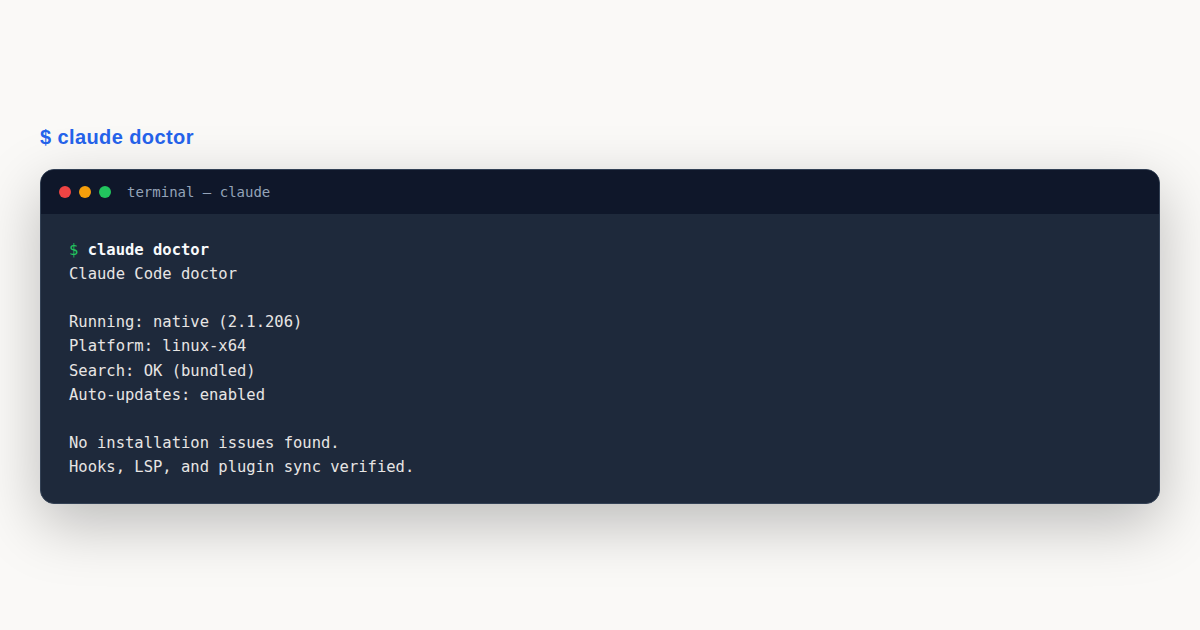
Claude Code Hooks: What You’ll Learn
To compare hooks against skills, subagents, and plugins for different use cases, check our extensibility decision guide.In this guide to Claude Code Hooks, you’ll work through practical, hands-on steps with real examples. Claude Code Hooks is explained from the ground up so you can apply it immediately in your own projects.
Hooks are scripts that run automatically when specific events occur during a Claude Code session. They receive JSON input via stdin and communicate results through exit codes and JSON output. Command hooks are deterministic, composable, testable, and language-agnostic. Prompt hooks and agent hooks leverage a Claude model for evaluation, making their behavior non-deterministic. This module covers the hook system, key events, and writing useful hooks.
Hook Architecture and Configuration
Hooks are configured in settings files under a hooks key. Each event has an array of matchers, and each matcher has an array of hook definitions. The matcher field is a regex pattern matched against the tool name: "Bash" matches exactly, "Write|Edit" matches either, "*" matches all tools, and "mcp__github__.*" matches all GitHub MCP tools.
{
 "hooks": {
 "PreToolUse": [
 {
 "matcher": "Bash",
 "hooks": [
 {
 "type": "command",
 "command": "python3 "$CLAUDE_PROJECT_DIR/.claude/hooks/validate-bash.py"",
 "timeout": 10
 }
 ]
 }
 ]
 }
}
Matchers also support a conditional if field (v2.1.85) that uses permission rule syntax to further filter when a hook fires. While matcher selects the tool by name, if narrows to specific invocations. This is useful when you only care about a subset of a tool’s calls, for example, intercepting git push commands without running on every Bash invocation:
{
 "hooks": {
 "PreToolUse": [
 {
 "matcher": "Bash",
 "if": "Bash(git push*)",
 "hooks": [
 {
 "type": "command",
 "command": "/path/to/check-push.sh"
 }
 ]
 }
 ]
 }
}
The if pattern follows the same syntax as permission rules: Bash(git *) matches any git command, Write(src/**/test_*.py) matches test file writes, and so on. A hook with an if field only triggers when both the matcher and the if condition match.
Claude Code supports 30 hook events. The most commonly useful ones are PreToolUse (validate before a tool runs, can block), PostToolUse (observe or react after, can add context), UserPromptSubmit (intercept user input before Claude processes it), and Stop (run checks when Claude finishes responding). Additional events exist for permission handling (PermissionRequest), notifications, subagent lifecycle (SubagentStart, SubagentStop), failures (PostToolUseFailure, StopFailure), config changes, file watching (FileChanged), context compaction (PreCompact, PostCompact), and worktree management.
Several newer events expand what hooks can react to. CwdChanged (v2.1.83) fires when the working directory changes, enabling direnv-like reactive environment management, for example, auto-loading environment variables when Claude enters a project directory. TaskCreated (v2.1.84) fires when the TaskCreate tool is used, so you can log or validate new tasks as they’re spawned.
WorktreeCreate (v2.1.84) fires when a worktree agent is created, and supports type: "http" for remote notifications, useful for alerting external services when parallel work begins. Elicitation (v2.1.76) fires when an MCP server requests structured user input mid-task via an interactive dialog, and can intercept and modify the elicitation before it’s shown to the user. ElicitationResult (v2.1.76) fires after the user responds to an MCP elicitation, and can intercept and override the response before it’s sent back to the MCP server.
PreCompact runs just before Claude Code compresses the conversation to free context, and it can block compaction from happening, useful when you want to snapshot state, warn the user, or veto an auto-compaction that would drop critical context. The event’s matcher distinguishes what triggered it: "manual" when the user ran /compact, and "auto" when Claude Code compacted automatically because the context filled up. Block with exit code 2 or with a JSON decision payload:
{
 "hooks": {
 "PreCompact": [
 {
 "matcher": "auto",
 "hooks": [
 { "type": "command", "command": "./scripts/snapshot-context.sh" }
 ]
 }
 ]
 }
}
Return {"decision": "block", "reason": "active refactor in flight"} from the script to keep the conversation as-is. PostCompact fires after compaction succeeds, which is the right place to re-attach notes, re-invoke a skill, or log what was preserved.
Hook scripts receive JSON via stdin and have access to several environment variables automatically set by Claude Code. CLAUDE_CODE_SESSION_ID contains the unique session identifier. Use it to correlate hook logs and external telemetry with a specific session.
A Python hook reads the JSON input like this:
import json, sys, os
data = json.load(sys.stdin)
tool_name = data.get("tool_name", "")
tool_input = data.get("tool_input", {})
session_id = os.environ.get("CLAUDE_CODE_SESSION_ID", "")
Exit code 0 means success (parse JSON stdout for output). Exit code 2 means blocking error. Claude stops and shows your stderr message. Any other exit code is a non-blocking warning shown in verbose mode.
Hook input includes an effort object with the active effort level: { "effort": { "level": "medium" } }. Available levels are low, medium, high, xhigh, max, and auto. The same value is also available as the $CLAUDE_EFFORT environment variable in hook scripts, and Bash tool commands run by hooks can also read it:
import json, os, sys
data = json.load(sys.stdin)
effort_level = data.get("effort", {}).get("level", "medium") # from JSON
effort_env = os.environ.get("CLAUDE_EFFORT", "medium") # from env var
Common Hook Types and Patterns
Command hooks support two forms. Shell form (default) passes the command string to a shell for tokenization. Exec form sets an args array alongside the command, spawning the process directly without a shell. This avoids shell escaping issues and is more secure for commands with user-supplied arguments:
{
 "type": "command",
 "command": "node",
 "args": ["./scripts/validate.js", "--strict"]
}
Hooks can run in five ways. command hooks execute local shell commands. prompt hooks ask Claude to evaluate a prompt, usually on Stop or SubagentStop.
agent hooks spawn a subagent for multi-step validation. http hooks POST the same JSON payload to a webhook endpoint, which is useful for remote logging or policy services. HTTP hooks support environment-variable interpolation in headers, and those variables must be explicitly allowlisted. mcp_tool hooks invoke an MCP tool directly, useful when a hook needs to call an external service (like posting to Slack or creating a GitHub issue) without shelling out.
{
 "hooks": {
 "Stop": [
 {
 "hooks": [
 {
 "type": "mcp_tool",
 "server": "slack",
 "tool": "send_message",
 "input": { "channel": "#deploys", "text": "Claude finished the task" }
 }
 ]
 }
 ]
 }
}
PostToolUse and PostToolUseFailure hook inputs include a duration_ms field with the tool’s execution time in milliseconds (excluding permission prompts and PreToolUse hooks). Use it to track slow tools or set up alerts when a tool exceeds a threshold.
Stop and SubagentStop hook inputs now also carry background_tasks and session_crons arrays. background_tasks lists the bash commands and subagents still running in the background when the turn ended; session_crons lists scheduled tasks attached to the session. A completion-gate hook can use these to keep Claude working until everything actually wraps up:
import json, sys
data = json.load(sys.stdin)
pending_bg = [t for t in data.get("background_tasks", []) if t.get("status") in ("running", "starting")]
pending_cron = data.get("session_crons", [])
if pending_bg or pending_cron:
 print(json.dumps({
 "decision": "block",
 "reason": f"{len(pending_bg)} background task(s) and {len(pending_cron)} scheduled task(s) still active"
 }))
 sys.exit(0)
background_tasks is also handy in SubagentStop so a parent agent doesn’t declare itself done while its own spawned bash watchers are still running.
Common Hook Patterns
Auto-formatting on file save is one of the most useful hooks. A PostToolUse hook on Write|Edit runs your formatter automatically, so Claude’s output is always clean:
#!/bin/bash
INPUT=$(cat)
FILE=$(echo "$INPUT" | python3 -c "import sys,json; print(json.load(sys.stdin).get('tool_input',{}).get('file_path',''))")
case "$FILE" in
 *.ts|*.tsx|*.js) prettier --write "$FILE" 2>/dev/null ;;
 *.py) black "$FILE" 2>/dev/null ;;
 *.go) gofmt -w "$FILE" 2>/dev/null ;;
esac
exit 0
Security scanning on writes uses PostToolUse with additionalContext output to warn Claude about potential secrets it just wrote:
SECRET_PATTERNS = [
 (r"api[_-]?keys*=s*['"][^'"]+['"]", "Potential hardcoded API key"),
 (r"passwords*=s*['"][^'"]+['"]", "Potential hardcoded password"),
]
# ... check content, then:
output = {"hookSpecificOutput": {"hookEventName": "PostToolUse",
 "additionalContext": f"Security warnings: {'; '.join(warnings)}"}}
print(json.dumps(output))
PostToolUse hooks can also replace the tool’s output entirely via updatedToolOutput. Claude sees the replaced content instead of the original. This works for all tools (not just MCP) as of v2.1.121:
import json, sys
data = json.load(sys.stdin)
original = data.get("tool_result", "")
sanitized = original.replace("/home/user", "~")
output = {"hookSpecificOutput": {"updatedToolOutput": sanitized}}
print(json.dumps(output))
Blocking dangerous commands uses PreToolUse with a regex check and exit code 2:
BLOCKED = [(r"rms+-rfs+/", "Blocking dangerous rm -rf /")]
for pattern, message in BLOCKED:
 if re.search(pattern, command):
 print(message, file=sys.stderr)
 sys.exit(2)
Advanced: Prompt Hooks and Component Scope
For Stop and SubagentStop events, hook type "prompt" uses an LLM to evaluate task completion. The LLM reads the conversation and returns a structured decision on whether to let Claude stop or continue working. This is powerful for tasks with explicit completion criteria:
{
 "hooks": {
 "Stop": [
 {
 "hooks": [
 {
 "type": "prompt",
 "prompt": "Check: 1) Were all files modified? 2) Do tests pass? 3) Is the PR description updated? If anything is missing, explain what.",
 "timeout": 30
 }
 ]
 }
 ]
 }
}
Hook type "agent" spawns a subagent to do the evaluation. Unlike prompt hooks (single-turn), agent hooks can use tools and perform multi-step reasoning. Use this when the check requires reading files or running commands.
Hooks can also be scoped to individual skills and agents using the hooks frontmatter field. A PreToolUse hook in a skill’s frontmatter only fires during that skill’s execution:
---
name: production-deploy
hooks:
 PreToolUse:
 - matcher: "Bash"
 hooks:
 - type: command
 command: "./scripts/production-safety-check.sh"
 once: true
---
The once: true flag runs the hook only once per session rather than on every matching tool use. This is useful for setup checks that only need to happen once.
For PostToolUse hooks, the continueOnBlock config option feeds the hook’s rejection reason back to Claude as context and continues the turn instead of ending it. Without continueOnBlock, a blocking PostToolUse hook terminates the turn immediately. With it, Claude sees the reason and can adjust its approach, useful for lint checks or style enforcement where you want Claude to self-correct rather than stop.
Hooks also support a terminalSequence field in their JSON output, which lets hooks emit desktop notifications, window titles, and bells without needing a controlling terminal, useful for headless or remote sessions.
Real-World Hook Examples
Example 1: Auto-Format Code After Write (PostToolUse Hook)
Automatically run formatters when Claude writes files:
#!/bin/bash
# Hook: PostToolUse:Write
# Reads the target file path from stdin JSON and runs the appropriate formatter

INPUT=$(cat)
FILE_PATH=$(echo "$INPUT" | sed -n 's/.*"file_path"[[:space:]]*:[[:space:]]*"([^"]*)".*//p' | head -1)

if [ -z "$FILE_PATH" ] || [ ! -f "$FILE_PATH" ]; then
 exit 0
fi

# Detect file type and format accordingly
case "$FILE_PATH" in
 *.js|*.jsx|*.ts|*.tsx)
 prettier --write "$FILE_PATH" 2>/dev/null ;;
 *.py)
 black "$FILE_PATH" 2>/dev/null ;;
 *.go)
 gofmt -w "$FILE_PATH" 2>/dev/null ;;
esac
exit 0
Example 2: Security Scanner Hook (PostToolUse:Write)
Scan files for hardcoded secrets after each write and warn with additionalContext:
#!/bin/bash
# Hook: PostToolUse:Write - Scans for hardcoded secrets, API keys, and credentials

INPUT=$(cat)
FILE_PATH=$(echo "$INPUT" | sed -n 's/.*"file_path".*"(.*)".*//p')

ISSUES=""
# Check for hardcoded passwords
if grep -qiE '"password"[[:space:]]*:[[:space:]]*"[^"]+"' "$FILE_PATH" 2>/dev/null; then
 ISSUES="${ISSUES}- WARNING: Potential hardcoded password detectedn"
fi
# Check for private keys
if grep -q "BEGIN.*PRIVATE KEY" "$FILE_PATH" 2>/dev/null; then
 ISSUES="${ISSUES}- WARNING: Private key detectedn"
fi

# Output non-blocking warning via hookSpecificOutput
if [ -n "$ISSUES" ]; then
 printf '{"hookSpecificOutput": {"hookEventName": "PostToolUse", "additionalContext": "Security scan found issues:n%s"}}' "$ISSUES"
fi
exit 0
Example 3: Log All Bash Commands (PostToolUse:Bash)
Keep an audit trail of every bash command Claude executes:
#!/bin/bash
# Hook: PostToolUse:Bash - Log all bash commands to file

INPUT=$(cat)
COMMAND=$(echo "$INPUT" | sed -n 's/.*"command"[[:space:]]*:[[:space:]]*"([^"]*)".*//p' | head -1)

if [ -z "$COMMAND" ]; then
 exit 0
fi

TIMESTAMP=$(date "+%Y-%m-%d %H:%M:%S")
LOGFILE="$HOME/.claude/bash-commands.log"
mkdir -p "$(dirname "$LOGFILE")"
echo "[$TIMESTAMP] $COMMAND" >> "$LOGFILE"
exit 0
Claude Code Hooks: The Execution Model
Understanding Claude Code Hooks starts with their execution model: a hook is a configured command that runs at a defined point in the session’s lifecycle, before or after a specific event, with access to the event’s context. The model is event-driven, not interactive – a hook does not pause to ask questions; it runs, returns a result, and the session continues based on that result. Claude Code Hooks designed with this model in mind are deterministic and fast; ones written as if they were interactive tools tend to be neither.
The lifecycle points where Claude Code Hooks can attach are the backbone of the model. Pre-event hooks run before an action and can allow, modify, or block it; post-event hooks run after an action and can observe, log, or react. The distinction matters because pre-hooks are where enforcement happens (block a risky action before it lands) and post-hooks are where observation happens (record what happened after it did). Confusing the two – trying to enforce in a post-hook, where the action has already happened – is a common design error.
The context a hook receives is structured: the event type, the action being considered or completed, and the relevant session state. Claude Code Hooks that consume this context precisely – reading the specific fields they need, ignoring the rest – are robust against changes in the context’s shape. Hooks that grep loosely over the whole context break when the context evolves, because their loose match starts hitting things it should not.
Hook Debugging and Observability
A hook that runs silently is hard to trust, because you cannot see what it did or whether it fired at all. The baseline observability for Claude Code Hooks is a log entry per invocation: when the hook ran, what event triggered it, what the hook decided, and how long it took. Hooks with this log are debuggable; hooks without it are opaque, and an opaque enforcement mechanism is a liability.
Debugging a misbehaving hook follows a predictable path. First, confirm the hook fired at all – the log answers this immediately, separating “the hook did not run” from “the hook ran but decided wrong.” Second, inspect the context the hook received – often a hook decides wrong because the context did not contain what the hook assumed. Third, test the hook’s logic against the captured context in isolation, which reproduces the decision without needing to re-trigger the event. Claude Code Hooks debugged through this sequence resolve quickly; hooks debugged by trial and error do not.
Verbose mode is a valuable debug lever. A hook that can run in a verbose mode – emitting its reasoning, the fields it considered, the rule that fired – turns an opaque decision into an inspectable one. Claude Code Hooks with a verbose flag are easier to develop, easier to review, and easier to trust in production, because every decision can be examined rather than guessed at.
Hook Error Handling and Resilience
A hook that errors has to fail in a defined way, because an undefined failure leaves the session in an ambiguous state. The two sane failure modes are fail-open (the error is logged, and the action proceeds as if the hook had allowed it) and fail-closed (the error is logged, and the action is blocked). The choice depends on the hook’s purpose: an observability hook should fail open, because a broken logger should not block work; a safety hook should fail closed, because a broken guardrail should not silently allow harm. Claude Code Hooks should declare which failure mode they use, and the choice should match the hook’s role.
Fail-closed has a cost: a broken safety hook blocks all work until it is fixed, which can stall a whole team if the hook is shared. The mitigation is to make safety hooks robust – simple logic, well-tested, with dependencies that are unlikely to break – and to have a fast override path for when a hook is misfiring. Claude Code Hooks that block work should have a documented bypass, used only in genuine emergencies and logged when used, so a broken hook does not become a sustained outage.
Timeouts are the other resilience lever. A hook that hangs – waiting on a network call that never returns, stuck on a lock – blocks the session indefinitely if there is no timeout. Claude Code Hooks that make external calls should enforce a timeout, and on timeout should fail in their declared mode (usually closed for safety hooks, open for observability). A hook without a timeout is a latent stall that will eventually surface at the worst moment.
Claude Code Hooks and Security
A hook runs with the session’s permissions, which makes it a privileged component, and the security considerations mirror those of any privileged code. The hook’s command should come from a trusted source – reviewed, version-controlled, not a script fetched at runtime – because a malicious or compromised hook can read files, run commands, and exfiltrate data under the session’s identity. Claude Code Hooks in a shared configuration should be reviewed the way production code is reviewed.
The context a hook receives may contain sensitive data – file contents, command arguments, session state – and the hook’s handling of that data is a security concern. Claude Code Hooks that log context should redact secrets; hooks that send context to an external service should declare what they send and where; hooks that write context to disk should write to a protected location. A hook that handles context carelessly is a data-leak vector, and the leak is invisible because the hook runs without user interaction.
The block decision is the most security-relevant output of a pre-hook, because a block prevents an action the model or user wanted to take. A hook that blocks should be explicit about why – in its log, and in the message it returns to the session – so the user can understand and, if appropriate, challenge the block. Claude Code Hooks that block opaquely (“action blocked by policy”) erode trust and invite bypass; hooks that block transparently (“action blocked because it matches the secret-key deny rule”) earn trust and get respected.
Hook Performance Impact
Every hook adds latency to the events it attaches to, because the session waits for the hook to run before proceeding. A single fast hook adds imperceptible latency; a dozen hooks, some of them slow, add up to a noticeable delay on every event. Claude Code Hooks should be fast – simple logic, no unnecessary I/O, no blocking calls – because their cost is paid on every matching event, and small per-event costs compound across a session.
The slowest hooks are usually the ones that make network calls: a hook that checks an external service before every action pays network latency on every action, which can multiply session time significantly. Claude Code Hooks that need external state should cache it where possible, so the common path is a local cache hit and only the occasional refresh pays the network cost. Hooks that call out on every event, with no caching, are a performance tax that grows with session length.
Parallelism is a lever for setups with many hooks. Hooks that do not depend on each other can run in parallel, so their latencies overlap rather than stack. Claude Code Hooks in a configuration that supports parallel execution benefit when the hooks are independent; if the hooks depend on each other’s results, they must run sequentially, and their latencies stack. Designing hooks to be independent where possible keeps a many-hook configuration fast.
Testing Hook Behavior
A hook is a piece of logic with a defined input (the event context) and a defined output (the decision), and it can be tested like any such function. The most valuable tests are captured contexts – real event contexts saved from actual sessions – run through the hook with expected decisions. Claude Code Hooks tested this way catch regressions where a logic change that fixed one case quietly broke another, which is the common failure mode as hooks evolve.
Edge cases deserve explicit tests. A hook that blocks commands should be tested against commands that nearly match the block rule but should be allowed, as well as commands that clearly should be blocked; the near-misses are where false positives live. Claude Code Hooks with good edge-case coverage are trustworthy in production; hooks tested only against obvious cases surprise you when an unusual but legitimate input gets blocked.
The failure modes deserve testing too. What does the hook do when a dependency is unavailable, when the context is missing a field, when the timeout fires? Claude Code Hooks tested against these conditions fail in their declared mode; hooks never tested against failure may fail in any mode, which is to say unpredictably. Testing the failure paths is what makes the declared failure mode a real guarantee rather than an aspiration.
Composing and Ordering Hooks
When multiple Claude Code Hooks attach to the same event, their order matters. A block from an earlier hook may make the later hooks irrelevant; a modification from an earlier hook may change the input the later hooks see. Documenting the order, and designing each hook to be robust to running after another hook has modified the context, keeps a multi-hook setup predictable. Hooks that assume they see the original, unmodified context break when another hook runs first.
Composition is cleaner when each hook has a single, well-defined responsibility. A hook that does one thing – check one rule, log one fact, enforce one constraint – composes with other single-purpose hooks predictably. Claude Code Hooks that bundle multiple responsibilities are harder to order, harder to test, and harder to reason about when something goes wrong, because a single hook’s effect is a combination of its internal logics rather than one clear decision.
Conflict resolution is the hardest composition problem. Two hooks that disagree – one wants to allow, one wants to block – need a rule for which wins. The common rule is that a block wins over an allow, because blocking is the safer default, but the rule should be explicit and documented. Claude Code Hooks in a configuration with potential conflicts should declare the resolution rule, so the outcome of a disagreement is predictable rather than discovered at runtime.
Hook Anti-Patterns
The god hook – one hook that enforces every rule, logs every event, handles every lifecycle point – is the most common anti-pattern. It is hard to test, hard to order against other hooks, and hard to maintain, because every change risks breaking some unrelated responsibility. Splitting a god hook into focused, single-responsibility hooks is almost always an improvement, and Claude Code Hooks that stay focused age far better than ambitious monoliths.
The second anti-pattern is the side-effecting post-hook that the rest of the system does not know about. A post-hook that quietly modifies state, sends a message, or triggers an action creates behavior that is invisible from the main session’s perspective, which makes the whole system harder to reason about. Claude Code Hooks should make their side effects explicit and documented, so the system’s behavior remains understandable even when hooks contribute to it.
The third anti-pattern is the hook that tries to be interactive – pausing to ask a question, prompting for input. Hooks are not interactive; they run, decide, and return, and the session continues based on the return. A hook that fights this model – trying to open a prompt, waiting for a response – is brittle and will eventually hang. Claude Code Hooks should respect the event-driven model, and any decision that genuinely needs a human should be escalated through a defined channel rather than forced into a hook.
Pro Tips
- Always read JSON from stdin, never from command args: hooks receive their payload via
sys.stdin. Usejson.load(sys.stdin)and handle missing fields gracefully. - Use
$CLAUDE_PROJECT_DIRfor portable paths: never hardcode/Users/yourname/.... This makes hooks shareable across your team via git. - Test hooks in isolation before deploying: pipe sample JSON to your script:
echo '{"tool_name": "Bash", "tool_input": {"command": "ls"}}' | python3 hook.py. Verify exit codes: 0 = allow, 2 = block. - Set appropriate timeouts: validation hooks should have short timeouts (10s), while formatting or analysis hooks can allow more (30-60s). Default is 60s.
- Quote all shell variables: use
"$VAR"not$VAR, and skip sensitive files like.env,.git/, and SSH keys in your hook logic.
Hands-On Challenge
Build a hook system that automates quality enforcement and gives you real-time visibility into your sessions.
Task: Create a Pre-Commit and Security Hook Pipeline
Set up hooks that automatically validate code quality, scan for secrets, and track context usage, all running without manual intervention.
Steps
- Create a
.claude/hooks/directory with three scripts:security-scan.sh,format-code.sh, andcontext-tracker.py. - Write a
PreToolUsehook for Bash that blocks dangerous commands likerm -rf /andsudo rmusing exit code 2. - Write a
PostToolUsehook forWrite|Editthat runs prettier/black/gofmt based on file extension and scans for hardcoded secrets (passwords, API keys). - Write a
UserPromptSubmit+Stophook pair that tracks token usage per request, reporting approximate context consumption. - Configure all hooks in
.claude/settings.jsonwith appropriate timeouts (10s for validation, 30s for formatting). - Test each hook independently with sample JSON input:
echo '{"tool_name": "Bash", ...}' | python3 .claude/hooks/validate.py - Run
claude --debugto verify hook execution logs show all hooks firing correctly.
Expected Outcome
When Claude writes a file with a hardcoded API key, the security scanner outputs a warning via additionalContext. When Claude attempts a dangerous bash command, it is blocked before execution. After each interaction, you see a context usage summary like “Context: ~45,000 tokens (35% used, ~83,000 remaining)”.
Hint
Hooks receive JSON via stdin, not command-line arguments. Always use
json.load(sys.stdin)in Python. Use exit code 0 to continue, exit code 2 to block (stderr shown as error). Test hooks withecho '{...}' | python3 hook.pybefore deploying. Use$CLAUDE_PROJECT_DIRfor portable paths.
Knowledge Check
Test your understanding of Claude Code hooks with these questions:
- What are the four types of hooks in Claude Code?
A) Pre, Post, Error, and Filter hooks | B) Command, HTTP, Prompt, and Agent hooks | C) Before, After, Around, and Through hooks | D) Input, Output, Filter, and Transform hooks
Answer: B. Command hooks run shell scripts, HTTP hooks call webhook endpoints, Prompt hooks use single-turn LLM evaluation, and Agent hooks use subagent-based verification. - A hook script exits with code 2. What happens?
A) Non-blocking warning shown | B) Blocking error: stderr is shown as an error to Claude, tool use is prevented | C) Hook is retried | D) Session ends
Answer: B. Exit code 0 = success/continue, exit code 2 = blocking error (stderr shown as error), any other non-zero = non-blocking warning. - What JSON fields does a PreToolUse hook receive on stdin?
A)tool_nameandtool_output| B)session_id,tool_name,tool_input,hook_event_name,cwd, and more | C) Onlytool_name| D) The full conversation history
Answer: B. Hooks receive a JSON object on stdin with session_id, transcript_path, hook_event_name, tool_name, tool_input, tool_use_id, cwd, and permission_mode. - How can a PreToolUse hook modify the tool’s input parameters before execution?
A) Return modified JSON on stderr | B) Return JSON withupdatedInputfield on stdout (exit code 0) | C) Write to a temp file | D) Hooks cannot modify inputs
Answer: B. A PreToolUse hook can output JSON with"updatedInput": {...}on stdout (with exit 0) to modify the tool’s parameters before Claude uses them. - Which hook event supports
CLAUDE_ENV_FILEfor persisting environment variables into the session?
A) PreToolUse | B) UserPromptSubmit | C) SessionStart | D) All events
Answer: C. Only SessionStart hooks can useCLAUDE_ENV_FILEto persist environment variables into the session.
Test Your Knowledge
Additional Resources
| Resource | Description |
|---|---|
| Official Hooks Documentation | Complete hooks reference with all events and configuration options |
| Permissions Documentation | Permission rules and patterns for if conditions in hooks |
| CLI Reference | Command-line options including --debug for hook troubleshooting |
| Settings Documentation | Configuration file structure and hierarchy |
| Claude Code Changelog | Track new hook events and lifecycle fixes |
Claude Code Hooks gives you a solid, repeatable workflow. Bookmark this Claude Code Hooks guide and revisit the steps whenever you need them.
A Worked Example: Building a Pre-Commit Safety Hook
The clearest way to understand Claude Code Hooks is to build one end-to-end: a PreToolUse hook that stops Claude from running git push against a protected branch without confirmation, paired with a lightweight PostToolUse companion that just warns.
- Scope the hook with a matcher and an
ifcondition. Register the hook against theBashtool, then narrow it further so it only fires for push commands rather than every shell invocation:
The{ "hooks": { "PreToolUse": [ { "matcher": "Bash", "if": "tool_input.command matches 'git push*'", "hooks": [ { "type": "command", "command": "./hooks/check-push.sh" } ] } ] } }matchernarrows by tool name; theiffield narrows further by content, so the script only runs when it’s actually relevant. - Read the JSON payload from stdin, not argv. Claude Code Hooks pass the full tool-call context, including
tool_input,session_id, and theeffortobject, as a JSON document on standard input:
Exit code#!/usr/bin/env bash input=$(cat) command=$(echo "$input" | jq -r '.tool_input.command') session="$CLAUDE_CODE_SESSION_ID" if [[ "$command" == *"push"*"main"* || "$command" == *"push"*"--force"* ]]; then echo "Blocked: force-push or direct push to main is not allowed." >&2 exit 2 fi exit 02tells Claude Code the action is blocked and the stderr text is surfaced back to the model as the reason; exit code0means allow. - Wire it into
.claude/settings.jsonexactly as shown in step 1, save the file, and make the script executable (chmod +x hooks/check-push.sh). - Test it locally before trusting it in a session. Pipe a sample payload directly at the script to confirm the exit code and stderr behave as expected:
This should print the block message and reportecho '{"tool_input":{"command":"git push --force origin main"}}' | ./hooks/check-push.sh echo "exit: $?"exit: 2. Run it again with a harmless command likegit push origin feature/xto confirm it exits0. - Add a non-blocking companion with
PostToolUse. Once the push succeeds, a second hook can warn about a secondary concern (say, missing CI config) without stopping anything, by returningadditionalContextinstead of a nonzero exit code:
The script inspects{ "hooks": { "PostToolUse": [ { "matcher": "Bash", "if": "tool_input.command matches 'git push*'", "hooks": [ { "type": "command", "command": "./hooks/warn-no-ci.sh" } ] } ] } }duration_msand repo state, then emits JSON with anadditionalContextfield that Claude reads as extra information rather than a failure. The push already happened, so blocking would be the wrong tool for the job.
This pairing (a strict PreToolUse gate plus an advisory PostToolUse follow-up) is the pattern most production setups converge on once they’ve used Claude Code Hooks for more than a few days.
Claude Code Hooks: Common Mistakes to Avoid
These mistakes show up repeatedly once teams move Claude Code Hooks past a quick demo and into daily use.
- Reading from argv instead of stdin. Hook input arrives as a JSON document on standard input, not as command-line arguments. Scripts that try to parse
$1/$2instead of piping stdin throughjqsilently receive no data and either fail closed on every call or, worse, fail open. - Unquoted shell variables causing word-splitting. Extracting a file path or command string with
$VARinstead of"$VAR"lets whitespace in the value split it into multiple arguments. A hook that checks a single path can end up checking only the first token of a path with spaces, letting risky commands slip through unnoticed. - Using exit code 2 when a warning was intended (or vice versa). Exit code 2 is a hard block; any other nonzero code is a non-blocking warning surfaced to the user without stopping execution. Hooks that exit 2 for informational notices end up blocking legitimate work, while hooks that should block but exit 1 let the dangerous action through with just a shrug.
- Setting hook timeouts too short for the work involved. Formatting and static-analysis hooks that shell out to linters or type-checkers can legitimately take a few seconds. A timeout tuned for a trivial pattern-match script will kill a formatting hook mid-run, leaving files in a partially-formatted state and producing confusing, intermittent failures that look unrelated to the timeout itself.
Claude Code Hooks: Best Practices
- Use PreToolUse hooks to validate or block risky actions before they run.
- Use PostToolUse hooks for formatting, linting, or logging after a change lands.
- Keep hook scripts fast; slow hooks make every action feel sluggish.
- Return structured JSON from hooks when you need to pass decisions back to the assistant.
- Use exit codes deliberately so a failing hook stops the workflow when it should.

Claude Code Hooks: Frequently Asked Questions
What’s the difference between command, prompt, agent, http, and mcp_tool hook types?
A command hook runs a local script (shell-form or exec-form) and reads/writes JSON over stdin/stdout. A prompt hook instead injects a prompt for Claude itself to reason over, useful for judgment calls that a script can’t easily encode. An agent hook dispatches the work to a subagent for a more autonomous check. An http hook posts the payload to a remote endpoint, letting a central service enforce policy across many machines. An mcp_tool hook calls a tool exposed by an MCP server directly, without a wrapper script. Choosing between them is mostly about where the decision logic should live: locally, in-model, remotely, or via an existing MCP integration.
What does the “if” field add beyond “matcher”?
matcher selects which tool (or tool pattern) a hook applies to, using a regex against the tool name. if is evaluated after the matcher and filters on the actual content of the call, for example, restricting a Bash matcher down to only commands that look like git push*. Matcher answers “which tool,” if answers “which specific invocation.”
Can a PreCompact hook actually block compaction?
PreCompact hooks can inspect the pending compaction and return warnings or additional context, but they are primarily observational. They’re the right place to log or snapshot state before history is compacted, rather than to hard-block the operation the way a PreToolUse hook can block a tool call with exit code 2.
What does continueOnBlock do?
continueOnBlock lets a later hook in the same event still run even after an earlier hook in the chain returned a blocking result, instead of short-circuiting the rest of the chain. It’s useful when you want every hook to log or report its own finding even though the overall action will already be stopped.
How do skill- or agent-scoped hooks with “once: true” behave?
Hooks can be scoped to a specific skill or subagent rather than firing globally, and marking one with once: true restricts it to firing a single time per session instead of on every matching event, handy for one-time setup checks (like verifying a dependency is installed) that would be wasteful to repeat on every tool call. This is one of the more overlooked capabilities of Claude Code Hooks once a project accumulates several skills.
Continue Learning
- Claude Code Extensibility: Skills vs Hooks vs Subagents
- Claude Code MCP Servers Guide
- Claude Code Subagents Guide
- Claude Code Advanced Features Guide
- Claude Code Headless Mode Guide
- Claude Code MCP Configuration Guide
- Claude Code Permissions Guide
- Learn Claude Code by Building a Tiny Agent Harness
- Claude Code Mods Tutorial