Claude Code Workflows enables automation through CI/CD integration, session management, and batch processing. The guide covers practical implementation steps using print mode for non-interactive execution, GitHub Actions integration, and patterns for building reliable multi-step workflows.
The content explores advanced features including scheduled tasks, background automation, and dynamic workflows using multiple agents. Real-world examples demonstrate how to integrate Claude Code into pipelines, manage sessions effectively, and implement verification steps to ensure automated changes are tested before merging.
Claude Code Workflows. Automating Claude Code workflows scales your productivity. Learn CI/CD integration, session management, and batch processing with Claude Code.
Claude Code Workflows: What You’ll Learn
In this guide to Claude Code Workflows, you’ll work through practical, hands-on steps with real examples. Claude Code Workflows is explained from the ground up so you can apply it immediately in your own projects.
Claude Code transforms from an interactive assistant into an active team member when you integrate it with your automation infrastructure. This lesson covers CI/CD integration, scheduled tasks, the GitHub Actions integration, and patterns for building reliable multi-step workflows.
CI/CD Integration with Programmatic Runs
The claude -p flag is the foundation of CI/CD integration. It runs Claude non-interactively, sends a prompt, and returns the result to stdout. Combine it with --output-format json for structured parsing, --permission-mode bypassPermissions for fully automated runs (no approval prompts), and --max-turns to cap execution time.
A common pattern is running Claude as part of a PR review process. Configure it as a GitHub Actions step:
- name: Claude Code Review
  run: |
    DIFF=$(git diff origin/main...HEAD)
    REVIEW=$(echo "$DIFF" | claude -p "Review these changes. Output JSON with fields: summary, critical_issues, suggestions"       --output-format json       --permission-mode bypassPermissions)
    echo "$REVIEW" | jq '.critical_issues[]' >> $GITHUB_STEP_SUMMARY
The --from-pr flag bootstraps a session from an existing pull request. It fetches the diff, description, and review comments so Claude can jump straight into fixing or extending PR feedback. As of v2.1.119, --from-pr accepts URLs from GitHub, GitHub Enterprise, GitLab merge requests, and Bitbucket pull requests:
claude --from-pr https://github.com/org/repo/pull/123
claude --from-pr https://gitlab.com/org/repo/-/merge_requests/456
claude --from-pr https://bitbucket.org/org/repo/pull-requests/789
For disposable automation, Claude can generate tests for new code, update documentation when APIs change, run linters and auto-fix issues, or check for security vulnerabilities. Use --no-session-persistence to avoid saving a session, and consider --bare when you want the cleanest scripted output.
Use prUrlTemplate (new in v2.1.119) to point the footer PR badge at a custom code-review URL instead of the default github.com link, useful for enterprise deployments with internal GitHub instances or custom review tooling:
{
  "prUrlTemplate": "https://review.example.internal/pr/{number}"
}
The /install-github-app command sets up the official GitHub integration, which allows Claude to respond to @claude mentions in PR comments and issues.
Mobile Push Notifications
When Remote Control is active, Claude can send push notifications to your phone. Claude decides when to push, typically when a long-running task finishes or when it needs a decision to continue. You can also request one in your prompt: notify me when the tests finish. Setup requires the Claude mobile app (iOS or Android), signed in with the same account, and Push when Claude decides enabled in /config. Beyond the on/off toggle, there is no per-event configuration. Requires Claude Code v2.1.110+.
For autonomous PR monitoring, /autofix-pr spawns a Claude Code on the web session that watches your current branch’s PR. When CI fails or a reviewer leaves a comment, Claude investigates and pushes a fix. Pass a prompt to narrow scope: /autofix-pr only fix lint and type errors. It requires the Claude GitHub App installed on the repository, access to Claude Code on the web, and is not available to organizations with Zero Data Retention enabled.
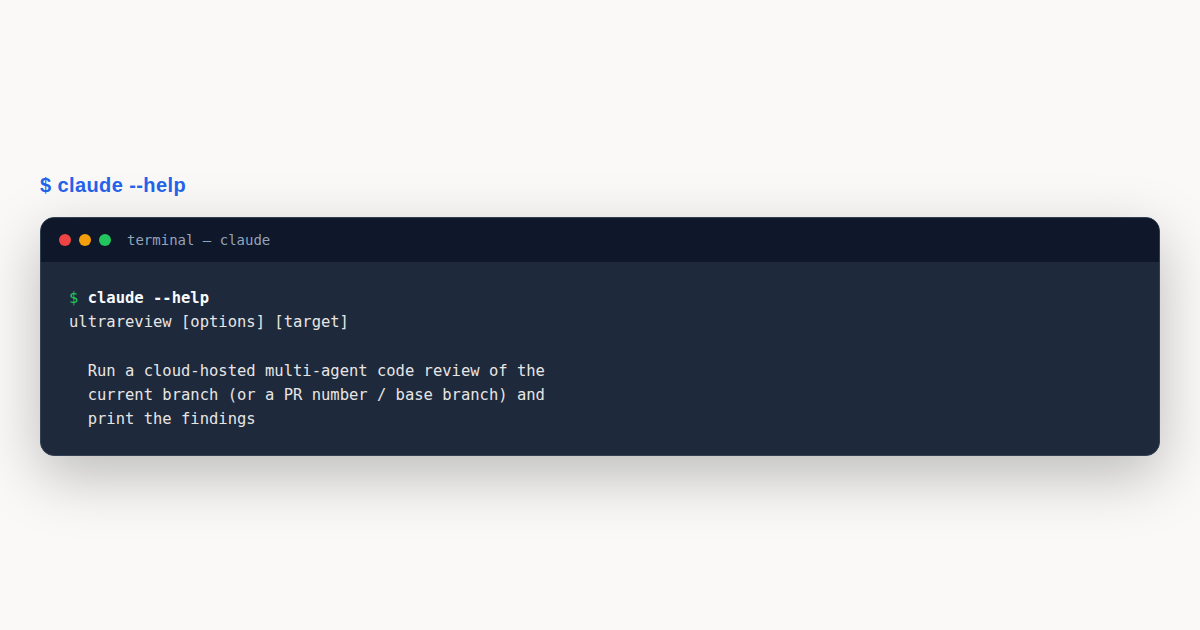
/ultrareview (new in v2.1.86, highlighted in v2.1.112) runs a comprehensive cloud-based code review using parallel multi-agent analysis and critique. It requires Claude.ai account authentication. If signed in with an API key only, run /login first. It runs on Claude Code on the web infrastructure. Invoke with no arguments to review your current branch, or /ultrareview <PR#> to fetch and review a specific GitHub PR.
Pro/Max get 3 free one-time runs (a one-time allotment per account, do not refresh), then each review costs roughly $5 to $20 as extra usage. Team/Enterprise have no free runs and are billed as extra usage. Extra usage must be enabled on the account. If disabled, Claude Code blocks the launch and links to billing settings. Use /tasks to track running and completed reviews, open detail views, or stop an in-progress review (stopping archives the cloud session; partial findings are not returned).
/ultrareview           # review current branch
/ultrareview 456       # review GitHub PR #456
Scheduled Tasks, Routines, and Background Automation
Claude Code supports multiple scheduling layers. /loop creates session-scoped recurring checks while Claude Code is running. Routines are cloud-backed scheduled tasks that persist independently of your local terminal. Each run clones your repo fresh, executes autonomously, and can push branches or open PRs.
# Check build status every 5 minutes (session-scoped)
/loop 5m check if the build succeeded and summarize any failures

# Create a cloud routine from the CLI
/schedule "run a full security audit at 2am"
/schedule daily PR review at 9am
Routines
A routine is a saved Claude Code configuration (a prompt, one or more repositories, and a set of connectors) packaged once and run automatically on Anthropic-managed infrastructure. Create and manage them from the web at claude.ai/code/routines, from the Desktop app, or via /schedule in the CLI. Use /schedule list to view all routines, /schedule update to modify one, and /schedule run to trigger one immediately.
Each routine can have multiple triggers combined:
- Scheduled: recurring cadence (hourly, daily, weekdays, weekly) or a one-off run at a specific time. One-off runs don’t count against the daily routine cap. Custom cron expressions are available via
/schedule update(minimum interval: 1 hour). - API: a per-routine HTTP endpoint. POST with a bearer token to trigger a run, optionally passing context in a
textfield. Wire it into alerting systems, deploy pipelines, or internal tools. - GitHub: reacts to repository events like pull requests or releases. Filters let you narrow by author, title, labels, base/head branch, draft status, and more. Requires the Claude GitHub App installed on the repository.
Routines run as full Claude Code cloud sessions with no permission prompts. They can use your connected MCP connectors (included by default; remove any that aren’t needed) and are scoped by the repositories you select, the cloud environment’s network access, and the connectors you include. By default, Claude can only push to claude/-prefixed branches; enable Allow unrestricted branch pushes per repository if needed.
Routines are available on Pro, Max, Team, and Enterprise plans. Team and Enterprise admins can disable routines via the Routines toggle at claude.ai/admin-settings/claude-code. API and GitHub triggers are configured from the web UI only; /schedule in the CLI creates scheduled routines.
Background Automation
Background subagents with background: true in their frontmatter run without blocking the main conversation. This enables workflows where you kick off a long analysis, continue other work, and get notified when it completes. If you need automation around follow-up work, use the officially documented task and team hook events in their intended contexts: TaskCompleted for task state changes and TeammateIdle for agent teams teammates about to go idle.
{
  "hooks": {
    "TaskCompleted": [
      {
        "hooks": [
          {
            "type": "command",
            "command": "curl -X POST $SLACK_WEBHOOK -d '{"text": "Task completed: $TASK_NAME"}'"
          }
        ]
      }
    ]
  }
}
For long-running research that spans multiple sessions, resumable agents and regular memory workflows are the safer mental model: let the agent write findings into memory or project docs, then resume the agent or session later when needed.
Dynamic Workflows
Beyond single-session patterns, Claude Code supports dynamic workflows, a research-preview feature introduced in v2.1.154 that lets you orchestrate dozens to hundreds of subagents from a JavaScript script Claude writes. Unlike /loop or /batch, which run within a single conversation, a workflow moves the plan into a script: the script holds the loop, the branching, and the intermediate results, so Claude’s context keeps only the final answer.
To run a workflow, include the word ultracode anywhere in your prompt (the trigger keyword was renamed from workflow to ultracode in v2.1.160; asking for one in your own words still works), or turn on /effort ultracode to let Claude plan one for every substantial task. Claude writes an orchestration script tailored to your goal, then a runtime executes it in the background while your session stays responsive. Dynamic workflows fit codebase-wide audits, large migrations, cross-checked research, and any task that needs more agents than one conversation can coordinate.
The bundled /deep-research <question> workflow automates multi-source research: it fans out web searches across several angles, fetches and cross-checks the sources it finds, votes on each claim, and returns a cited report with claims that didn’t survive cross-checking filtered out. It requires the WebSearch tool to be available:
/deep-research What changed in the Node.js permission model between v20 and v22?
Run /workflows to list running and completed workflows and open a progress view that shows each phase’s agent count, token total, and elapsed time. When a run does what you wanted, select it in the /workflows view and press s to save its script as a command. It then runs as /<name> in future sessions, alongside the bundled workflows. Reuse pays off for recurring work like a weekly code audit or a release checklist.
For maximum reasoning depth, /effort ultracode combines xhigh effort with automatic workflow orchestration. Claude decides when a task warrants a workflow and coordinates the agents without being asked. It lasts for the current session; drop back with /effort high for routine work.
Dynamic workflows require Claude Code v2.1.154+ and are available on all paid plans (Pro, Max, Team, Enterprise). On Pro, turn them on from the Dynamic workflows row in /config. To disable them, toggle Dynamic workflows off in /config, set "disableWorkflows": true in settings, or set CLAUDE_CODE_DISABLE_WORKFLOWS=1.
Multi-Step Workflow Patterns
The most reliable workflows combine skills, hooks, and subagents into a pipeline where each step has clear inputs, outputs, and error handling.
The “develop and verify” pattern pairs a Stop prompt hook that checks completion criteria against an implementation skill. When Claude stops, the hook evaluates whether all requirements were met. If not, it tells Claude what’s missing and Claude continues:
{
  "hooks": {
    "Stop": [
      {
        "hooks": [
          {
            "type": "prompt",
            "prompt": "Check: 1) Were all files in the spec modified? 2) Do tests pass? 3) Is the implementation complete per the requirements? If anything is incomplete, explain what remains.",
            "timeout": 30
          }
        ]
      }
    ]
  }
}
The “parallel review” pattern uses Agent Teams (experimental, disabled by default; requires CLAUDE_CODE_EXPERIMENTAL_AGENT_TEAMS=1) to have multiple specialists review simultaneously. One agent checks security, another checks performance, another checks test coverage. The team lead synthesizes their findings into a single report. Agent Teams have known limitations around session resumption, task coordination, and shutdown behavior.
For tasks that modify many files across a codebase, /batch <instruction> plans the work, splits it across background agents in isolated git worktrees, and is designed for large-scale refactors or repetitive changes. Depending on the workflow, it can also run verification steps and help open PRs for the results.
Git worktrees (isolation: worktree on subagents) are also useful for experimental work. The agent makes changes in an isolated branch, returns the worktree path when done, and you review or discard without affecting your working tree.
Real-World Workflow Examples
Here are production-ready CI/CD and automation patterns for Claude Code:
Example 1: CI/CD Pipeline Integration
Running Claude Code non-interactively in a CI pipeline with structured JSON output:
#!/bin/bash
# Run Claude in print mode with JSON output and turn limit
claude -p --output-format json --max-turns 3 "review code for security issues"

# Pipe a file into Claude for analysis
cat error.log | claude -p --output-format json "explain this error"

# Process multiple files in batch
for file in src/*.ts; do
  claude -p "summarize: $(cat $file)" --output-format json > "${file%.ts}.summary.json"
done

# Verify authentication before pipeline runs
claude auth status || exit 1
Example 2: Fork and Compare Sessions
Using session forking to try different approaches without losing the original:
# Resume an existing session and fork it to try a new approach
claude --resume my-feature --fork-session "approach-v2"

# The original session is preserved
# The forked branch gets its own independent conversation history
Example 3: GitHub Actions Workflow
Integrating Claude Code into a GitHub Actions CI/CD pipeline:
# .github/workflows/claude-review.yml
name: Claude Code Review
on: [pull_request]

jobs:
  review:
    runs-on: ubuntu-latest
    steps:
      - uses: actions/checkout@v4
      - name: Run Claude review
        run: |
          claude auth status
          claude -p --output-format json --max-turns 3             "Review this PR for security and quality issues."
        env:
          ANTHROPIC_API_KEY: ${{ secrets.ANTHROPIC_API_KEY }}
Claude Code Workflows: Design Principles
The difference between a Claude Code Workflows setup that pays off and one that merely runs is whether it was designed against a clear goal. A workflow that exists because automation seemed good has no success criterion, which means it can never be evaluated, tuned, or retired. The first design principle is to name the outcome: this workflow exists to catch regressions before merge, or to triage incoming issues, or to draft release notes. Claude Code Workflows built against a named outcome are the ones that compound value over time.
The second principle is to make the workflow observable from the start. A workflow whose only output is “it ran” is opaque; a workflow that emits a structured result – a pass or fail, a list of findings, a drafted artifact – is auditable and composable. Claude Code Workflows that produce structured output can feed downstream steps, dashboards, and reports, which is where the leverage of automation actually appears.
The third principle is to design for failure. Every workflow will fail sometimes: a tool will be unavailable, a prompt will misfire, a dependency will change. Claude Code Workflows that treat failure as a first-class case – with a defined fallback, a bounded retry, and a clear escalation path to a human – stay trustworthy under stress. Workflows that assume success produce silent wrong answers the first time something deviates.
State Management Across Workflow Steps
A multi-step Claude Code Workflows pipeline has to carry state from one step to the next, and how it carries that state determines how reliable the pipeline is. The most robust pattern is to write intermediate state to disk as a structured artifact – a JSON file in a known location – and have each step read its input from that artifact and write its output to the next. Disk-based handoff survives interruptions, can be inspected mid-run, and lets you re-run a single step in isolation during debugging.
In-memory state, passed as the chained output of one command into the next, is faster but fragile. If the chain breaks – a step fails, the session times out, the machine reboots – the in-memory state is gone and the whole workflow restarts from scratch. Claude Code Workflows that run for minutes rather than seconds almost always justify the small overhead of disk-based state for the resilience it buys.
A shared workspace directory is the natural backbone. Each step writes to a predictable path, and a final step aggregates or acts on the accumulated artifacts. This pattern also makes the workflow replayable: hand the workspace to a teammate or a future session and they can see exactly what each step produced, which is invaluable for review and for debugging intermittent failures that only show up in certain inputs.
Error Recovery and Retries in Workflows
Retries are the first line of defense against transient failures, but naive retries – just run it again – can amplify a problem. A well-designed retry in a Claude Code Workflows pipeline is bounded (a maximum number of attempts), backed off (a delay between attempts that grows), and discriminating (it retries only on errors likely to be transient, not on errors that are deterministic). Retrying a missing-file error five times wastes time; retrying a connection-reset error once or twice often succeeds.
Beyond retries, a workflow needs a defined failure behavior. When a step exhausts its retries, what happens? The options are to fail the whole workflow, to skip the step and continue, to fall back to a degraded mode, or to escalate to a human. Claude Code Workflows that document this choice per step are far easier to operate than ones where the failure behavior is implicit and discovered only when it happens.
Idempotency is the property that makes retries safe. A step that is idempotent can be run twice without doubling its effect – appending to a log is idempotent if the log is keyed by a run identifier, while appending blindly is not. Designing Claude Code Workflows steps to be idempotent means a retry cannot corrupt state, which removes the main risk of the retry strategy entirely.
Claude Code Workflows Observability
A workflow that runs unattended is only as good as its observability. At minimum, every run should produce a log that records when it started, when each step ran, what each step returned, and when the whole thing finished. Claude Code Workflows that skip this produce runs whose only evidence is “it seems to have worked,” which is exactly the confidence level that erodes the first time something goes wrong unnoticed.
Structured logs – machine-readable, with consistent fields – are more valuable than prose logs because they can be queried. “How often did step three fail last week?” should be a one-line query, not a grep expedition. Claude Code Workflows in a team setting benefit enormously from structured logging because the aggregate patterns, not the individual runs, are where the operational insight lives.
Alerting is the layer above logging. A workflow that fails should notify someone, but a workflow that fails silently is worse than no workflow at all because it creates a false sense of coverage. The alerting threshold matters too: alert on every failure and the signal drowns in noise, alert on none and you learn about problems from users. Claude Code Workflows that find the right threshold – often, alert on repeated failures or on failures of specific critical steps – are the ones that stay trusted.
Workflow Security and Secret Handling
A workflow that touches credentials – API keys, database passwords, signing keys – has to handle them with the same discipline as any production code. The baseline is that secrets live in a secrets manager or CI secret store and are injected at runtime as environment variables, never committed to the repository or written to a log. Claude Code Workflows that handle secrets correctly are safe to share, audit, and run anywhere; ones that don’t are a liability.
The scope of each secret should be the narrowest that does the job. A workflow that reads from one API does not need a token with write scope on every project. Scoped credentials mean that even if a secret leaks – and secrets do leak – the blast radius is contained to what that specific token could do. Claude Code Workflows that use over-privileged tokens turn small leaks into large incidents.
Fetched content is the other security surface. A workflow step that pulls in external data – an issue body, a dependency manifest, a web page – is reading potentially untrusted input, and a prompt-injection in that input is a real risk if the workflow acts on it. The defense is to treat fetched content as data, to scope the acting step’s permissions tightly, and to have a human review any action that the workflow could not safely take autonomously.
Cost Management for Workflows
Every workflow run costs tokens, and at scale those costs add up in ways that surprise teams who started with a single workflow running hourly. The first cost lever is frequency: a workflow that runs every minute costs sixty times what the same workflow costs hourly, and most workflows do not actually need minute-level freshness. Right-sizing the schedule to the actual freshness requirement is the single largest cost saving available.
The second lever is the model. A workflow step that does mechanical work – formatting, renaming, simple checks – is fine on a cheaper model, while a step that does complex reasoning needs the stronger one. Claude Code Workflows that pin the cheap steps to the cheap model and reserve the strong model for the steps that need it keep the cost-quality curve honest. A blanket “always use the strongest model” configuration is the most common cause of runaway spend.
The third lever is early termination. A workflow that runs five steps but fails at step two should not run steps three through five. Wiring the pipeline so that a failed step halts the run saves the cost of work whose results would be discarded anyway, and it surfaces the failure faster. Claude Code Workflows with proper early stopping are both cheaper and more debuggable than ones that run every step regardless.
Human-in-the-Loop Workflow Patterns
Not every workflow should run fully unattended. Some decisions need a human’s judgment – a tricky review call, a release go or no-go, a response to an ambiguous report – and the right pattern is a workflow that pauses for approval rather than one that either runs blind or does not run at all. Claude Code Workflows that incorporate a human approval gate at the right points get the speed of automation for the clear cases and the safety of review for the hard ones.
The approval gate should make the human’s job easy. Present the context, the proposed action, and the risk in a compact form; offer approve, reject, or modify; and record the decision in the workflow’s log. A gate that dumps a wall of context and asks “OK?” gets rubber-stamped; a gate that surfaces the specific decision to be made gets genuine review. Designing the gate is as important as designing the automated steps around it.
Asynchronous gates – where the workflow pauses and waits for a human to respond later, rather than blocking a live session – scale better for workflows that involve multiple people or that run across time zones. Claude Code Workflows that support an async approval pattern can route a decision to the right person and resume when they respond, which fits the reality of how teams actually work.
Testing the Workflows Themselves
A workflow is a piece of software, and like any software it benefits from tests. The most valuable tests are fixtures: known inputs with expected outputs, run against the workflow on every change to its prompts or tools. A fixture set catches regressions where a prompt tweak that improved one case quietly broke another, which is the most common failure mode for evolving Claude Code Workflows.
Benchmarks go a step further. A small, curated set of representative tasks, scored on quality rather than just pass or fail, lets you compare two versions of a workflow and pick the better one. Claude Code Workflows that have a benchmark suite can evolve with evidence: a change that raises the benchmark score ships, a change that lowers it does not. Without a benchmark, evolution is guesswork.
The test suite itself needs maintenance. Fixtures go stale as the codebase or the task changes, and a suite that no longer represents real work gives false confidence. Periodically refreshing the fixtures against recent real inputs – pulling a sample of last month’s actual tasks into the test set – keeps the suite honest and the workflow’s quality claims grounded.
Workflow Anti-Patterns
Some patterns recur as failures often enough to be worth naming. The god workflow – one giant pipeline that does everything – is hard to debug, hard to test, and hard to improve, because every change risks breaking some unrelated part. Splitting a god workflow into focused, composable pieces is almost always an improvement, and Claude Code Workflows that stay small and single-purpose age far better than ambitious monoliths.
The unobservable workflow is the second anti-pattern. It runs, it produces something, but no one can tell whether it ran correctly, whether it is still relevant, or whether it has been silently broken for a month. Claude Code Workflows without logs, without metrics, and without a defined success signal decay into noise, and the team eventually ignores them – which is worse than not having them, because the assumption of coverage is false.
The third anti-pattern is the workflow that duplicates a human’s existing judgment without improving on it. Automation for its own sake adds overhead without value. The test is simple: does the workflow produce a better outcome than the manual process it replaced, measured by speed, quality, or coverage? Claude Code Workflows that cannot answer that question clearly should be redesigned or retired, because their cost is real and their benefit is not.
Pro Tips
- Use print mode for automation.
claude -p "query"runs non-interactively and exits immediately. Ideal for CI pipelines, cron jobs, and scripts. Pair it with--output-format jsonfor machine-parseable output. - Keep sessions clean in CI. Add
--no-session-persistencein automated runs to prevent session data from accumulating on ephemeral runners and wasting disk. - Chain hooks for pre/post automation. Use
PreToolUseandPostToolUsehooks to run linters, formatters, or security scans automatically around file edits without manual intervention. - Separate sessions for separate tasks. Don't mix unrelated work in one session. Use
--resume <session-id>or named sessions (-n "auth-refactor") to keep contexts focused and prevent context-window pollution. - Store credentials in secrets, never in code. In GitHub Actions, reference
${{ secrets.ANTHROPIC_API_KEY }}as an environment variable. Never hardcode keys in workflow files or commit them to git.
Hands-On Challenge
Build a complete CI/CD pipeline that runs Claude Code in print mode to review every pull request automatically.
Task
Create a GitHub Actions workflow that triggers on PRs, uses Claude Code headless mode (-p) to review the diff, posts findings as a PR comment, and gates merging on critical issues.
Steps
- In your repository, create
.github/workflows/claude-review.yml. - Configure it to trigger on
pull_requestevents for theopenedandsynchronizeactivity types. - Add a step that checks out the code and sets up Node.js.
- Run
claude -p "Review this PR diff for security issues, bugs, and style. Output a markdown summary." --output-format textwithANTHROPIC_API_KEYfrom repository secrets. - Capture the output and post it as a comment using the
actions/github-scriptaction orgh pr comment. - (Optional) Add a second job that fails the check if the review output contains
"CRITICAL".
Expected Outcome
A working workflow file that automatically reviews every PR, posts a structured review comment within seconds, and optionally blocks merges when critical issues are found.
Hint
Print mode (
claude -p) runs non-interactively and exits after producing output. Perfect for CI. Use--output-format jsonif you need to parse the response programmatically. Store your API key in GitHub Secrets (never hardcode it), and use--no-session-persistenceto avoid filling up disk with session data on the runner.
Knowledge Check
Test your understanding of Claude Code workflows and automation:
Q1: What is the foundation of CI/CD integration with Claude Code?
A) The --ci flag
B) Print mode (claude -p) which runs non-interactively and outputs to stdout
C) The GitHub Actions marketplace app
D) The claude pipeline command
Correct answer: B. Print mode (-p) runs Claude non-interactively, accepts a prompt, and returns the result to stdout.
Q2: How do you guarantee schema-valid JSON output from Claude in a CI pipeline?
A) Just use --output-format json
B) Use --output-format json --json-schema with a JSON Schema definition
C) Use --strict-json flag
D) JSON output is always schema-valid
Correct answer: B. Adding --json-schema guarantees the output matches the schema for reliable parsing.
Q3: What is the recommended pattern for batch processing multiple files with Claude Code?
A) claude --batch *.md
B) Use a shell for-loop with print mode for each file independently
C) claude -p --files *.md "summarize all"
D) Batch processing is not supported
Correct answer: B. Use shell for-loops with print mode to process files one at a time independently.
Q4: Which exit code from claude auth status indicates a successful login?
A) 1
B) 0
C) 200
D) It doesn’t return an exit code
Correct answer: B. Exit code 0 means logged in, 1 means not. This makes it scriptable for CI/CD auth checks.
Q5: How do you fork an existing session to try a different approach without losing the original?
A) Use /fork command
B) Use --resume session-name --fork-session "branch name"
C) Use --clone session-name
D) Use /branch session-name
Correct answer: B. --resume with --fork-session creates an independent branch preserving the original conversation.
Test Your Knowledge
Additional Resources
| Resource | Type | What You'll Learn |
|---|---|---|
| Headless Mode Documentation | Docs | Running Claude Code non-interactively for automation, CI/CD, and scripting |
| CLI Reference | Reference | -p, --output-format, --resume, and session management flags |
| Scheduled Tasks Documentation | Docs | Recurring tasks (hourly, daily, weekly) for automated workflows |
| Hooks System Reference | Guide | Event-driven shell commands that automate workflows before/after tool use |
| Claude Code Changelog | Changelog | Dynamic workflows, background tasks, and /schedule improvements |
Claude Code Workflows gives you a solid, repeatable workflow. Bookmark this Claude Code Workflows guide and revisit the steps whenever you need them.
Setting Up an Automated PR Review: A Step-by-Step Walkthrough
The fastest way to see Claude Code Workflows pay off is to automate the review step every pull request already needs. This walkthrough wires Claude into GitHub Actions so every PR gets a structured review comment automatically.
- Add the workflow file. Create
.github/workflows/claude-review.ymltriggered onpull_requestfor theopenedandsynchronizeevent types, so re-pushes get reviewed too, not just the initial PR. - Store the API key as a secret. Add
ANTHROPIC_API_KEYunder repository secrets (never hardcode it in the workflow file) and reference it as${{ secrets.ANTHROPIC_API_KEY }}. - Run Claude in print mode. The review step calls
claude -pnon-interactively so it exits automatically once done:DIFF=$(git diff origin/main...HEAD) echo "$DIFF" | claude -p "Review this diff for security issues, bugs, and style. Output JSON with fields: summary, critical_issues, suggestions" --output-format json --permission-mode bypassPermissions --max-turns 3 - Post the result as a PR comment. Pipe the JSON output through
jqto extract the fields you want, then post them withgh pr commentor theactions/github-scriptaction so the review appears directly on the PR. - Gate merges on critical issues, optionally. Add a second job that checks whether the output contains a critical-issue flag and fails the check if so. This turns the review from advisory into a real quality gate.
- Graduate to a routine for anything recurring. Once the review step is solid, consider moving broader checks (a nightly security audit, a weekly dependency review) into a cloud-backed routine via
/schedule, so they run independently of any single PR or local terminal session.
This same shape (print mode, JSON output, a turn limit, and credentials in secrets) is the backbone of most Claude Code Workflows you’ll build for CI/CD, whether the task is reviewing diffs, generating docs, or running a linter automatically.
Keep the scope of each automated step narrow. A review job that only reviews, a docs job that only regenerates documentation, and a lint job that only fixes style issues are each easier to debug than one enormous workflow that tries to do everything in a single Claude Code invocation.
Claude Code Workflows: Common Mistakes to Avoid
Automation multiplies mistakes as easily as it multiplies productivity. Watch for these before wiring Claude Code Workflows into anything that runs unattended.
- Hardcoding an API key directly in a workflow YAML file instead of storing it in repository secrets, which leaks credentials into git history.
- Running bypassPermissions in a workflow that also has write access to protected branches, removing the one safeguard that would stop a bad automated change from merging.
- Skipping
--max-turnsin CI, which lets a stuck run consume runner time and budget with no natural exit. - Treating an automated review comment as a substitute for a human review on anything that touches security or production behavior, rather than as a fast first pass.
Claude Code Workflows: Best Practices
- Wire the assistant into CI/CD with print mode for repeatable, headless runs.
- Use session management to resume long-running work without losing context.
- Batch similar changes so review stays manageable.
- Add verification steps so automated changes are tested before they merge.
- Log workflow runs so failures are easy to diagnose.
Claude Code Workflows: Frequently Asked Questions
What’s the difference between /loop and a routine?
/loop is session-scoped and stops when you close the terminal. A routine created with /schedule is cloud-backed and keeps running on its own schedule independently of your local session.
Can Claude Code Workflows push directly to protected branches?
By default, routines can only push to claude/-prefixed branches. Unrestricted branch pushes have to be enabled explicitly per repository.
How do I keep a CI run from hanging indefinitely?
Set --max-turns to cap the number of turns, and use --permission-mode bypassPermissions so the run never stalls waiting for an approval prompt that will never come.
What triggers can a routine respond to?
Scheduled cadence, an API endpoint you can call from other systems, or GitHub events like pull requests and releases, and a routine can combine more than one trigger.
Are dynamic workflows the same thing as CI/CD workflows?
No. Dynamic workflows orchestrate many subagents from a script for large in-session tasks, while CI/CD workflows in this guide refer to running Claude Code inside your existing pipeline.