Assistants API endpoints stop working on August 26, 2026. If your product still creates threads, polls runs, or attaches tools to assistant objects, this guide moves you to the Responses API and the Conversations API before the deadline, with working Python for every step.
Assistants API: What You’ll Learn
The Assistants API had four moving parts: assistants, threads, runs, and run steps. This post maps each one to its replacement, then walks the migration end to end. You will port a chat loop, move conversation history, reattach file search and code interpreter, and fix the usage fields your dashboards read.
Everything here is checked against OpenAI’s own Assistants API migration guide and deprecations page, so you can diff our snippets against the source as you go. If the agent vocabulary is new to you, our Introduction to AI Agents lesson covers the concepts.
The deadline: what stops working on August 26, 2026
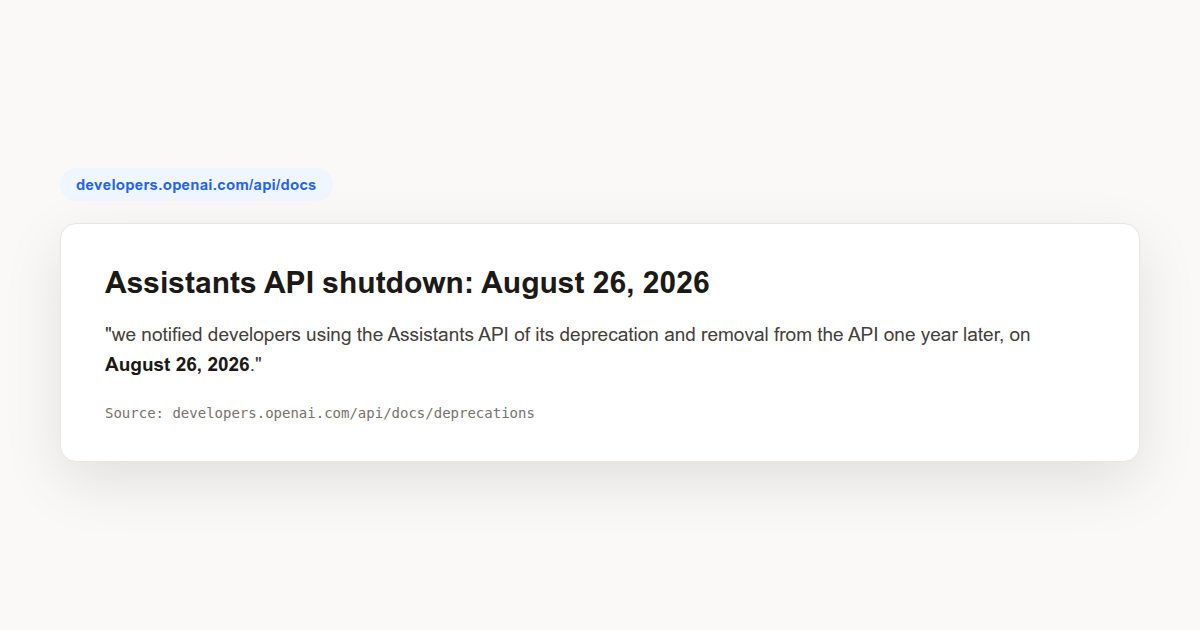
OpenAI announced the Assistants API retirement in two steps. When the Responses API shipped in March 2025, the company said it would bring every Assistants API feature across and sunset the old surface in 2026. The formal notice followed on August 26, 2025: “we notified developers using the Assistants API of its deprecation and removal from the API one year later, on August 26, 2026.” The deprecations page records the announcement.
The deprecations table is blunt about the swap: shutdown date 2026-08-26, system Assistants API, recommended replacement Responses API and Conversations API. After that date the endpoints are no longer accessible. OpenAI does not promise a grace window or a read-only period, so treat the date as hard for every Assistants API endpoint you still call. We first spotted the timeline via the platform changelog, which has tracked the wind-down since the Responses API launch.
The notice also rippled through every platform built on top of the API. Zoho posted a customer deprecation notice, and automation vendors such as Make have community threads on replacing Assistants steps. If your only exposure is through such a platform, ask the vendor for their cutover plan, but read on anyway: knowing the target API helps you judge whether their plan is sound.
The mapping: four objects to relearn
The official migration guide for the Assistants API gives a four-way mapping, and internalizing it early saves rework later:
| Assistants API object | Responses API replacement | What changes |
|---|---|---|
| Assistant | Prompt (or inline instructions) | Configuration moves to a prompt object, or to the instructions parameter on each call |
| Thread | Conversation | Stores items: messages, tool calls, and tool outputs, not just messages |
| Run | Response | One request returns output items; you manage tool loops explicitly |
| Run step | Item | One generalized object type for messages, calls, and outputs |
One warning before you follow the guide’s first step literally. It suggests moving assistant configuration into reusable prompt objects, but prompts are themselves scheduled to shut down on November 30, 2026, alongside the Evals platform and Agent Builder. That gives a prompt-based migration roughly three months of life. For anything long-lived, keep your instructions and tool lists in your own code and pass them per call. The Responses API accepts an instructions parameter directly, so nothing forces you through prompts.
Prompt creation is also dashboard-only: there is no API to create them, which makes the whole path awkward for infrastructure-as-code shops. That is a second reason to treat prompts as a convenience for the remaining transition window, not as your landing zone.
Your first Responses call replaces the whole run loop
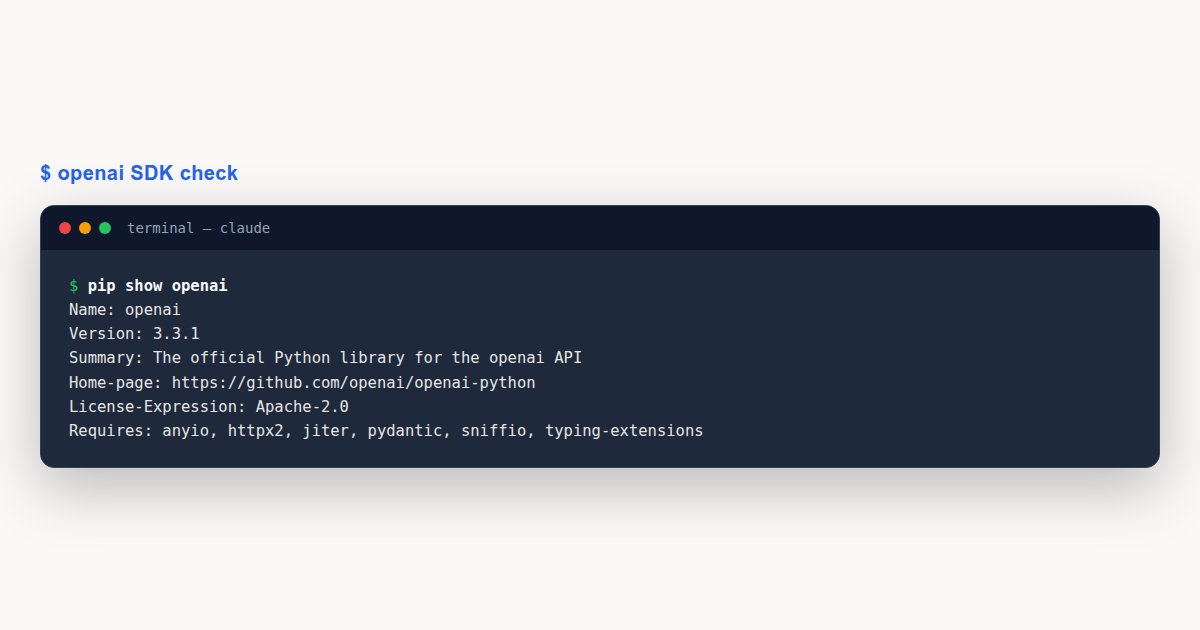
Start by installing the current SDK. The card below shows the real package metadata from a fresh install, so you can compare versions before you touch production code.
pip install --upgrade openaiThe old chat pattern needed a thread, a message, a run, and a polling loop. This is the version most Assistants API codebases grew around:
thread = client.beta.threads.create()
client.beta.threads.messages.create(
    thread_id=thread.id,
    role="user",
    content="Summarize the quarter in three bullets.",
)
run = client.beta.threads.runs.create(
    thread_id=thread.id,
    assistant_id=assistant_id,
)
while run.status in ("queued", "in_progress"):
    time.sleep(1)
    run = client.beta.threads.runs.retrieve(
        thread_id=thread.id, run_id=run.id
    )
messages = client.beta.threads.messages.list(
    thread_id=thread.id, order="desc", limit=1
)
The Responses API collapses that into one call. Pass the model, your instructions, the input, and optionally a conversation ID for history:
response = client.responses.create(
    model="gpt-5.6",
    instructions="You are a concise financial analyst.",
    input=[{"role": "user",
            "content": "Summarize the quarter in three bullets."}],
    conversation=conversation_id,
)
print(response.output_text)
The polling loop, the run retrieval, and the final message re-listing all disappear. The response comes back synchronously, and output_text holds the assistant message. If you have a worker whose only job was babysitting run status, you can delete it on cutover day.
Conversation state without threads
Assistants API threads stored messages and only messages. Conversations are wider: they hold items, which include messages, tool calls, and tool outputs. That difference matters when you reconstruct history, because a conversation replay shows the tool activity, not just the prose around it.
You create a conversation once, store its ID wherever you stored thread IDs, then pass it on every call:
conversation = client.conversations.create()
response = client.responses.create(
    model="gpt-5.6",
    input=[{"role": "user", "content": "Hello"}],
    conversation=conversation.id,
)
The underlying endpoint is v1/conversations, introduced in August 2025, and the response object carries the conversation ID back to you. A response also exposes previous_response_id for chaining without any conversation object at all, which is handy for short-lived flows that never need server-side history.
Two response parameters deserve attention during migration. store controls whether the response is persisted, and background lets a long-running response complete asynchronously. Neither had a direct equivalent on runs, so decide per flow whether you want persistence and waiting.
Threads and conversations also share the same metadata pattern, so a tag like a user ID moves across unchanged. If you stamped thread metadata for lookup, stamp conversations the same way and your admin search keeps working through the migration.
Backfilling old threads by hand
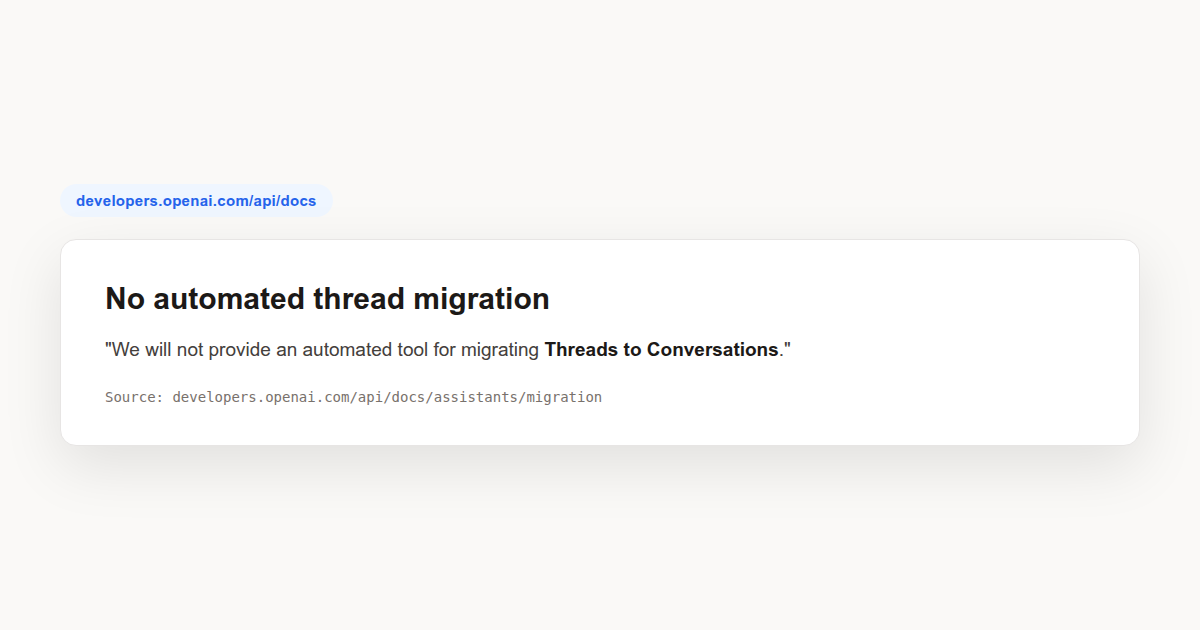
Backfilling is the one place with no shortcut. OpenAI’s guide states it plainly: “We will not provide an automated tool for migrating Threads to Conversations.” You export Assistants API thread history yourself and post it into a new conversation.
The pattern is to page through a thread’s messages in ascending order, convert each content part to the right item type, then create the conversation in one shot:
items = []
pages = client.beta.threads.messages.list(
    thread_id=thread_id, order="asc"
)
for page in pages.iter_pages():
    for m in page.data:
        content = []
        for part in m.content:
            if part.type == "text":
                kind = "input_text" if m.role == "user" else "output_text"
                content.append({"type": kind,
                                "text": part.text.value})
            elif part.type == "image_url":
                content.append({"type": "input_image",
                                "image_url": part.image_url.url})
        items.append({"role": m.role, "content": content})

conversation = client.conversations.create(items=items)
Watch the content type names: user text becomes input_text, assistant text becomes output_text, and images become input_image with their detail setting carried over. Getting these wrong fails quietly: the call succeeds and the history reads back oddly.
You do not have to move everything on day one. The guide’s own advice is to move new chats first and backfill old threads as needed, which is also the lowest-risk order for a production system.
File search keeps your vector stores
The Vector Stores API is not part of the shutdown, and the Responses file search tool reads the same vector stores your Assistants API assistants used. Files stay, chunks stay, and the store IDs stay valid.
The tool attaches per call instead of per assistant:
response = client.responses.create(
    model="gpt-5.6",
    input="What was our refund policy in 2025?",
    tools=[{"type": "file_search",
            "vector_store_ids": [vector_store.id]}],
)
Output arrives as two items: a file_search_call with the queries the model ran, and a message whose annotations carry file_citation references pointing at the source files. Your citation rendering code needs to read annotations off the message rather than off run steps.
Three knobs are worth knowing early. max_num_results caps retrieved chunks to control token spend. filters narrows retrieval by metadata, for example restricting search to a category like blog posts. include set to file_search_call.results returns the raw results so you can log what the tool actually read. Uploading still goes through the Files API with purpose assistants, then into a store via client.vector_stores. Rate limits run 100 requests per minute at usage tier 1, 500 at tiers 2 and 3, and 1,000 at tiers 4 and 5, per the file search guide.
Code interpreter moves to containers
The interpreter became a built-in Responses tool in May 2025, but its shape changed: execution now happens in containers rather than the assistant-scoped sandbox the Assistants API used. You can let the API create one automatically or pre-create it yourself, and the code interpreter guide shows both patterns:
container = client.containers.create(
    name="reports", memory_limit="4g"
)
response = client.responses.create(
    model="gpt-5.6",
    instructions="Write and run code using the python tool to answer.",
    input="Solve 3x + 11 = 14 and show the steps.",
    tools=[{"type": "code_interpreter",
            "container": {"type": "auto", "memory_limit": "4g"}}],
)
Memory tiers run 1g, 4g, 16g, and 64g, with 1g as the default, and the auto container accepts a file_ids list so inputs land in the sandbox at creation time. The model knows the tool internally as the python tool, and prompts that name it explicitly behave most reliably, which is a small phrasing change from the old interpreter prompts.
Containers are ephemeral in a way the old tool was not: they expire after twenty idle minutes, and anything left inside is gone. Files the model generates appear as container_file_citation annotations on the output message. Download what you need while the container is alive, then persist bytes on your own storage. The service is rate limited to 100 requests per minute per organization, fine for most workloads but worth knowing before a bulk migration dry run.
Function tools flatten and move to items
The tool schema loses a layer of nesting. Assistants and Chat Completions wrap definitions inside a function object; Responses declares them flat:
tools = [{
    "type": "function",
    "name": "get_weather",
    "description": "Retrieves current weather for the given location.",
    "parameters": {
        "type": "object",
        "properties": {
            "location": {"type": "string"},
        },
        "required": ["location"],
        "additionalProperties": False,
    },
}]
Calls arrive as function_call items in the response output, each carrying a call_id, the function name, and JSON-encoded arguments. You answer by appending a function_call_output input item with the same call ID, then calling the API again. The loop looks like this:
input_list = [{"role": "user",
               "content": "What is the weather in Paris, France?"}]
response = client.responses.create(
    model="gpt-5.6", tools=tools, input=input_list
)
input_list += response.output
for item in response.output:
    if item.type == "function_call" and item.name == "get_weather":
        location = json.loads(item.arguments)["location"]
        input_list.append({
            "type": "function_call_output",
            "call_id": item.call_id,
            "output": get_weather(location),
        })
response = client.responses.create(
    model="gpt-5.6", tools=tools, input=input_list
)
print(response.output_text)
That input_list += response.output line is load-bearing. Reasoning models attach reasoning items to their outputs, and those items must travel back with your tool results. Skip the line and the follow-up call breaks on reasoning models.
Tool choice carries over with additions, per the function calling guide: auto, required, a forced named function, none, and an allowed_tools subset that also helps prompt caching. If your old run disabled parallel calls, set parallel_tool_calls to false here; it limits each turn to zero or one call, matching the old Assistants API behavior.
The Assistants API also streamed, and the Responses API keeps that capability under new event names. Watch for response.output_item.added as outputs start and response.function_call_arguments.delta while the model fills in arguments. Your old event handlers mostly need renaming rather than a redesign.
One smaller delta rounds this out. Responses attempts to normalize your schemas into strict mode automatically, so schemas that needed manual coaxing before may just work now. And if your old code relied on the run submitting tool outputs, note that submission is now explicit: your code decides when results go back, which makes the loop easier to test.
Usage fields and truncation get new names
Billing and monitoring code deserves its own pass. Assistants API runs reported prompt_tokens and completion_tokens. Responses report input_tokens, output_tokens, and total_tokens, with cached_tokens and reasoning_tokens in the detail. Any dashboard, alert, or cost allocation keyed on the old field names goes blind after cutover.
Truncation changed too. Runs had a truncation_strategy defaulting to auto; responses have a truncation field, and the sample payloads show it disabled. If your product leaned on automatic truncation for long threads, decide explicitly how you will bound context now, because silence on this setting is a latent outage for chatty conversations.
A Worked Example
Consider a small support-chat backend, the kind most teams run on the Assistants API: a row per session holding a thread ID, a worker process that polls run status, and two assistant objects, one for triage and one for drafting replies.
Start with an inventory, because the mapping table above turns it into a checklist. The two assistant objects from the Assistants API become instruction strings in your config service. The thread ID column becomes a conversation ID column; a nullable migration column is kinder than an in-place rewrite. The polling worker has no successor at all. Its entire reason for existence, waiting for runs to finish, disappeared with the synchronous response.
Now cut over in the order the guide recommends, new traffic first. Ship the Responses path behind a feature flag, route new sessions through it for a week, and keep the Assistants path serving existing sessions untouched. During that week, replay ten canned support questions through both paths and diff the outputs: same citation count on file search answers, same tool sequence on drafting questions, and token totals within your normal variance.
Backfill history only for sessions customers can still reopen. Export each thread ascending, convert content parts with the script from the backfill section, and create one conversation per thread. A session table with ten thousand dormant threads does not need ten thousand conversations tonight; migrate on first touch, when a returning user actually reopens the chat.
Finally, fix the meters before you flip the flag. Swap the usage field names in your logging pipeline, add the smoke test that asserts response.output_text is present, and write the rollback procedure down: flag off, new sessions return to the old path, and the conversation column waits. The whole cutover, for a codebase this size, lands around a hundred lines changed, most of them deletions, with the rollback written down before the flag flips.
Assistants API: Common Mistakes to Avoid
Even experienced developers trip over the same issues when leaving the Assistants API. Each of these comes straight from behavior documented in the official guide:
- Waiting for an official thread migration tool. OpenAI says one will not be provided, so the backfill script is your problem to write and test.
- Landing assistant configuration in reusable prompts. Prompts shut down on November 30, 2026, three months after the API you are leaving. Keep instructions in code.
- Leaving dashboards on run-era usage fields. The names changed to input_tokens and output_tokens, and alerts keyed on the old names fail silently.
- Dropping reasoning items from the function loop. Omit response.output from the next input and follow-up calls error out on reasoning models.
Assistants API: Best Practices
- Migrate new conversations first, backfill old threads on demand when a user reopens them.
- Keep instructions and tool definitions in your codebase, passed per call, not in prompt objects scheduled to disappear.
- Reuse existing vector stores by ID instead of re-uploading files; the stores outlive the API you are leaving.
- Download container files immediately after code interpreter runs, because containers expire after twenty idle minutes.
- Cut over behind a feature flag with a written rollback path, and keep a parity test comparing old and new outputs.
Assistants API: Frequently Asked Questions
When exactly does the Assistants API shut down?
August 26, 2026. OpenAI notified developers on August 26, 2025 and lists the replacement pair, the Responses API and Conversations API, on its deprecations page. Endpoints become inaccessible, with no announced grace period.
Do my vector stores and uploaded files survive?
Yes. The Vector Stores API is separate from the shutdown, and the Responses file search tool accepts your existing store IDs. Files, chunks, and citations carry over without re-upload.
Is there a tool that converts threads into conversations automatically?
No. OpenAI’s Assistants API migration guide states that no automated tool will be provided. You page through thread messages in ascending order, map content types, and create conversations yourself.
What happens to reusable prompts?
They shut down on November 30, 2026, along with the Evals platform and Agent Builder. Prompt-based configurations are a dead end for long-lived systems; pass instructions per call instead.
I use the Assistants API through a third-party platform. What should I do?
The Assistants API shutdown is on OpenAI’s side, so platform vendors own their own migrations. Several have already posted customer notices. Ask yours for the cutover date and what changes in your workflows, and test your flows before August 26.
Assistants API migration comes down to four renames, one hand-written backfill, and honest attention to the details the rename hides: tool loops you now manage, containers that expire, and usage fields your invoices read. Start with new conversations this week and the rest follows.