In the containers vs virtual machines comparison, a virtual machine boots a complete guest operating system on virtual hardware, while a container runs the application and its dependencies as plain processes on a kernel it shares with the host: that one difference makes containers lighter, faster to start and cheaper to move, and less strongly isolated.
- The image bundles code, exact dependency versions and configuration, so one unit serves development, test and production on any Docker-equipped host.
- Underneath, isolation rests on two kernel facilities: namespaces scope what a process can observe, and cgroups cap its CPU time and memory.
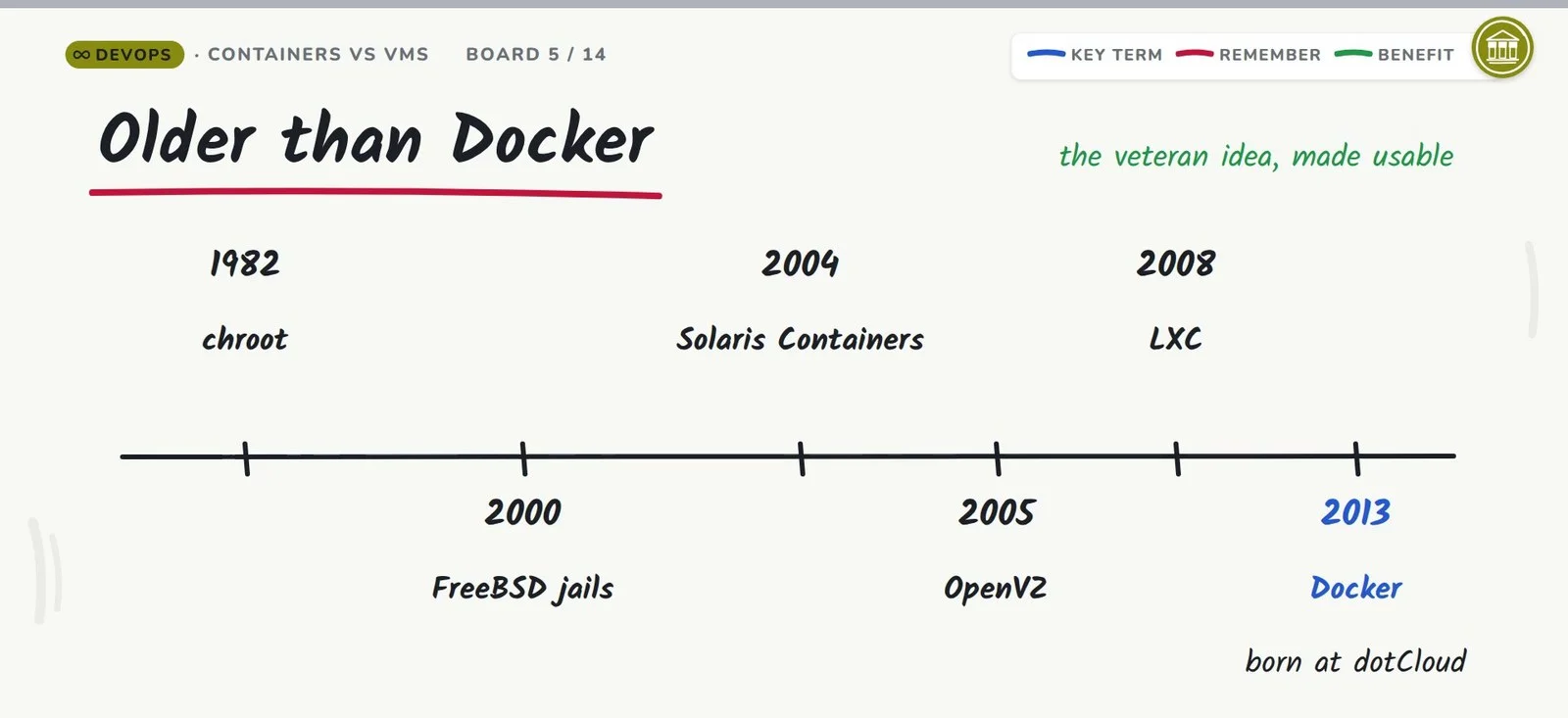
- The idea predates the product by three decades: chroot dates to 1982, LXC to 2008, and Docker’s open-sourcing to March 2013.
- Production stacks both: Kubernetes schedules each container into a pod on a node, and that node can be a virtual machine or a physical one.
“It works on my machine” survives as an excuse because it is true: the application ships, and the machine it ran on never does. This article is the written half of the Whiteboard Architect episode Containers vs Virtual Machines: The Problem Docker Actually Solves; it follows the same chapters with the same fact-checks.
What Docker actually is
Docker’s shipping unit is the container; the platform around it builds, ships and runs that unit, and the project is open source. Docker’s own overview calls the container loosely isolated and lightweight: it carries what the application needs, many to a host, borrowing nothing from the host’s software. The Kubernetes overview supplies the machine-like half: a container holds a filesystem of its own plus memory, CPU and process space, like a small machine. One workflow is the payoff the overview names: the same unit travels from a laptop through a test rig into a data center, the cloud, or a blend.
Is a container just a small virtual machine?
No, and the difference shows up the first time something breaks. Docker’s overview describes a container as loosely isolated and lightweight, carrying what the application needs and borrowing nothing from whatever the host has installed, and that same isolation is what lets one host carry many containers at once. The Kubernetes overview adds the machine-like inventory: filesystem, memory, CPU and process space, each portioned out to the container. Beneath the inventory, your application’s processes run inside a kernel the host already runs, held apart by that kernel’s own isolation machinery, so there is no second computer to administer and no guest operating system to patch. A virtual machine is that second computer, which is exactly its value when the workload needs one. The same Docker overview sketches how the package is assembled: a Dockerfile lists instructions, each instruction becomes a layer of the image, and a rebuild after changing one instruction rebuilds only the layers that changed.
The problem containers solve
The excuse collapses the moment code leaves the developer’s desk, because the environment does not travel with it. Take a web application pinned to one Python version and a handful of third-party libraries. Before containers, production meant walking from server to server, installing the interpreter, the libraries and the configuration by hand, then repeating the ritual on the next machine. Servers drift, each in its own direction, until “works on my machine” quietly becomes “works on the Tuesday machine.”
Containerization reverses the direction: one image holds the code, the exact versions of every dependency, and the configuration; it runs on any machine with Docker and ignores whatever else that machine has installed. Development, test and production consume the same image version, so the artifact debugged at a desk is the artifact a data center runs; when something breaks, the repair is made in development and deployed by pushing the refreshed image, the workflow Docker’s overview documents.
Why teams adopt it
Three effects, all flowing from that shipping unit, carry the adoption case:
| Reason | What it looks like in practice |
|---|---|
| Faster shipping | Developers share one standardized environment, and the pipeline moves containers instead of instructions; deploying a fix means pushing a new image. |
| Elastic capacity | Instances start as processes rather than booted machines, so capacity tracks demand almost in real time. |
| Hardware efficiency | One shared kernel serves every container on the host, so the same hardware carries more work than hypervisor-based VMs with a guest OS aboard. |
Containers are older than Docker
None of this begins with Docker: the idea has a thirty-year head start on the product. chroot (1982), FreeBSD jails (2000), Solaris Containers (2004), OpenVZ (2005) and LXC (2008) mark the trail; Docker started life inside dotCloud, a platform-as-a-service company, and was open-sourced in March 2013. Docker’s addition was approachability: a packaging format, a toolchain and a registry made the veteran technique something an ordinary team could run.
This chapter also exists as a vertical Short on the container timeline.
Containers vs virtual machines: the two stacks
The comparison turns on one architectural choice, so draw each stack as its layers. At the bottom of a virtual machine sits virtualized hardware under a hypervisor; above it runs an entire guest operating system; the application rides on top. A container stack keeps only the top: the application and its dependencies run on the host’s own kernel as ordinary processes, so one operating system underlies every container on the machine. Microsoft’s isolation documentation describes process isolation exactly this way, with containers sharing “the same kernel with the host as well as each other.”
| Layer | Virtual machine | Container |
|---|---|---|
| What runs your app | A whole guest operating system per VM | The host kernel, shared by all containers |
| Below the app | Virtual hardware managed by a hypervisor | Ordinary host processes, isolated by the kernel |
| What ships | A VM image with an OS inside | An image with the app plus exact dependency versions |
| How it starts | Boots the guest OS | Starts inside the kernel the host is already running |
The shared kernel is the whole trade-off: no guest operating system to boot or carry, so containers stay small and start fast, and their isolation is weaker for the same reason.
Is the hypervisor the guest operating system?
No, and one popular tutorial draws this wrong in two places. The hypervisor is the software layer whose job is creating and running virtual machines; a guest operating system is what runs inside them. Wikipedia’s hypervisor article divides hypervisors into Type 1, which sits directly on bare metal (Microsoft Hyper-V, Xen and VMware ESXi are its examples), and Type 2, which runs as an ordinary application on a host operating system (Oracle VirtualBox, VMware Workstation). Both VMware and VirtualBox are hypervisors, then, and in either type the guest operating system lives above the hypervisor layer, inside the virtual machine. Place the guest where the hypervisor belongs and every layer above inherits the error.
The classification predates every product just named. Robert P. Goldberg’s 1973 thesis, Architectural Principles for Virtual Computer Systems, already separated hypervisors into the same two types in use today. Type 1 products also answer to native or bare-metal hypervisors, since they occupy the hardware directly, divide it among the guest operating systems, and manage those guests from there; Type 2, the hosted kind, depends on a host operating system underneath it.
The two dials under every container
The isolating is done by a twin mechanism, and the Docker Wikipedia entry names its two halves. Namespaces govern visibility: a namespaced process gets its own view of the process tree, the network, user IDs and mounted filesystems. Control groups, shortened to cgroups, govern consumption; the kernel’s cgroups feature exists to set resource limits, and the entry names memory and CPU specifically. A virtual machine builds a stronger wall by being an entire machine; a container gets whatever wall those two mechanisms build.
What the shared kernel buys
Carrying no guest operating system pays twice: nothing extra in the image to weigh it down, and nothing extra to boot at startup, which is where the near-instant start comes from. A virtual machine budgets memory, disk and CPU for a whole guest OS on every instance; a container is just processes appearing in a kernel already running. Under process isolation, Microsoft documents that containers use the host kernel; read the host’s process list, and the container’s process is right there with a process ID of its own.
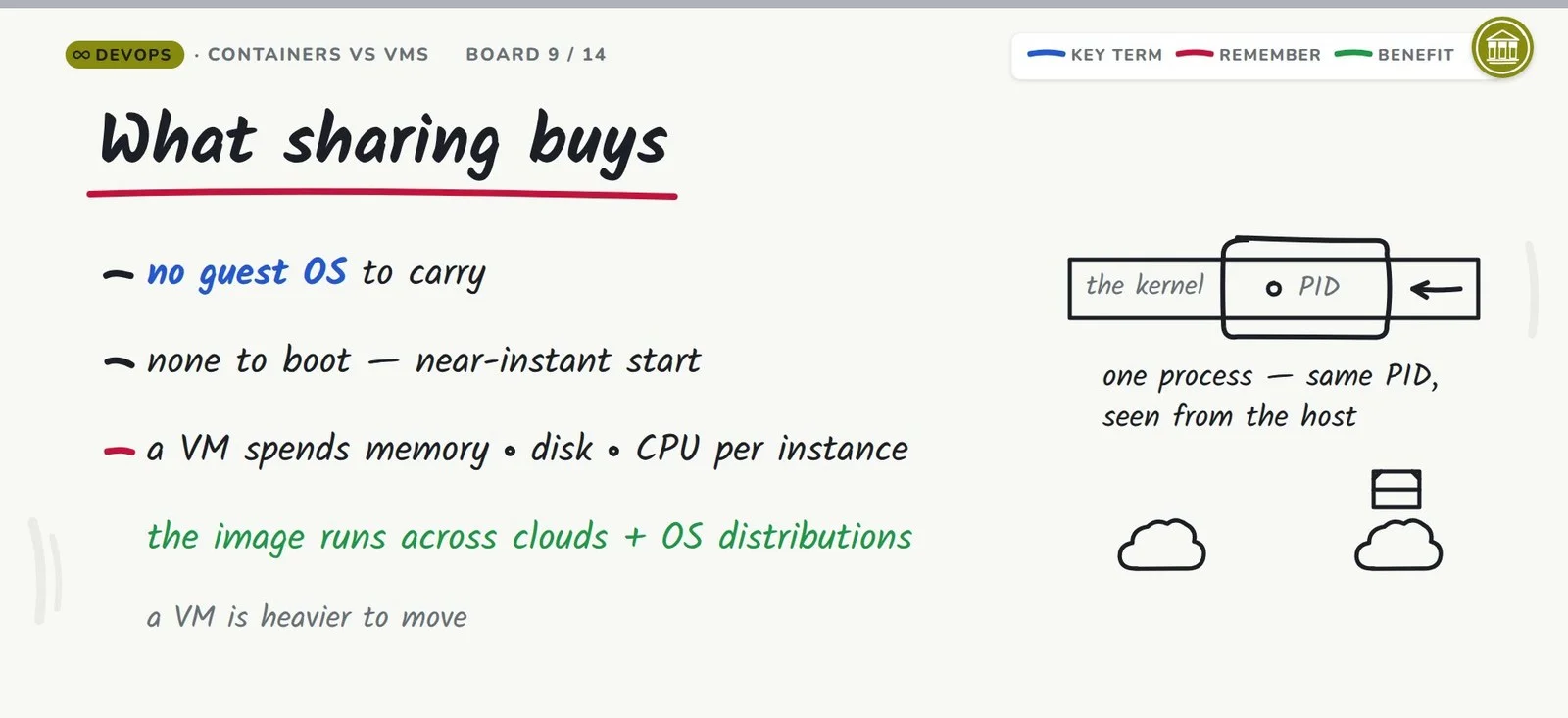
Portability has the same root. Container images, as the Kubernetes overview puts it, sit decoupled from the infrastructure underneath, so one image serves across cloud providers and OS distributions, while relocating a VM means relocating an entire machine with its operating system. On the resource side, the Docker Wikipedia entry notes a container’s footprint is smaller than a VM’s because every container draws on the host’s one kernel.
Where each wins
Workload shape decides it. Software-shaped work goes to containers: build pipelines, microservices, capacity that stretches on demand, lots of tenants on one host, which is most modern workloads. Hardware-grade boundaries go to virtual machines: untrusted tenants, workloads that must run a kernel of their own, and compliance regimes whose audits are audits of a machine.
| Workload | Better fit | Why |
|---|---|---|
| CI/CD builds and tests | Container | The image is the unit; identical behavior from laptop to build agent. |
| Microservices | Container | Many small environments pack onto one kernel at high density. |
| Elastic scaling | Container | New instances are new processes, not booted machines. |
| Untrusted tenants | Virtual machine | Process-level isolation is weaker than a hardware-grade boundary. |
| Different kernels required | Virtual machine | The container borrows whatever kernel the host runs. |
| Compliance and audit | Virtual machine | Regimes that certify a machine accept a machine. |
Is container isolation as strong as a virtual machine’s?
No, and Microsoft’s isolation modes documentation states the gap most plainly. Process isolation has one kernel doing duty for the host and for every container on it, which is what makes containers quick and dense, and also what leaves the boundary no stronger than the kernel’s own mechanisms. When a workload needs more of a wall, Hyper-V isolation puts each container into a highly optimized virtual machine of its own, so the kernel it runs is effectively private: image format and tooling stay the same, and the boundary becomes hardware-grade at the price of one VM per container. Untrusted code and strict compliance requirements are the textbook cases, and the two technologies consequently ship together in production stacks.
Three gotchas to avoid
Myth 1: virtual machines rule production
Overstated. Kubernetes’ overview sorts deployment history into three eras, traditional, virtualized and containerized, and treats the containerized era as the present one. Real infrastructure stacks the two: Kubernetes assigns each container to a pod, each pod to a node, and the node underneath can be a virtual machine or a physical box, varying with the cluster. The workload should drive the choice; the episode’s closing distinction holds up: the VM supplies the machine, the container the workload. This argument also exists as a vertical Short on VMs vs containers in production.
Myth 2: Docker can test every OS
A container inherits its kernel from the host, so the base image must match that kernel family. Microsoft’s version-compatibility page records what a mismatch does on Windows: when host and image builds disagree, the host stops the container from starting. The limit is definitional, as the OS-level virtualization article explains: the guest always shares the host’s kernel, so one from a different family is out of reach. Docker Desktop honors the same rule, and its own settings page shows how: the containers live inside a Linux VM, so the kernel does match, one layer down. “Run anywhere” honestly reads as “run anywhere the kernel matches.”
Myth 3: Docker is containers
The Open Container Initiative keeps the container image format and its runtime under an open standard, maintaining a runtime specification and an image specification. The standard was a joint effort from the start: in June 2015, as the Docker Wikipedia entry records, a group with Docker, CoreOS, Google, Microsoft and Amazon among them announced a common standard for software containers, independent of any vendor and any operating system. Docker popularized the format; the standard belongs to the initiative.
Can a container run a different operating system than its host?
No, although Docker Desktop gives the opposite impression at first. A container is processes running inside the host’s kernel, which is why the base image must belong to the same kernel family as the host. On Windows the rule is loud: per Microsoft’s version-compatibility page, an image whose build does not match the host’s is simply prevented from running, so the failure arrives as an explicit, documented error. By definition the technique shares the host kernel with the container, so a guest operating system from another kernel family is not on offer: no Linux containers directly on a Windows kernel, and none the other way either. The impression comes from Docker Desktop, whose settings page manages the Linux VM its containers live in; the kernels do match, one layer further down than expected. Microsoft’s page also documents the escape hatch: under Hyper-V isolation the container receives the kernel binaries matching its own build, which frees it from depending on the host’s version. And the mismatch is nobody’s mistake: Windows versions that agreed at general availability have taken independent updates ever since, so the build numbers drift apart on their own.
Does Docker own the container image format?
No, and the standardization was collaborative by design. On June 22, 2015, a joint announcement came from Docker along with CoreOS, Google, Microsoft and Amazon: they would build one shared standard for software containers, independent of vendors and operating systems. The organization that came out of it still runs the specs; its home page lists three, covering the runtime, the image and the distribution of containers, and describes the pipeline they form: an implementation downloads an image, unpacks it into a runtime filesystem bundle, and hands that bundle to an OCI runtime. The Wikipedia history fills in Docker’s own arc: the project first shipped with LXC as the execution environment it defaulted to, then at version 0.9 swapped LXC for a homegrown Go component named libcontainer.
In short
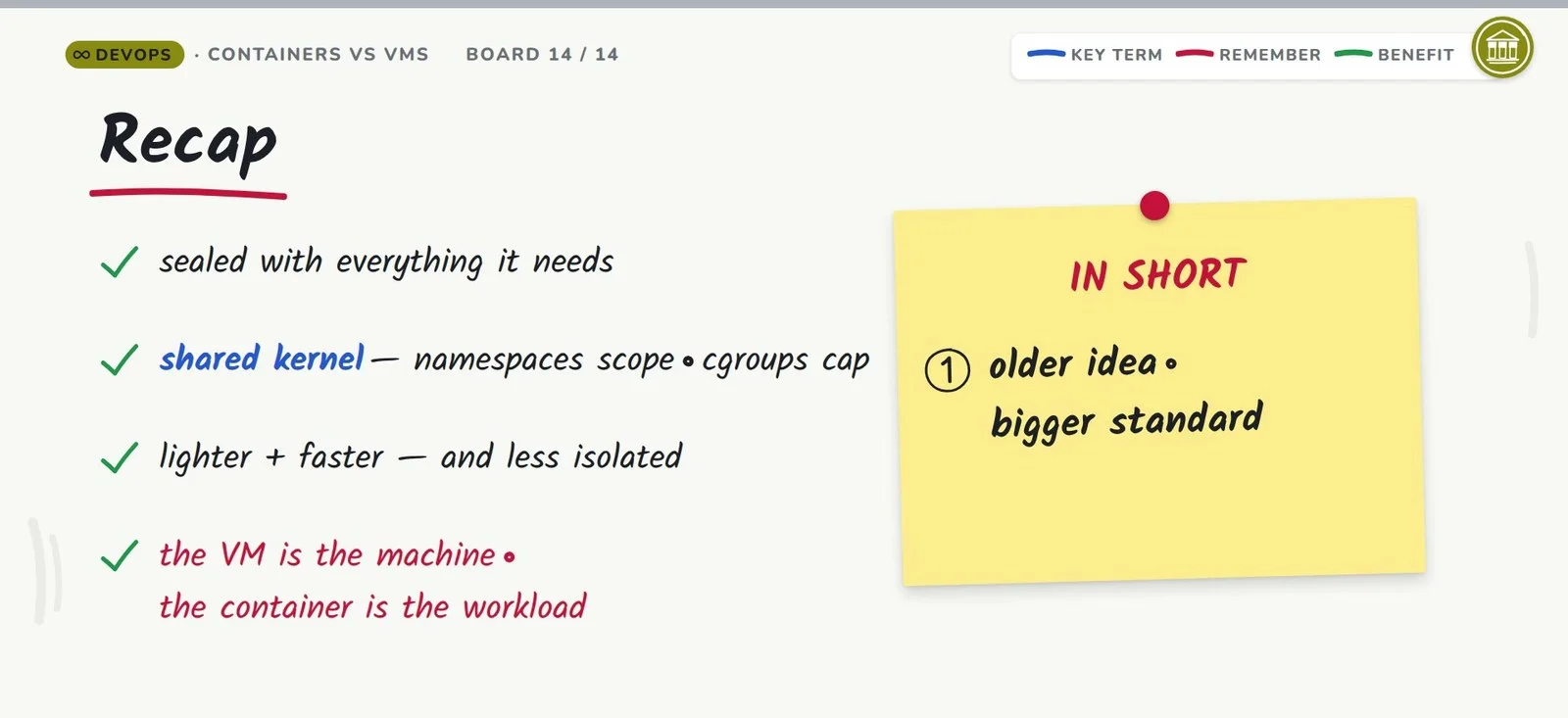
The machine never travels with the code, so the code travels with everything else: sealed into an image alongside its exact dependencies. Inside, a container is a group of processes on a kernel it shares with the host, its view scoped by namespaces and its consumption capped by cgroups; that is why it beats a virtual machine on weight and startup speed, and why its isolation is softer. The containers vs virtual machines question does not end with a winner: production keeps both, the VM supplying the machine and the container the workload, on an open standard maintained by an industry group rather than one company.
Continue learning
- Why DevOps? Where the Traditional SDLC Breaks: the previous Whiteboard Architect companion, on why the traditional delivery loop breaks as teams scale.
- Docker Interview Questions: the question bank this episode’s material shows up in, from images to volumes to networking.
- Virtualization Interview Questions: the VM side of the comparison, hypervisors included, in the same question-and-answer shape.
- You Already Use the Cloud Every Day (Without Noticing): the sibling Whiteboard Architect companion from the Cloud Computing playlist, on the everyday apps that already run on remote back ends.