Claude Code for React and TypeScript projects benefits from the fact that TypeScript is the language Claude itself is built in and the one Claude Code’s training data covers most densely. But default Claude Code behavior still produces code that fights the conventions of a specific TypeScript project: the wrong import style, the wrong component pattern, the wrong test framework. This guide covers the CLAUDE.md patterns, monorepo handling, type safety discipline, Next.js and component-library specifics, and testing integration that make Claude Code a TypeScript specialist rather than a generic JavaScript assistant.
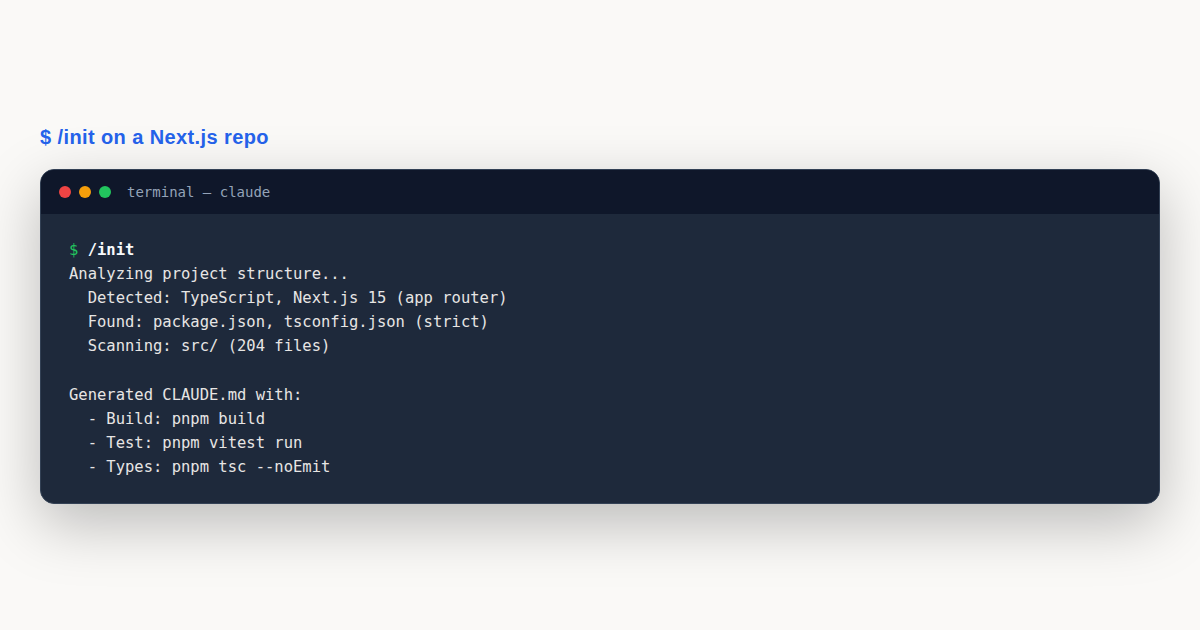
Claude Code TypeScript: What You’ll Learn
This is a practical claude code typescript guide for engineers using Claude Code against React, Next.js, Vue, Svelte, or any TypeScript-heavy codebase. You will see two complete CLAUDE.md templates (one Next.js application, one component library), monorepo slash commands, testing integration across Vitest and Playwright, the type-safety rules that prevent Claude Code from introducing any types, and the framework-specific conventions that distinguish a polished TypeScript project from a generic one. If you want a deeper grounding in editor integration first, the Claude Code VS Code guide covers the IDE side of the workflow.
We will also address the friction points. TypeScript’s strict mode, ESLint’s overlapping rules, the .next build cache, and the monorepo landscape all create specific failure modes. Claude Code can navigate all of them, but only with explicit project configuration.
Why TypeScript Projects Need Explicit Configuration
TypeScript is the language with the strongest Claude Code default support, but “strongest default” is not the same as “matches your project.” A modern TypeScript project makes dozens of opinionated choices: strict mode or not, ESLint or Biome, Vitest or Jest, pnpm or npm or yarn, app router or pages router for Next.js, server components or client components by default, shadcn/ui or custom components. Each choice has a right answer per project, and Claude Code’s defaults will sometimes match and sometimes not.
The CLAUDE.md is where you encode those choices. A 30-line CLAUDE.md saves dozens of “no, use the other pattern” corrections per session, which is the difference between Claude Code feeling like a collaborator and feeling like a constantly-corrected intern.
TypeScript’s compiler itself is also a configuration surface. The tsconfig.json controls path aliases, strictness levels, JSX mode, module resolution, and a dozen other settings that affect what code is valid. Claude Code reads tsconfig.json automatically, but a CLAUDE.md that documents the intent behind unusual configurations (path aliases pointing to src/, strict null checks deliberately disabled for legacy code) helps the agent respect rather than fight those choices.
The TypeScript ecosystem also has multiple build tools (Vite, esbuild, SWC, Turbopack, webpack, tsc itself) and multiple test runners (Vitest, Jest, Playwright, Cypress, Testing Library). Each combination has its own conventions, configuration files, and CLI flags. Documenting your stack prevents Claude Code from suggesting a Vitest config to a Jest project.
The Next.js Application CLAUDE.md Template
For a Next.js 15 application using the app router, TypeScript strict mode, Tailwind CSS, and shadcn/ui components, the CLAUDE.md below captures the conventions that matter most.
# Project: Next.js SaaS Application

## Stack
- Framework: Next.js 15 (app router, no pages directory)
- Language: TypeScript 5.5, strict mode, noImplicitAny: true
- Styling: Tailwind CSS v4 + shadcn/ui components
- State: React Server Components by default; client components only when needed
- Database: Prisma against Postgres
- Auth: Auth.js (next-auth v5)
- Package manager: pnpm (workspaces for monorepo)

## Commands
- Dev server: `pnpm dev`
- Build: `pnpm build`
- Type check: `pnpm tsc --noEmit`
- Lint: `pnpm lint` (ESLint flat config)
- Test: `pnpm test` (Vitest)
- E2E test: `pnpm test:e2e` (Playwright)
- Single test: `pnpm test path/to/file.test.ts`

## Conventions
- Server Components by default; mark Client Components with `"use client"` only when state or effects are required
- Use `async/await` in Server Components for data fetching; do not use useEffect for data
- Forms via React Hook Form + Zod schemas
- API routes return typed Responses; never use `any` in signatures
- Database access via Prisma client from `src/lib/db.ts`
- Path alias `@/` maps to `src/`
- Components in `src/components/`, hooks in `src/hooks/`, lib code in `src/lib/`

## Constraints
- NEVER use `any`: use `unknown` + type narrowing, or define a proper type
- NEVER use `@ts-ignore` or `@ts-expect-error`: fix the type instead
- NEVER import from `pages/`: the app router is the only router
- NEVER use `useEffect` for data fetching  -  use Server Components or SWR
- NEVER commit code that fails `tsc --noEmit` or `eslint`
- Database queries must use the typed Prisma client; no raw SQL unless explicitly approved
The Constraints section is deliberately short and ALL CAPS. Claude Code weights uppercase imperatives, and the five constraints here are the ones that matter most for code quality. The list is exhaustive about the patterns most likely to cause production bugs in a Next.js application.
The Conventions section documents the architectural choices: Server Components by default, the path alias, the file structure. These are not absolute rules but defaults that Claude Code should follow unless told otherwise. The agent will produce code that fits the project’s existing patterns rather than generic TypeScript.
The Component Library CLAUDE.md Template
A component library has different conventions from an application. The build setup targets multiple consumers, the testing story includes visual regression, and the API stability requirements are stricter.
# Project: UI Component Library

## Stack
- Build: tsup (esbuild-based, ESM + CJS output)
- Language: TypeScript 5.5, strict mode
- Styling: CSS Modules + CSS custom properties (no Tailwind in published code)
- Testing: Vitest + React Testing Library + Playwright for visual regression
- Documentation: Storybook 8
- Package manager: pnpm workspaces

## Commands
- Dev (Storybook): `pnpm storybook`
- Build: `pnpm build` (outputs to dist/)
- Type check: `pnpm tsc --noEmit`
- Test: `pnpm test`
- Visual regression: `pnpm test:visual`
- Release: `pnpm release` (changesets)

## Conventions
- Components are forwardRef'd; consumers must be able to pass ref
- All components accept `className` prop and merge it via `cn()` utility
- Props extend the underlying HTML element's props (e.g., `ButtonProps extends React.ButtonHTMLAttributes`)
- Variants via `cva` (class-variance-authority)
- Default export only at the package level; named exports within modules
- Every component has a Storybook story and a Vitest test file

## Constraints
- NEVER use `any`: define proper prop types
- NEVER break the public API without a major version bump
- NEVER use browser-only APIs in module-level code (must work in SSR)
- NEVER add a new dependency without team review (bundle size matters)
- Bundle size budget: each component under 5KB minified+gzip
The component library constraints focus on API stability and bundle size, which are the two concerns that dominate library development. A change that breaks the public API requires a major version bump, which has downstream implications for every consumer; Claude Code must know this before suggesting “improvements” to the API.
Type Safety: The Non-Negotiable Rule
The single most important TypeScript-specific rule is: never use any. The rule sounds absolute but has nuance in practice. The right enforcement is: any is forbidden in committed code, unknown is the right type for “I don’t know yet,” and type narrowing (via type guards or Zod schemas) is the path from unknown to a specific type.
Claude Code defaults to writing proper types but will fall back to any when the type is genuinely unclear or when migrating JavaScript code. The constraint in CLAUDE.md should redirect this behavior: when the type is unclear, define a placeholder type with a comment marking it for follow-up, rather than silently using any.
// BAD: silent any
function process(data: any) { ... }

// GOOD: explicit unknown with narrowing
function process(data: unknown) {
  const parsed = MySchema.parse(data); // Zod validation
  // parsed is now typed
}

// ACCEPTABLE: placeholder type for migration
// TODO: replace with proper type after type-refactor branch lands
type LegacyUser = Record<string, unknown>;
The same rule applies to @ts-ignore and @ts-expect-error. These are escape hatches that should never appear in committed code. If a type error exists, the right fix is to resolve it, not to silence it. Document this in CLAUDE.md as a hard constraint.
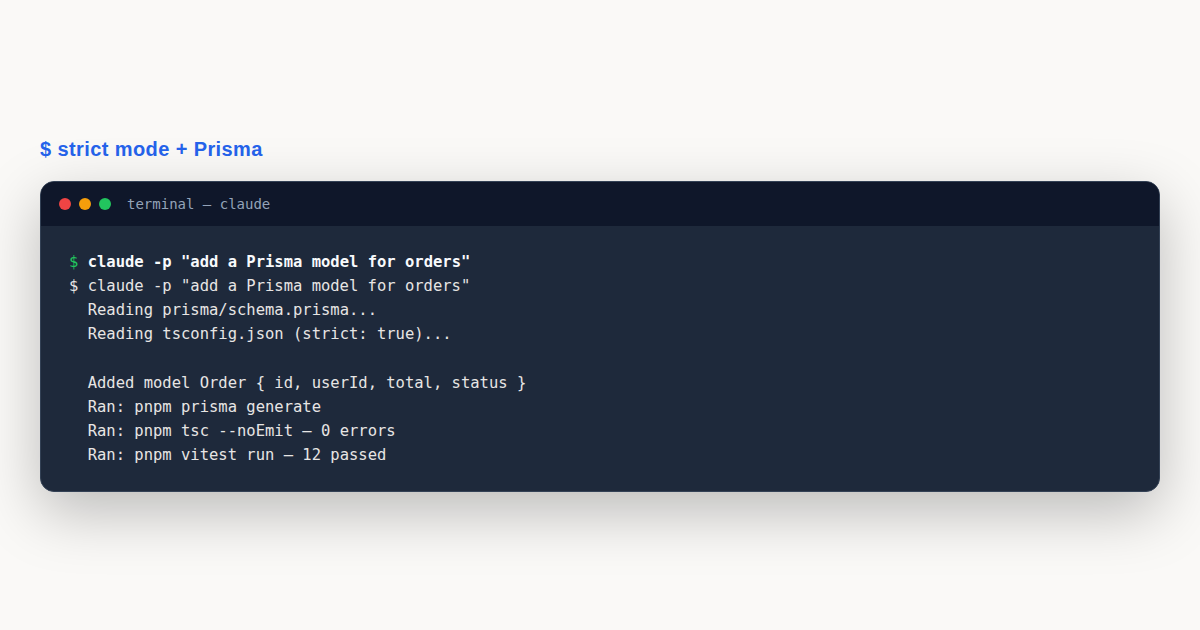
Strict mode ("strict": true in tsconfig.json) should be enabled for any new project. Existing projects without strict mode should document the migration path: enable strict mode incrementally per-directory via tsconfig.json overrides, fix the resulting errors file by file. Claude Code can help with this migration if told the strategy.
Monorepo Patterns: pnpm, Turborepo, Nx
TypeScript monorepos have converged on pnpm workspaces as the package manager foundation, with Turborepo or Nx as the task runner. Claude Code can navigate monorepos effectively when the structure is documented.
# Monorepo Layout
apps/
  web/           # Next.js application
  api/           # Standalone API service
  admin/         # Admin dashboard
packages/
  ui/            # Shared component library
  config/        # Shared eslint, tsconfig, tailwind config
  db/            # Prisma schema and client
  utils/         # Shared utilities
pnpm-workspace.yaml
turbo.json
For monorepo slash commands, the key is workspace awareness. A /test command should run tests only for the workspace containing the modified files, not the whole monorepo. The slash command file below shows the pattern.
# .claude/commands/test.md
Run the relevant tests for the work just done:
1. Identify which files were modified in this session
2. Determine which workspace(s) those files belong to (apps/web, packages/ui, etc.)
3. Run `pnpm --filter <workspace> test` for each affected workspace
4. If a workspace has no tests, note it and continue
5. Report final test results across all affected workspaces
Turborepo’s --filter syntax is more powerful than pnpm’s for monorepo-aware commands. turbo run test --filter=...[origin/main] runs tests only in workspaces affected by changes since the main branch. Document the turbo filter pattern in CLAUDE.md if your team uses Turborepo.
Cross-workspace imports are a frequent source of confusion. In a pnpm workspace, importing from another workspace uses the workspace’s package name (import { Button } from '@myorg/ui'), not a relative path. The package must be added to the consuming workspace’s package.json dependencies. Claude Code should be told this explicitly so it does not suggest relative paths across workspaces.
Next.js App Router Specifics
The Next.js app router (introduced in Next.js 13, matured in 14, dominant in 15) has conventions that differ significantly from the older pages router. Claude Code’s defaults now match the app router for new Next.js code, but projects migrating from pages router need explicit guidance.
Server Components are the default in the app router. They run on the server, cannot use state or effects, and can directly access databases and other server-only resources. Client Components are opted into via the "use client" directive at the top of the file. Document this in CLAUDE.md: “Server Components by default; mark Client Components only when state/effects are required.”
Data fetching in Server Components is via async/await directly in the component body. There is no getStaticProps or getServerSideProps. The component itself is async. This is a major mental model shift from the pages router, and Claude Code needs to be told if the project still uses the pages router for legacy reasons.
For client-side data fetching, the modern pattern is Server Actions (Next.js 14+) or SWR/React Query. The pages-router pattern of useEffect + fetch is considered an anti-pattern in app router code. Document the data fetching strategy explicitly.
For routing, the app router uses file-based conventions: page.tsx for pages, layout.tsx for layouts, loading.tsx for loading states, error.tsx for error boundaries, route.ts for API routes. Claude Code knows these conventions but benefits from explicit documentation of the project’s layout strategy (nested layouts, route groups, parallel routes).
State Management Patterns
State management in modern TypeScript applications has converged on a few patterns, each with its own conventions. Documenting the choice prevents Claude Code from suggesting Redux where Zustand is the project’s choice, or React Context where the project uses Jotai.
Server state (data fetched from APIs) should use React Query (TanStack Query) or SWR. These libraries handle caching, deduplication, and background refetching, which are concerns that ad-hoc useEffect + fetch code does not handle well. Document which library the project uses.
Client state (UI state like modal open/close, form state, theme) should use a lightweight library: Zustand for global state, Jotai for atomic state, React Context for thematic state that changes rarely. Redux Toolkit remains a valid choice for projects with complex state interactions, but it is no longer the default for new TypeScript applications.
Form state should use React Hook Form paired with Zod for schema validation. This combination provides type-safe validation, performs better than controlled components, and integrates cleanly with shadcn/ui form components. Document this as the project’s form convention.
For URL state (filters, pagination, sort order), use next/navigation‘s useSearchParams in Next.js applications, or a dedicated library like nuqs for richer URL state. Avoid storing filter state in component state when it should survive a page reload.
Testing: Vitest, RTL, Playwright
The modern TypeScript testing stack is Vitest for unit and component tests, React Testing Library (RTL) for component interaction tests, and Playwright for end-to-end tests. Jest remains a valid choice for existing projects but Vitest is the default for new ones.
Vitest configuration lives in vitest.config.ts and reuses the project’s Vite config (or is standalone for non-Vite projects). The configuration includes the test environment (jsdom for DOM tests, node for pure logic), coverage settings, and any setup files.
// vitest.config.ts
import { defineConfig } from 'vitest/config';
import react from '@vitejs/plugin-react';
import { resolve } from 'path';

export default defineConfig({
  plugins: [react()],
  test: {
    environment: 'jsdom',
    globals: true,
    setupFiles: ['./tests/setup.ts'],
    coverage: {
      provider: 'v8',
      reporter: ['text', 'html'],
      exclude: ['node_modules/', 'tests/setup.ts'],
    },
  },
  resolve: {
    alias: { '@': resolve(__dirname, './src') },
  },
});
RTL conventions: prefer getByRole and getByLabelText over getByTestId, because role-based queries test accessibility at the same time as functionality. Claude Code should be told to prefer role queries and to fall back to test IDs only when no semantic query works.
Playwright conventions: tests live in e2e/ or tests/e2e/, use real browser instances against a running server, and should be focused on critical user journeys rather than comprehensive coverage. Document the Playwright configuration (which browsers, base URL, auth setup) in CLAUDE.md or in a playwright.config.ts that the agent can read.
Database Access with Prisma
Prisma is the dominant TypeScript ORM for new projects, and its conventions deserve explicit documentation in CLAUDE.md. The schema file (prisma/schema.prisma) is the source of truth for the data model, and the generated client (node_modules/.prisma/client) provides the typed query interface that application code uses.
Claude Code should be told where the Prisma schema lives, where the generated client is imported from, and how migrations are handled. The default migration workflow is prisma migrate dev for development (creates a migration file based on schema changes) and prisma migrate deploy for production (applies existing migrations without generating new ones). Document both.
## Database Conventions
- Schema: `prisma/schema.prisma` (single source of truth)
- Client: generated, imported as `PrismaClient` from `@prisma/client`
- Client instance: singleton in `src/lib/db.ts`
- Migrations: `pnpm prisma migrate dev --name <description>` (dev only)
- Production migrations: `pnpm prisma migrate deploy` (no schema editing)
- Seed data: `pnpm prisma db seed`
- NEVER use raw SQL via `prisma.$queryRaw` without explicit team approval
For type safety, Prisma’s generated client provides full type inference for queries. A query like prisma.user.findUnique({ where: { id } }) returns User | null, with the User type matching the schema. Claude Code should use these types directly rather than defining duplicate interfaces. Documenting this prevents the agent from creating parallel type definitions that drift from the schema.
For relations, Prisma’s include and select syntax is fully typed. prisma.user.findUnique({ include: { posts: true } }) returns a user with their posts, and the type system tracks the included relations. Claude Code benefits from being told to prefer select over include where possible to limit the query to only the fields needed.
Transactions via prisma.$transaction([...) or the interactive $transaction(async (tx) => { ... }) pattern are well-supported. Document when transactions are required and when they are optional. Most write-heavy operations should use transactions to prevent partial updates.
shadcn/ui Component Generation
shadcn/ui is a unique component library: rather than installing a package, you copy individual components into your project via the shadcn CLI. This gives you full ownership of the component code, which is excellent for customization but creates a configuration surface that Claude Code needs to understand.
The components.json file at the project root configures shadcn/ui: paths to the component directory, the styling approach (Tailwind), the base color, and the CSS variables. Claude Code reads this file to know where new components should be installed.
// components.json
{
  "$schema": "https://ui.shadcn.com/schema.json",
  "style": "default",
  "rsc": true,
  "tsx": true,
  "tailwind": {
    "config": "tailwind.config.ts",
    "css": "src/app/globals.css",
    "baseColor": "slate",
    "cssVariables": true
  },
  "aliases": {
    "components": "@/components",
    "utils": "@/lib/utils"
  }
}
The convention for adding a new shadcn/ui component is pnpm dlx shadcn@latest add <component> (e.g., pnpm dlx shadcn@latest add dialog). The CLI downloads the component source into src/components/ui/ and updates imports. Claude Code should use this command rather than writing component code from scratch, because shadcn/ui components have specific implementation patterns the CLI ensures.
For custom components that wrap shadcn/ui, document the wrapper pattern. A typical wrapper extends the base component with project-specific variants, defaults, or business logic. The wrapper should be the public API; the underlying shadcn/ui component should not be imported directly by application code.
// src/components/ConfirmDialog.tsx
"use client";
import {
  Dialog, DialogContent, DialogHeader, DialogTitle,
  DialogDescription, DialogFooter
} from "@/components/ui/dialog";
import { Button } from "@/components/ui/button";

interface ConfirmDialogProps {
  open: boolean;
  onOpenChange: (open: boolean) => void;
  title: string;
  description: string;
  onConfirm: () => void;
}

export function ConfirmDialog({ open, onOpenChange, title, description, onConfirm }: ConfirmDialogProps) {
  return (
    <Dialog open={open} onOpenChange={onOpenChange}>
      <DialogContent>
        <DialogHeader>
          <DialogTitle>{title}</DialogTitle>
          <DialogDescription>{description}</DialogDescription>
        </DialogHeader>
        <DialogFooter>
          <Button variant="outline" onClick={() => onOpenChange(false)}>Cancel</Button>
          <Button onClick={onConfirm}>Confirm</Button>
        </DialogFooter>
      </DialogContent>
    </Dialog>
  );
}
Deployment and Build Configuration
TypeScript deployment configurations vary widely, but the conventions for production-ready builds are stable. Document the build command, the output directory, and any environment-variable requirements in CLAUDE.md so Claude Code understands the production target.
For Next.js, the build command is next build, output goes to .next/ for the app router or out/ for static export. The build runs type checking and linting by default; do not disable these to speed up builds. Document if the project uses static export (output: 'export' in next.config), because static export has constraints (no Server Actions, no middleware) that affect what Claude Code should suggest.
For Vite applications, the build command is vite build, output goes to dist/, and the result is a static bundle suitable for any CDN. Document the asset path configuration if the app is served from a subpath rather than the domain root.
For library builds via tsup or Rollup, the build outputs both ESM and CommonJS formats to dist/, with type declarations in dist/types/. Document the package’s exports field in package.json, which controls how consumers import the package. Claude Code should preserve the exports field when modifying package.json.
Environment variables are a frequent deployment gotcha. Next.js exposes NEXT_PUBLIC_* prefixed variables to the client; all other env vars are server-only. Documenting which variables are public vs server-only prevents Claude Code from accidentally using a server secret in client-side code. The next.config.js or .env.example file documents the expected variables.
For Docker deployments, document the production image build pattern. Multi-stage builds separate the build environment (with all dev dependencies) from the production runtime (minimal, with only production dependencies). Claude Code can help write Dockerfiles but should follow the project’s existing deployment patterns rather than inventing new ones.
ESLint and Biome Configuration
The TypeScript linting landscape has consolidated around two choices: ESLint (the legacy incumbent, with a vast plugin ecosystem) and Biome (the modern Rust-based challenger, with bundling of formatter and linter). Both work well with Claude Code, but the conventions differ enough to deserve explicit documentation.
ESLint’s flat config (eslint.config.js in ESLint 9+) is the modern format. It composes config objects from shared configs like @eslint/js, typescript-eslint, and eslint-plugin-react. Document which plugins are enabled and which rules are overridden from defaults.
Biome’s configuration (biome.json) is simpler and faster. It bundles lint rules and formatting in one tool, runs in milliseconds, and has sensible defaults. For new projects, Biome is the recommended starting point unless a specific ESLint plugin is required.
Claude Code should run the linter before committing changes, either as part of a slash command or as a pre-commit hook via Husky + lint-staged. Document the expected workflow: pnpm lint --fix to auto-fix, pnpm lint to check, and the commit should fail if lint does not pass.
Accessibility and Semantic HTML
Accessibility is a first-class concern in modern TypeScript applications, and Claude Code can produce accessible code by default when conventions are documented. The fundamental rule is: prefer semantic HTML elements over divs, use ARIA attributes only when semantic HTML is insufficient, and test with keyboard navigation in addition to mouse.
Document the project’s accessibility standard (typically WCAG 2.1 AA) and the specific patterns that matter. For interactive components like modals, dropdowns, and tabs, the conventions are: keyboard focus management (trap focus within modals, restore focus on close), ARIA roles and labels, and screen reader announcements for state changes. Libraries like Radix UI (which shadcn/ui wraps) handle most of this; document if the project uses them.
## Accessibility Conventions
- Use semantic HTML elements (button, nav, main, aside, header, footer)
- Add `aria-label` to icon-only buttons
- Use Radix UI primitives (via shadcn/ui) for interactive widgets
- Test keyboard navigation: Tab through, Enter/Space to activate, Esc to close
- Color contrast: minimum 4.5:1 for body text, 3:1 for large text
- Forms: associate labels with inputs via `htmlFor`/`id`
- Never remove the focus outline without providing an alternative visible focus indicator
For testing accessibility, @axe-core/playwright or jest-axe integrate automated accessibility checks into the test suite. These tools catch common issues (missing labels, color contrast violations, ARIA misuse) but cannot replace manual testing with screen readers. Document the expected testing pattern.
For internationalization, document whether the application supports multiple locales and which library is used (next-intl, react-intl, Lingui). i18n affects every user-facing string, and Claude Code needs to know whether to wrap strings in translation functions or leave them as literals. A project without i18n today but with planned i18n in the roadmap should document the intended library so the agent can prepare strings for extraction even before the library is installed.
A Worked Example: Adding a Feature to a Next.js SaaS
Imagine a team building a Next.js SaaS application that needs to add a “team billing history” feature. The feature involves a new page at /settings/billing, a server-side data fetch from the Stripe API, a table of past invoices, and a download link for each invoice PDF. The team uses Claude Code to implement the feature end to end.
The engineer opens Claude Code in the project root. Claude Code reads CLAUDE.md and learns the conventions: Server Components by default, Prisma for database access, path alias @/ to src/, shadcn/ui for components, Zod for schema validation. The engineer describes the feature in natural language: “Add a billing history page at /settings/billing that shows the team’s past Stripe invoices in a table, with download links.”
Claude Code proposes an implementation plan: a new route at src/app/settings/billing/page.tsx, a Server Component that fetches invoices via a Stripe API client, a table component using shadcn/ui’s Table, and a download link rendered from the invoice’s PDF URL. The engineer approves the plan.
Implementation proceeds in three steps. First, Claude Code creates the route file with the async Server Component that fetches invoices. It uses the project’s existing Stripe client wrapper from src/lib/stripe.ts rather than importing Stripe directly. It types the response with a Zod schema that validates the Stripe invoice shape. It handles error cases with the project’s existing error boundary pattern.
Second, Claude Code builds the table UI. It uses shadcn/ui’s Table primitives, formats currency with Intl.NumberFormat, formats dates with the project’s date utility, and adds the download link as an anchor with the invoice’s invoice_pdf URL. It tests the component with RTL, mocking the Stripe fetch via MSW (Mock Service Worker).
Third, Claude Code adds the route to the navigation menu by editing the existing sidebar component. It runs the type checker (pnpm tsc --noEmit) and linter (pnpm lint), fixes a minor type issue with the Stripe invoice type narrowing, and reports completion. The whole feature took 25 minutes from description to mergeable PR.
The success here is not the speed. A skilled engineer could have written the same code in similar time. The success is that Claude Code produced code that fit the project’s conventions on the first try, with no “use the other pattern” corrections needed. That fit is what the CLAUDE.md configuration buys.
Claude Code TypeScript: Common Mistakes to Avoid
TypeScript-specific Claude Code failures cluster around type safety, framework conventions, and monorepo structure. These six mistakes cover most of the regret we see from teams.
- Allowing
any: The most damaging TypeScript anti-pattern. Forbidany,@ts-ignore, and@ts-expect-errorin CLAUDE.md. Useunknownwith type narrowing for genuinely unknown types. - Mixing routers in Next.js: If the project uses the app router, forbid imports from
pages/. Mixing routers produces confusing behavior and breaks the build in subtle ways. - Wrong data fetching pattern: App router uses
async/awaitin Server Components. Pages router usesgetServerSideProps. Claude Code defaults to app router; document if the project is otherwise. - Ignoring path aliases: If
tsconfig.jsonhas@/*mapping tosrc/*, Claude Code should use@/components/Buttonnot../../components/Button. Document the alias explicitly. - Adding dependencies without review: For libraries and bundlesize-sensitive apps, document that new dependencies require review. Claude Code will suggest the most popular package by default, which may not be the smallest.
- Breaking the public API: For published libraries, any change to exported types or function signatures is a breaking change. Document this so Claude Code does not suggest “cleanups” that would force a major version bump.
Claude Code TypeScript: Best Practices
- Write a CLAUDE.md that documents the framework (Next.js app router, Vite, etc.), the package manager (pnpm for monorepos), the test runner (Vitest), and the lint/format tool (ESLint + Biome or just Biome). Generic defaults miss TypeScript’s per-project variation.
- Enable TypeScript strict mode and forbid
any,@ts-ignore,@ts-expect-errorin CLAUDE.md. Useunknownwith type narrowing for dynamic data. - Document path aliases from tsconfig.json in CLAUDE.md so Claude Code uses
@/components/...rather than relative paths. This matches existing code style and survives file moves. - For monorepos, use workspace-aware slash commands that run tests only in affected workspaces via pnpm
--filteror Turborepo’s--filter. Running the whole monorepo’s tests for every change wastes time. - For Next.js, document Server Components as the default and require explicit
"use client"directives. Forbid useEffect-based data fetching in favor of Server Components or SWR/React Query. - Use React Hook Form + Zod for forms. Document the pattern so Claude Code produces consistent form code rather than mixing controlled-component styles.
- For component libraries, document that every component must be forwardRef’d, accept className, and extend the underlying HTML element’s props. These are the conventions that make a library consumable.
- Configure Vitest with jsdom environment and RTL setup. Prefer role-based queries (getByRole, getByLabelText) over test IDs to test accessibility alongside functionality.
Claude Code TypeScript: Frequently Asked Questions
Does Claude Code support TypeScript strict mode?
Yes. Claude Code produces strict-mode-compatible code by default and reads tsconfig.json to understand project-specific strictness settings. Document the strictness level in CLAUDE.md to ensure the agent respects it.
Should I use ESLint or Biome for new TypeScript projects?
Both are valid. Biome is faster (Rust-based) and bundles formatting + linting in one tool. ESLint has a larger plugin ecosystem. For new projects in 2026, Biome is the recommended default; existing ESLint projects should not migrate without reason.
How does Claude Code handle Next.js app router conventions?
Claude Code’s defaults match app router conventions for new Next.js code. Document in CLAUDE.md if the project still uses the pages router, otherwise the agent will produce app router code that may not fit legacy routes.
Can Claude Code work in pnpm monorepos?
Yes. Document the workspace layout in CLAUDE.md and use workspace-aware slash commands (pnpm --filter <workspace> test). Cross-workspace imports use package names, not relative paths.
How do I prevent Claude Code from using any?
Add NEVER use any to the Constraints section of CLAUDE.md, in uppercase. Claude Code weights uppercase imperatives. Provide the alternative pattern: use unknown with type narrowing via type guards or Zod schemas.
Claude Code for React and TypeScript is the strongest language pairing in the ecosystem, but the defaults still need project-specific tuning. Write a CLAUDE.md that documents the framework, package manager, test runner, path aliases, and the 5-10 non-negotiable constraints. Forbid any, document Server Components as the default for Next.js, use workspace-aware commands for monorepos, and prefer Vitest + RTL for testing. The result is an agent that produces TypeScript code matching the project’s conventions on the first try, which is where the real productivity gain lives.
Continue Learning
- Claude Code VS Code: Easy IDE Guide
- CLAUDE.md and Project Memory Guide
- Claude Code Best Practices Guide
For official documentation, see the TypeScript handbook, the Next.js documentation, and the Claude Code overview. Always verify current framework versions against your project’s installed dependencies.