Gen AI Intensive is the free Kaggle × Google 5-day course that 140,000 developers took in its first cohort. It covers large language models, embeddings, vector stores, agents, domain-specific models, and MLOps in five daily blocks of whitepaper plus podcast plus hands-on codelab. You leave with a working RAG pipeline, a LangGraph café ordering agent, a fine-tuned Gemini model, and a Kaggle badge.
Gen AI Intensive: What You’ll Learn
The course is the broad on-ramp to everything else in the AI Agents track on this site. Kaggle itself positions the Gen AI Intensive as the prerequisite to its newer AI Agents Intensive, and that ordering is correct. Five days here give you the vocabulary and the working code for what LLMs are, how they are prompted, how embeddings turn text into vectors, how retrieval actually works, how agents differ from chatbots, where domain-specific models like SecLM and Med-PaLM fit, and what an MLOps pipeline for generative AI looks like on Vertex AI.
You do not need a Kaggle account to read the whitepapers. You do need one, with phone verification, to run any codelab. The codelabs use the unified google-genai SDK against the Gemini API, with a GOOGLE_API_KEY stored as a Kaggle Secret. Total time commitment is roughly three hours per day, fifteen hours end to end, longer if you do the optional capstone.
Course History and Scale
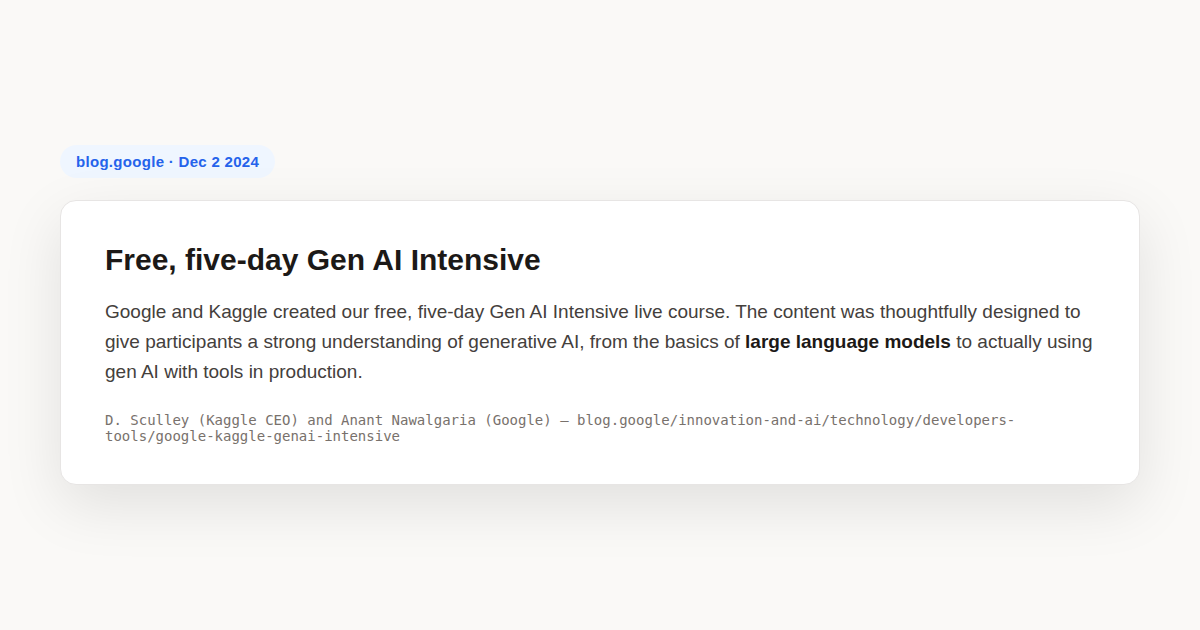
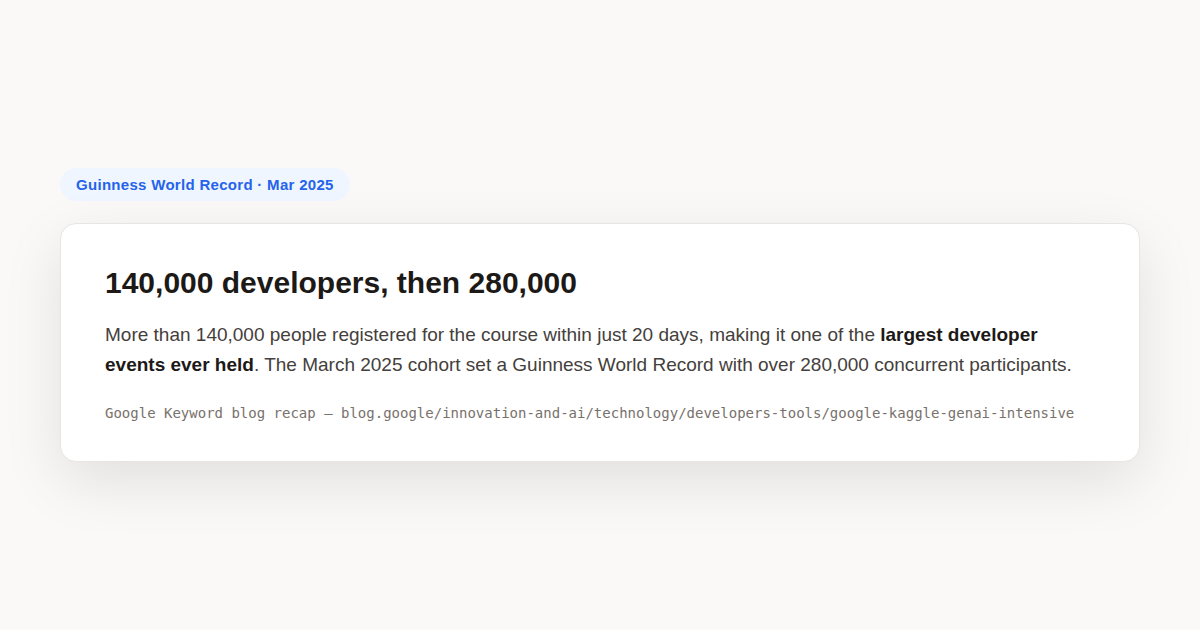
The course was announced on October 22, 2024 with twenty days notice and ran live November 11 through 15, 2024. D. Sculley (Kaggle CEO) and Anant Nawalgaria (Senior Staff ML Engineer at Google) co authored the launch announcement on the Google Keyword blog. The first cohort drew more than one hundred forty thousand registrants, which Google called one of the largest developer events ever held. A second live cohort ran March 31 through April 4, 2025 and added a Kaggle capstone competition with formal certificates for completers. The self paced version launched in December 2024 and was refreshed for Gemini 2.0 in spring 2025.
For context on the scale: the March 2025 cohort of the Gen AI Intensive, the one with the capstone, set a Guinness World Record by drawing more than two hundred eighty thousand concurrent participants. The sequel course, the AI Agents Intensive that ran in November 2025, drew one point five million. The curriculum shape is the same across cohorts, only the model line and the codelab polish move.
The five whitepapers that anchor the course are undated but were authored by named Google researchers and engineers including Paige Bailey, Mark McDonald, and Anant Nawalgaria. They remain freely downloadable from kaggle.com/whitepaper-* URLs without login. Each is roughly fifty to one hundred pages, with diagrams and references.
Gen AI Intensive Cohort Calendar and Self Paced Track
The Gen AI Intensive runs in two modes. The live cohort mode is announced on the Kaggle Learn Guide page and on the Google Keyword blog roughly three weeks before each run. The November 2024 cohort and the March 2025 cohort both followed this pattern, with registration opening in October 2024 and February 2025 respectively. The self paced mode is evergreen. You start when you want, you finish when you want, and the Kaggle badge is issued when you complete the five daily assignments inside the Kaggle notebook environment.
The self paced Gen AI Intensive track was refreshed in December 2024 to match the live March 2025 cohort material, then refreshed again in spring 2025 to migrate from the legacy google-generativeai SDK to the unified google-genai SDK against Gemini 2.0. A future refresh for Gemini 3 is expected when that model line ships to the Gemini API. The live cohort calendar on the Kaggle Learn Guide is the most reliable place to watch for the next refresh, because the same refresh gets ported to self paced within a few weeks of each live run.
Live cohort registrants get a daily email with the whitepaper link, the podcast link, the codelab link, and the livestream link. Self paced learners get no daily email, so the discipline of working through one day at a time has to come from you. Most successful self paced Gen AI Intensive completers block three hours per day on a calendar for one work week and treat it like a live cohort.
The Five Day Agenda, Verified From the Source
The canonical Kaggle Learn Guide page lists five days, each with the same four part structure: a whitepaper PDF written by Google experts, a NotebookLM generated podcast episode that summarizes the whitepaper, one or two hands-on Kaggle Notebooks, and a daily livestream on the Kaggle YouTube channel with Google researchers and guest speakers from companies like Cohere, Reified, and NVIDIA.
Verbatim day titles from the source:
- Day 1, Foundational Large Language Models and Text Generation, plus Prompt Engineering. Two whitepapers. Two codelabs:
day-1-promptingcovers zero shot, few shot, chain of thought, ReAct, code prompting, and Gemini thinking mode.day-1-evaluation-and-structured-outputwas added in the 2025 refresh and covers autoraters plus JSON and enum schemas. - Day 2, Embeddings and Vector Stores. One whitepaper. Three codelabs:
day-2-document-q-a-with-ragbuilds a retrieval-augmented generation pipeline over custom documents,day-2-embeddings-and-similarity-scoreswalks cosine similarity end to end,day-2-classifying-embeddings-with-kerastrains a small neural classifier on top of frozen embeddings using Keras. - Day 3, Generative AI Agents. Two whitepapers, the second being the Agents Companion. Two codelabs:
day-3-function-calling-with-the-gemini-apibuilds a SQL tool chatbot,day-3-building-an-agent-with-langgraphships a café ordering agent on LangGraph with state and conditional routing. - Day 4, Domain-Specific LLMs. One whitepaper covering SecLM and Med-PaLM and MedLM. Two codelabs:
day-4-google-search-groundingwires the Gemini call to live web search,day-4-fine-tuning-a-custom-modeltunes Gemini on a custom dataset on Vertex AI. - Day 5, MLOps for Generative AI. One whitepaper on operationalizing generative AI on Vertex AI using MLOps. No codelab. The livestream is a walkthrough of the open-source
gcp-genaiend-to-end starter pack on GitHub.
A bonus notebook called bonus-day-extra-api-features-to-try ships alongside the five days, covering extra Gemini API capabilities that did not make the whitepapers. All five days plus the bonus are still available on Kaggle as of mid 2026, refreshed for Gemini 2.0.
Day 1 in Depth: Prompt Engineering Patterns
Day 1 is the densest day of the course because it covers two whitepapers in one block. The first whitepaper, Foundational Large Language Models and Text Generation, walks the model lineage from the original Transformer paper through encoder only models like BERT, decoder only models like GPT and Gemini, encoder decoder models like T5, and the instruction tuned and RLHF variants that make modern chat models usable. The second whitepaper, Prompt Engineering, is where the practical work begins.
The Day 1 codelab walks six prompt patterns and shows the exact difference between them on the same task. The patterns matter because they are the building blocks every later day assumes you know.
Zero shot is the simplest pattern. You give the model a task description and an input, with no examples, and you let the model use its pretrained prior to produce the output. Use it when the task is unambiguous, when the model has seen many similar examples in pretraining, and when you want the model to follow its default behavior. It fails when the output format is unusual, when the task requires reasoning the model is unlikely to attempt by default, or when the model has a strong prior in the wrong direction.
Few shot is the next step up. You give the model a small number of input output pairs that demonstrate the format or reasoning you want, then you give it a new input and let it produce the output. The Day 1 notebook shows that two to five examples is usually enough for format alignment. More than that starts to dilute signal and costs tokens. Few shot works well for classification, structured extraction, and style transfer. It does not work well for multi-step reasoning, where chain of thought is the better tool.
Chain of thought asks the model to show its reasoning before the final answer. The original CoT paper showed this single change moves large models from chance to above ninety percent on grade school math word problems. The Day 1 codelab reproduces the pattern with a worked example. The modern equivalent in Gemini is thinking mode, which exposes the model’s reasoning trace as a separate field in the response object.
ReAct is the pattern where the model interleaves reasoning and actions. The model thinks, decides on an action, observes the action’s result, thinks again, and repeats. This is the loop that agents run, and Day 3 builds an entire codelab around it. Day 1 only shows the prompt template version, where the action is hypothetical rather than executed.
Code prompting asks the model to write and execute code instead of producing a natural language answer. This pattern wins on math, on string manipulation, on anything with an exact answer. The Day 1 codelab shows Gemini writing and running Python to compute a date arithmetic problem that the same model gets wrong in natural language mode.
The Day 1 codelab also shows the deterministic output pattern via JSON schemas and enum constraints. You declare the structure you want returned, the model fills it in. This is the pattern every later codelab uses to get parseable output.
Day 2 in Depth: Embeddings, Similarity, and Retrieval
Day 2 is where the course shifts from prompts to representations. An embedding is a fixed length vector that captures the semantic content of a piece of text. Two pieces of text with similar meaning have vectors that point in similar directions, measured by cosine similarity. The Day 2 whitepaper walks the geometry of this in detail, including why cosine similarity is preferred over Euclidean distance for high dimensional text vectors.
The Day 2 codelab sequence builds retrieval-augmented generation from scratch in three steps. Step one is the embedding step. You embed a small corpus of documents using the Gemini embedding endpoint and store the resulting vectors.
from google import genai
import numpy as np

client = genai.Client(api_key=GOOGLE_API_KEY)

documents = [
    "Iqraa.tech publishes free tutorials on Claude Code and AI agents.",
    "Vertex AI is Google Cloud's managed ML platform.",
    "LangGraph is a framework for building stateful agent workflows.",
]
emb_response = client.models.embed_content(
    model="gemini-embedding-exp-03-07",
    contents=documents,
)
embedding_matrix = np.array([e.values for e in emb_response.embeddings])
print(embedding_matrix.shape)  # (3, 768) for Gemini embedding
Step two is the similarity step. You embed a query, compute the cosine similarity between the query vector and every document vector, and rank by similarity. The codelab shows the math and the np.dot implementation.
query = "What framework does Iqraa write about?"
q_response = client.models.embed_content(
    model="gemini-embedding-exp-03-07",
    contents=[query],
)
q_vec = np.array(q_response.embeddings[0].values)
sims = embedding_matrix @ q_vec  # cosine similarity (vectors are L2-normalized)
top_idx = np.argmax(sims)
print(f"Top match: {documents[top_idx]} (sim={sims[top_idx]:.3f})")
Step three is the generation step. You take the top matches, prepend them to the user query as context, and call the model to answer. That is the entire RAG loop. The Day 2 codelab puts it in a function you can call against any document collection.
The third Day 2 codelab, day-2-classifying-embeddings-with-keras, takes the same embeddings and trains a small neural network on top of them. The point is to show that embeddings are reusable. You compute them once, then you can fine tune a cheap classifier on top without re running the LLM. This is the production pattern when you have many classification labels and re prompting the LLM is too expensive.
The whitepaper also covers vector stores. It compares approximate nearest neighbor indexes like ScaNN, FAISS, and HNSW against exact methods like brute force dot product. The course does not require you to deploy a production vector database. The codelab uses in-memory NumPy arrays. The point is to make the abstract idea of a vector store concrete.
What You Build, Day by Day
The course is not theory heavy. Every daily codelab produces a runnable artifact you can fork and adapt.
On Day 1, you finish with a notebook that produces JSON structured output from a Gemini call, plus a prompt evaluation rubric you can re-use on your own prompts. On Day 2, you finish with a working retrieval-augmented generation pipeline that takes a custom document collection, embeds it, and answers questions grounded in the documents, plus a Keras classifier that demonstrates how frozen embeddings can power a downstream classifier without fine tuning the LLM.
On Day 3, you finish with a SQL tool chatbot that calls a Python function as a tool, plus a LangGraph state machine for a café ordering agent that shows the actual agent loop. On Day 4, you finish with a tuned Gemini model on Vertex AI plus a grounded generation pipeline that pulls fresh web data via Google Search. On Day 5, you watch a walkthrough of a reference production app, but you do not ship one yourself.
The optional March 2025 capstone, called Gen AI Intensive Course Capstone 2025Q1, is where you put all five days together into a single project. Public capstone examples from the cohort include a RAG plus LlamaIndex ReAct travel agent called VirtuVoyager with responsible AI filtering, and several domain-specific assistants built on the Day 3 agent loop plus the Day 2 RAG pipeline.
Run the Day 1 Notebook Locally
You can clone the official material mirror and run any day’s notebook against your own Google AI Studio key, outside the Kaggle platform. The cleanest mirror is community maintained on GitHub.
git clone https://github.com/GoogleCloudPlatform/generative-ai.git
cd generative-ai/gemini/sample-apps/e2e-gen-ai-app-starter-pack
echo "GOOGLE_API_KEY=..." > .env
pip install -r requirements.txt
Or fork any of the five daily Kaggle notebooks directly. The original author is Mark McDonald, Google. The Kaggle user URL pattern is kaggle.com/code/markishere/day-N-*. Open the notebook, click Copy and Edit, and the environment is preconfigured with the Gemini SDK and your stored key.
from google import genai
from kaggle_secrets import UserSecretsClient

secrets = UserSecretsClient()
client = genai.Client(api_key=secrets.get_secret("GOOGLE_API_KEY"))

response = client.models.generate_content(
    model="gemini-2.0-flash",
    contents="Explain embeddings in one sentence.",
)
print(response.text)
That is the entire pattern. Every codelab in the course is a variation on it. The unified google-genai SDK replaced the older google-generativeai SDK in the spring 2025 refresh; if you find an old notebook online still using the legacy import, swap it for the one above.
A Worked Example, Day 3 in Depth
Day 3 is where the course shifts from prompt and embedding techniques into actual agents. It is the day most cited in participant write ups as the moment the course clicked, so it is worth unpacking what is actually happening in the codelab.
The day-3-function-calling-with-the-gemini-api codelab does not build a generic agent. It builds a specific kind of agent, a tool-using chatbot whose only tool is a Python function that fetches records from a database. The setup is small enough to fit in a single notebook cell but big enough to show the full loop. The model receives a user query, decides whether to call the tool, calls it with arguments the model picked, gets the result back, and answers the user.
The mechanics under the hood are function calling, not a chain of thought prompt. You declare the tool as a Python function with a docstring and a type annotated signature, pass it to the SDK as tools=[fetch_records], then the model does the rest. The model is responsible for deciding when to call, what arguments to pass, and how to fold the result into the next message. Your code is responsible for actually running the function and returning its output.
from google import genai
client = genai.Client(api_key=GOOGLE_API_KEY)

def fetch_records(query: str, limit: int = 5) -> list:
    """Fetch up to limit records matching the natural-language query.

    Args:
        query: Natural language description of what the user wants.
        limit: Maximum number of records to return.

    Returns:
        A list of record dicts.
    """
    return [{"id": 1, "title": "Sample record"}]

response = client.models.generate_content(
    model="gemini-2.0-flash",
    contents="Show me the three most recent records about agents.",
    config={"tools": [fetch_records]},
)
print(response.text)
The day-3-building-an-agent-with-langgraph codelab takes the same idea and rebuilds it on LangGraph, which means you now have a state machine. The café ordering agent has states for taking the order, confirming, looking up the price, and closing the check. Conditional routing decides which state comes next based on what the model said. This is the same pattern the Claude Code Subagents Guide on this site covers in much more depth, and it is the same pattern Anthropic uses inside Claude Code itself.
What you should take away from Day 3 is that an agent is not a fancy prompt. An agent is a loop with tool access and a state, where the model decides what to do next at every iteration. By the end of the codelab you have run that loop yourself on a small example. That is the foundation every other course in this series builds on.
If you want to see this pattern taken to production scale, the AWS Agentic AI Foundations tutorial shows the same loop deployed on Lambda with Bedrock. If you want to see it in the Claude ecosystem, the Claude Code Subagents Guide shows how subagents generalize the same loop.
Day 4 in Depth: Domain-Specific Models and Grounding
Day 4 covers two things that are easy to dismiss as marketing but are not. The first is domain-specific models. The second is grounding.
Domain-specific models are LLMs that have been further trained on data from a specific field. The course highlights two from Google. SecLM is the security-focused model, fine-tuned on threat intelligence data, used inside Google Cloud security products like Security AI Workbench. Med PaLM and its successor MedLM are the medical-focused models, fine-tuned on biomedical literature and clinical data, used inside clinical documentation products.
The point of covering these in a beginner course is not to teach you to build a domain-specific model yourself, which would require resources nobody outside a handful of labs has. The point is to teach you when to reach for one. If you are building a security product, calling SecLM via the Vertex AI API gives you measurably better answers on security questions than calling the general Gemini model. Same for medical. Same for code, where the course could have mentioned but did not the code tuned variants of Gemini.
The Day 4 codelab on Google Search grounding is more directly useful than the domain model codelab. Grounding is the technique where you let the model call Google Search in real time, fold the top results into its context, and produce an answer that is traceable to a URL. This is what Bard and Gemini in the browser do when they show citations. The codelab shows the underlying API call.
from google import genai
from google.genai.types import GenerateContentConfig, Tool

client = genai.Client(api_key=GOOGLE_API_KEY)
search_tool = Tool(google_search={})

response = client.models.generate_content(
    model="gemini-2.0-flash",
    contents="What did Kaggle announce for the Gen AI Intensive in March 2025?",
    config=GenerateContentConfig(tools=[search_tool]),
)
print(response.text)
# response.candidates[0].grounding_metadata.grounding_chunks has the source URLs
The Day 4 fine tuning codelab is the most expensive codelab in the course, because Vertex AI fine tuning is not free. It is optional. If you complete it, you end with a tuned Gemini model checkpoint you can deploy to a Vertex AI endpoint. The codelab walks the dataset preparation, the tuning job, and the deployment.
Day 5 in Depth: MLOps for Generative AI
Day 5 is the only day without a hands-on codelab, which makes it the easiest day to skip and the worst day to skip. The Day 5 whitepaper, Operationalizing Generative AI on Vertex AI using MLOps, is the densest in the course. It walks what changes when you move a generative AI application from prototype to production.
Classical MLOps covers training pipelines, model registries, canary deployment, monitoring for drift, retraining triggers. Generative AI MLOps inherits all of that and adds new concerns. The whitepaper walks through five of them in detail.
Evaluation is harder. A classification model has accuracy. A generative model has tone, factuality, style, safety, latency, cost. The Day 5 whitepaper recommends treating evaluation as a multi signal problem from the start, not as a single metric you optimize. The Day 4 autorater codelab is the practical setup for this, where you use a strong model to grade the outputs of a weaker model.
Latency is more variable. A classification model has roughly constant inference time. A generative model’s inference time scales with output length, which can vary by an order of magnitude across queries. The whitepaper covers streaming responses, token level streaming, and caching as the three main mitigations.
Cost is pay per token, not pay per inference. The whitepaper walks the cost arithmetic of input tokens, output tokens, cached tokens, and fine tuning tokens. It shows why prompt compression and prompt caching can each reduce billable cost by fifty percent on long context workloads.
Safety is content level, not just metadata. The whitepaper covers prompt injection, jailbreaks, data exfiltration via tool calls, and the operational mitigations for each. It connects to Google’s Responsible AI toolkit and the safety filters built into Vertex AI.
Retraining is continuous. The whitepaper closes with the operational pattern of continuous evaluation, where you run a held out eval suite against your production model on a schedule and trigger retraining or rollback when scores drop.
The Day 5 livestream is a walkthrough of the gcp-genai end-to-end starter pack, which is a reference implementation of all of the above on Google Cloud. The repo is open source and you can clone it after the course.
Gen AI Intensive API Cost and Rate Limits
The Gen AI Intensive is free to take. The codelabs are free to run inside the Kaggle notebook environment, because Kaggle proxies your Gemini API calls through a Google subsidized key that does not bill your Google AI Studio account. This is the single biggest cost fact about the course. Most completers finish all five days without paying anything to Google.
The cost picture changes when you fork the codelabs out of Kaggle and run them against your own Google AI Studio key. The free tier of the Gemini API has per request rate limits that are tight enough to slow you down on the longer Day 2 and Day 3 codelabs, and the Day 3 LangGraph notebook in particular can hit the per minute request cap if you run the agent loop without backoff. The Day 4 fine tuning codelab is the only part of the Gen AI Intensive that bills real money, because Vertex AI fine tuning is a paid Cloud product with no perpetual free tier. Budget two to five US dollars for the Day 4 fine tuning job if you opt into it.
If you only do Days 1, 2, 3, and 5 inside Kaggle, the Gen AI Intensive costs zero dollars end to end. The Kaggle badge and the March 2025 cohort certificate are free regardless of which path you take, and there is no paid track hidden behind the free one.
Who This Course Is Not For
The course is a survey, which means it goes broad at the cost of going deep. It is not the right starting point for everyone.
If you have already shipped a generative AI feature to production, you will find Day 1 and Day 2 too slow. You should skip ahead to Day 3 or skip the course entirely and go straight to the AI Agents Intensive, the AWS Agentic AI series on this site, or the Claude Code Subagents Guide.
If you want a video first course, this is not it. The course ships one NotebookLM generated podcast per day, which is audio only, and the daily livestreams are recorded but optional. The primary medium is text plus notebook. If you want a video first survey, the Andrew Ng Agentic AI course or the OpenAI Academy materials on this site are the better fit.
If you need a formal credential, the Gen AI Intensive issues a Kaggle badge and a vendor certificate for the March 2025 cohort onward. It is not a university credential, it is not on Coursera, and it is not recognized outside the Google ecosystem. If you need a credentialed course for work, the UC Berkeley LLM Agents MOOC has a more rigorous cert structure with multiple tiers.
If you are outside a supported Google API region, you may not be able to call the Gemini API from your location without a VPN, and even with a VPN the Vertex AI parts of Day 4 and Day 5 may not be available. The course does not document workarounds. The Kaggle codelab environment itself works from anywhere, but running the same notebooks against your own Google Cloud project requires regional availability.
If you want production-ready code, the codelabs are pedagogical, not production. They use in-memory data, they do not handle retries, they do not log, they do not monitor. Treat them as patterns to understand, not as templates to copy into a shipping product.
How the Course Compares to Other Free GenAI Courses
The Gen AI Intensive is not the only free generative AI survey course. Three others come up in nearly every comparison thread on r/MachineLearning and r/learnmachinelearning. Knowing the differences helps you pick the right one.
Versus the HF AI Agents Course. The Hugging Face course is narrower but deeper on agents. It assumes you already know what an LLM is, focuses on three frameworks in parallel (smolagents, LlamaIndex, LangGraph), and ends with a benchmarked final project graded against the GAIA subset. If you already have GenAI basics and want to commit to the agent track specifically, skip the Kaggle course and go straight to HF. If you want the broad literacy layer first, do Kaggle.
Versus Microsoft’s Generative AI for Beginners. The Microsoft course is a separate GitHub repository, microsoft/generative-ai-for-beginners, with twenty one lessons instead of five days. It is more text heavy, less video heavy, and covers similar ground with a Microsoft stack (Azure OpenAI, Prompt Flow, Semantic Kernel in older versions). The Kaggle course is more time boxed and more polished. The Microsoft course is more encyclopedic. They are complementary, not competitive. A separate Creator Picks post on this site covers the Microsoft course in more detail.
Versus the AI Agents for Beginners Microsoft course. Despite the similar name, Microsoft’s eighteen lesson AI Agents for Beginners is a different course on a different topic. It is agent specific and Microsoft Foundry specific. The Kaggle Gen AI Intensive is broad and Gemini specific. They sit at different points in the learning path. We cover the Microsoft agent course later in this series.
Versus DeepLearning.AI short courses. The DeepLearning.AI catalog has dozens of free one to two hour short courses on specific topics (LangChain, RAG, evaluation, retrieval). They are tighter and more current than the Kaggle course on the topics they cover, but they are also narrower. Use them as supplements to the Kaggle course rather than replacements.
What to Build After the Course
The course ends with a working set of patterns but no shipped project of your own. Five concrete projects are well suited to the week after you finish Day 5, ordered roughly by difficulty.
Project one, a personal RAG chatbot over your notes. Take the Day 2 RAG codelab, swap in your own Obsidian or Notion export as the document corpus, and ship a Gradio interface on Hugging Face Spaces. Free, two to four hours, proves you understand the RAG loop end to end.
Project two, a research assistant with Google Search grounding. Take the Day 4 grounding codelab, add a Streamlit or Flask front end, and ship an internal tool that lets you ask factual questions and get back cited answers. Half a day of work, demonstrates grounding plus UI wrapping.
Project three, an agent that uses three tools. Take the Day 3 LangGraph codelab pattern, replace the café domain with something useful to you (a coding agent that can read files, run tests, and open PRs, for example), and ship a small CLI. One to two days of work, demonstrates the agent loop in a real setting.
Project four, a domain tuned classifier. Take the Day 2 Keras classifier codelab, label two hundred examples from your own domain, train a small model on top of Gemini embeddings, and ship it behind a FastAPI endpoint. One day of work, demonstrates the embeddings as features pattern.
Project five, a production pipeline. Take the Day 5 livestream reference repo and adapt it to a real workload. This is the capstone pattern. Plan on a week or more, requires actual Google Cloud budget, demonstrates the full MLOps loop on Vertex AI.
If you complete project one and project three, you have shipped more than the median course completer. If you complete project five, you have demonstrated the production skills the course only surveys.
Gen AI Intensive Capstone Projects From the 2025Q1 Cohort
The March 2025 Gen AI Intensive cohort introduced an optional capstone competition called Gen AI Intensive Course Capstone 2025Q1. Completers who submitted a project were judged on a public Kaggle leaderboard, and the top entries received formal certificates and Kaggle swag. The capstone asked participants to combine at least two of the five daily techniques, prompts, embeddings and retrieval, agents, domain grounding, or MLOps, into a single shipped application.
Public capstone writeups from the cohort are still on Kaggle as public notebooks. A representative entry called VirtuVoyager combined the Day 3 LangGraph agent loop with the Day 2 retrieval pipeline to build a travel planner that filtered suggestions through a responsible AI safety layer. Another entry combined the Day 4 Google Search grounding codelab with the Day 1 chain of thought pattern to build a research assistant that cited its sources. The capstone is now closed, but the public notebooks remain the best place to see what a competent Gen AI Intensive completer can ship in a weekend.
The capstone pattern, combine two daily techniques into one shipped app, is still the right scope for a personal capstone if you are doing the self paced Gen AI Intensive today. Pick one technique from the first half of the course and one from the second half, build a single notebook that uses both, and publish it on Kaggle as your proof of work.
Where This Sits in the AI Agents Track
This course is the first stop in the Iqraa AI Agents series because it is the broadest survey. It does not go deep on agents, it does not teach MCP, it does not teach production deployment in any hands-on way. What it does is put the entire vocabulary on the table in five days, with working code at every step, for free.
If you complete this course and want to keep going, the natural next stops on this site are the AI Agents track for agent-specific depth, the OpenAI Academy tutorials if you want a vendor-specific prompting track, and the AWS & Cloud tutorials if you want to take the same patterns to production on Bedrock and Lambda.
If you are already past the basics, you can skip this course and start with the Claude Code Subagents Guide or the AWS Agentic AI Foundations tutorial. The Gen AI Intensive assumes you have never used an LLM API. If you have, it will feel slow on Day 1 and Day 2.
Gen AI Intensive: Common Mistakes to Avoid
The course is well put together, but the format invites a few predictable mistakes that show up across participant reports on Reddit and Medium.
- Treating the whitepaper as optional reading. The codelabs make sense only against the whitepaper context. Skipping straight to code on Day 2 or Day 4 leaves you copying patterns you cannot adapt when the codelab ends.
- Using the legacy
google-generativeaiSDK in 2026. The spring 2025 refresh migrated togoogle-genai. Old tutorials on Medium still reference the import path that no longer matches the codelabs. If yourgenerate_contentcall shape does not match what is in the official notebook, check the import. - Trying to run codelabs without phone verified Kaggle. Phone verification is the gate for internet egress from any Kaggle notebook. Without it, your notebook cannot call the Gemini API at all, and the failure mode is a network timeout that looks like a bug in your code.
- Skipping Day 5 because there is no codelab. Day 5 is the only day without a hands-on build, which makes it easy to skip. It is also the only day that shows what a production generative AI pipeline looks like end to end on Vertex AI. Watch the livestream even if you do not run anything.
Gen AI Intensive: Best Practices
- Do the whitepaper, the podcast, and the codelab in that order on each day. The podcast is a useful compression of the whitepaper if you are short on time, but it skips the math.
- Fork each codelab into your own Kaggle account on the day you start it. Edits to the fork persist, so you can pause and come back. Edits to the original do not.
- Store your
GOOGLE_API_KEYas a Kaggle Secret, not as an environment variable in the notebook. Secrets are scoped to the notebook and do not leak into fork history. - Pair the course with the 5-Day AI Agents Intensive Learn Guide if you want a follow on. Kaggle explicitly positions the Agents Intensive as the sequel.
- Watch the Day 4 fine tuning codelab before you decide whether fine tuning is the right move for your own project. Most teams reach for fine tuning too early. The codelab shows the actual cost and data requirements, which are higher than the marketing suggests.
Gen AI Intensive: Frequently Asked Questions
Is the Gen AI Intensive still free in 2026?
Yes. The self paced Learn Guide on Kaggle remains free, including all whitepapers, podcasts, and codelabs. The Kaggle badge for completing all five days is also free. The optional March 2025 capstone competition has closed.
Do I need a Kaggle account to take the Gen AI Intensive?
You can read the whitepapers and watch the livestreams without one. You need a free Kaggle account with phone verification to run any codelab, because phone verification is what unlocks internet egress from a Kaggle notebook. You also need a free Google AI Studio account to generate the GOOGLE_API_KEY the codelabs call.
Does the Gen AI Intensive issue a certificate?
The November 2024 cohort issued a Kaggle profile badge only, no certificate. The March 2025 cohort added a certificate for capstone completers. The self paced version today issues the badge on completion of the five daily assignments. It is a vendor badge, not a university credential.
How is the Gen AI Intensive different from the AI Agents Intensive?
The Gen AI Intensive is a broad survey of generative AI across five different topics in five days, only one of which is agents. The AI Agents Intensive is five days all on agents, with a production capstone and the Google Agent Development Kit. Kaggle positions the Gen AI Intensive as the prerequisite.
What model does the Gen AI Intensive use?
The codelabs were refreshed in spring 2025 to use Gemini 2.0 via the unified google-genai SDK. Earlier cohorts used Gemini 1.5 with the older google-generativeai SDK. The notebooks track the current model line, though Gemini 3 and beyond may require another refresh.
How long does the Gen AI Intensive take to complete?
Plan on three hours per day, fifteen hours total. Day 1 and Day 3 are the densest and may take four hours if you do all the optional exercises. Day 5 is the shortest because it has no codelab, but the whitepaper is the longest in the course, so budget three hours regardless.
Gen AI Intensive is the right starting point if you have not used an LLM API before and want a free, broad, code first survey of generative AI in roughly fifteen hours of work. Pair it with the AI Agents Intensive for agent depth and the AWS series for production patterns.