45 sec9 min coredeep dive optional
Claude Code turns SEO audits from a tool-by-tool clicking session into one terminal loop: crawlability checks, on-page sweeps, and Search Console queries run as commands, and the fixes ship as code you can review.
- Three checks catch most technical problems: crawlability (robots and sitemap), page-level hygiene (titles, descriptions, status codes), and Search Console reality (what Google actually sees).
- Everything in this workflow is plain HTTP and grep. On this site’s own audit, the sitemap check counts
200URLs and the robots check takes four lines. - When Claude Code sits on top, you describe the check in plain English and it writes and runs the command, then iterates on the failures with you.
- The audit ends with shippable fixes: sitemap resubmission, IndexNow pings, and meta updates, all scriptable, all reviewable in git.
SEO audits used to mean three browser tabs, a crawler trial, and a spreadsheet that was stale by Friday. Run from a terminal with Claude Code as the pair operator, the same audit becomes a handful of commands you can re-run any day, and every finding arrives with the exact command that produced it.
SEO audits: What You’ll Learn
SEO audits in a terminal follow one loop: check what a crawler can see, check what each page claims, then check what the search engine reports back. This guide walks all three checks against a live WordPress site, using commands short enough to memorize and outputs concrete enough to act on.
You do not need to be an SEO specialist to run this. Each check produces a small number of facts, and Claude Code turns “check my sitemap health” or “find duplicate titles” into the right command, explains the output, and drafts the fix. The specialist knowledge is knowing which three checks matter, and that is the next three sections.
What a terminal changes about SEO audits
Every SEO facts question is an HTTP request or a data query. Is the page reachable, what does the title say, is it in the sitemap, does the robots file allow it. Dashboards wrap those facts in interfaces and exports; the terminal gives them to you directly, which means an agent can run them too.
That last part is the real shift. A check that is a command can be run by Claude Code, repeated after a fix, scheduled weekly, and wired into a gate, which is why SEO audits belong in the terminal first. A check that lives behind a crawler GUI stays a manual chore, and manual chores are how sites drift. Audit anything you can express as a command and you get repeatability for free.
There is a cost side too. Terminal checks are cheap, so you run them often, and frequent small audits beat quarterly big ones. Problems surface within days of the change that caused them, while the change is still easy to find in git. And because every finding carries the command that produced it, handing the list to a teammate, or to Claude Code for the next pass, loses nothing in translation.
The audit loop: crawl, query, read, fix
Run the audit in four passes and resist merging them. Pass one asks what a crawler can reach: robots rules, sitemap coverage, status codes. Pass two asks what each page claims: titles, meta descriptions, canonical tags, heading structure. Pass three asks what the search engine observed: indexed pages, queries, positions. Pass four ships fixes for what the first three found, in that order, because crawlability problems invalidate everything downstream.
The order matters more than the tooling. A beautiful title fix on a page that returns a soft 404 is work the crawler never credits. Audit crawlability first every time, even when the tempting finding is on-page. Teams that keep this order find that their SEO audits shrink over time, because each pass fixes causes instead of symptoms and the same failures stop coming back.
Check one: are you crawlable and findable
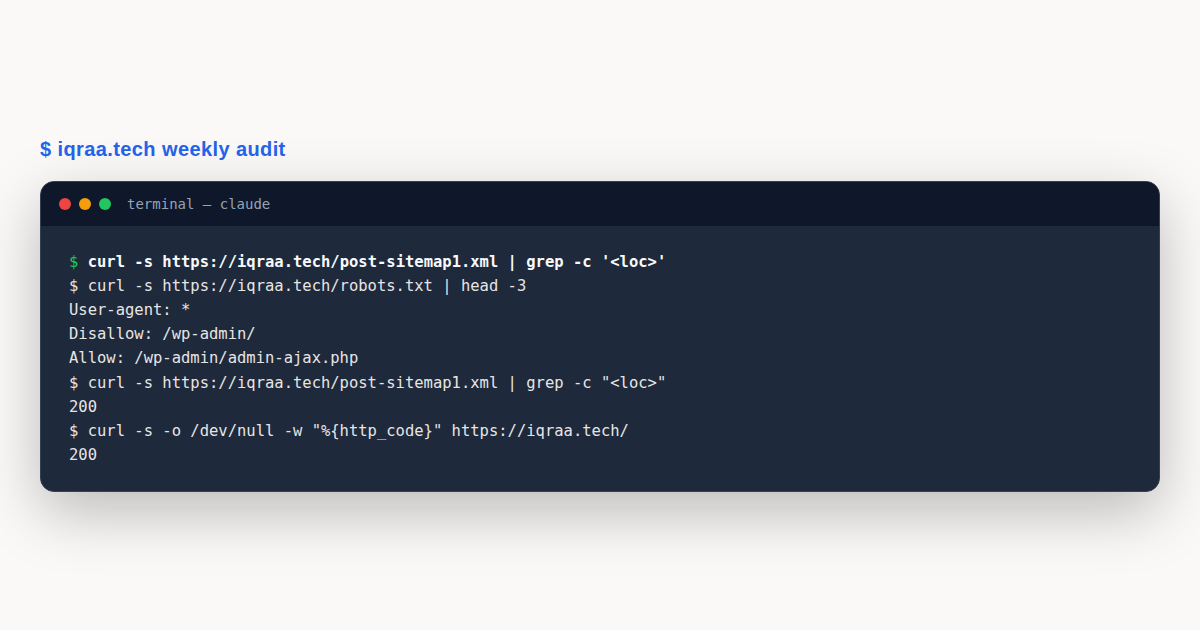
Start with four lines of robots.txt. Here is this site’s real file, checked live while writing this guide:
$ curl -s https://iqraa.tech/robots.txt | head -4
User-agent: *
Disallow: /wp-admin/
Allow: /wp-admin/admin-ajax.php
Disallow: */feed/
Read it for two things: a rule that bans everything by accident, and a sitemap declaration. WordPress sites commonly allow the admin area and block feeds, and that is healthy. What you are hunting is an over-broad Disallow: /, a staging leftover, or a missing Sitemap: line.
Next, count what the sitemap actually publishes against what you believe exists:
$ curl -s https://iqraa.tech/post-sitemap1.xml | grep -c "<loc>"
200
Two gotchas live here. Large sites paginate sitemaps, so grep one file and you undercount: check sitemap_index.xml for the file list and count each. And a URL in the sitemap is a claim, not a fact. Spot-check a handful for their real status codes:
$ for u in / /ai-genai/claude/claude-code-hooks/; do
    echo "$u $(curl -s -o /dev/null -w '%{http_code}' https://iqraa.tech$u)"
  done
/ 200
/ai-genai/claude/claude-code-hooks/ 200
Sitemap entries that return 404 or redirect chains are the classic silent rot after a slug change. Ten sampled URLs catch most of it in seconds; Claude Code can sample across the whole file and diff the failures into a list you can fix in one pass.
Do I need a crawler tool for larger sites?
Sampling covers small and mid sites. Past a few thousand URLs, a real crawl finds what sampling misses: orphan pages nothing links to, redirect chains three hops deep, and response-time outliers. Open crawlers exist, but with Claude Code you can also fetch the sitemap, walk it with a small script, and record status codes in a CSV, which keeps the whole audit in one place. The discipline is the same either way: one pass for reachability, one for content, and a written list of findings before any fix begins.
What does crawl budget mean for a small site?
Crawl budget is how many pages Googlebot fetches on your site in a given period, and for sites under a few thousand healthy pages it is rarely the binding constraint. What eats the budget on small sites is waste, not volume: sitemap entries that 404, parameter URLs that render infinite duplicates, and redirect chains that turn one fetch into three. Cleaning those is worth more than anything you can do to “increase” the budget.
The audit connection is direct. The crawlability check from this guide is effectively a crawl-budget audit: every dead sitemap URL you fix redirects wasted fetching toward pages that can rank. Large sites think about crawl budget as a capacity planning problem; small sites should treat it as a hygiene problem, and hygiene is exactly what a weekly scripted check is good at.
Check two: titles, descriptions, and duplicates at scale
Page-level hygiene is grep work. Fetch a page and read its head: one title, one description, one canonical. The failure patterns are boringly consistent: templates that print the site name as every title, descriptions left at the theme default, and canonicals pointing at the homepage.
At scale, ask the database instead of fetching pages. On WordPress this is one query, and it is exactly the kind of thing Claude Code writes on request:
global $wpdb;
$rows = $wpdb->get_results(
  "SELECT ID, post_title, post_name FROM {$wpdb->posts}
   WHERE post_type = 'post' AND post_status = 'publish'
   ORDER BY ID DESC"
);
// then group post_title values to surface duplicates
foreach (array_count_values(array_map('trim', wp_list_pluck($rows, 'post_title'))) as $t => $n) {
  if ($n > 1) { echo $n . "x " . $t . "n"; }
}
Run the same grouping over meta descriptions from postmeta, and over title prefixes that leak internal numbering into the SERP. A terminal audit earns its keep right here: the duplicate list becomes a work queue, and each fix is one update statement or one editor pass, not a hundred browser tabs.
One warning from hard experience: write nothing back to the database without reading it back. A bulk update script that matches zero posts should fail loudly, not silently “succeed.” Gate every write on a non-empty read of what it is about to change, and spot-check two URLs after the write lands.
Check three: what Search Console actually says
The first two checks establish what your site claims. Search Console is where SEO audits meet what Google actually observed, and it reorders priorities brutally. Pages you never suspected turn out to hold all the impressions, and pages you polished get nothing because Google never indexed them.
Three queries cover the weekly baseline. Which queries sit just outside page one (positions 5 to 20 with real impressions), which pages earn impressions but no clicks (title and description candidates), and which published pages Google has never indexed. Claude Code reads the Search Console API happily, so each question becomes one scripted pull you can rerun on a schedule.
The striking-distance list is usually the highest-value output of the whole SEO audit: queries where you rank 6 to 15 and only need a better title, a better section, or a handful of internal links to move. It converts “improve SEO” into a ranked list of pages with a specific edit named for each.
A concrete pass reads like this: pull queries with at least 50 impressions and an average position between 5 and 20 over the last 28 days, join each query to its landing page, and rank by impressions. The top row might read: a guide page, position 8.2, 900 impressions, 30 clicks. That single row justifies an afternoon: retitle around the query’s actual wording, add the missing section the competing pages have, and link to the page from two stronger posts. Re-run the query a month later and the number either moved or it did not, which is the whole science.
How much SEO can you run without touching production?
Most of it. Crawlability checks, on-page grouping, and Search Console pulls are all read-only, which makes them safe to run from a laptop against production. The line to respect is the fix phase: database writes, meta updates, and sitemap changes belong in a reviewed change, not an agent’s one-shot command. The practical pattern is an audit that ends with a written findings file, then a fix pass where every write is reviewed like code. Read freely, write under review, and the terminal audit stays an asset instead of a liability.
Reading the results without an SEO degree
The three checks produce a small vocabulary of findings, and each finding names its own severity. A sitemap URL returning 404 is urgent, because it burns crawl budget on nothing and usually means a link changed without a redirect. A missing meta description is cosmetic, worth batching into one editing pass rather than fixing one at a time. A query sitting at position 6 with hundreds of impressions is an opportunity, not a defect, and it wants a title edit rather than a rewrite.
Sort the fix list by that severity and the whole audit fits in an afternoon: redirects first, index coverage second, titles and descriptions third, opportunities last. The discipline is writing the list down before touching anything, because mid-audit fixes have a way of becoming mid-audit detours.
Claude Code helps most in this reading phase. Paste an unfamiliar output and ask what would make it worse; ask for the ten URLs that share a failure pattern; ask for the redirect rules the fix list implies. The model is good at turning a pile of identical failures into one systematic fix, which is where audits usually save the most time.
A Worked Example
This site runs exactly this loop weekly, and the shape of a real pass shows why the terminal version sticks. One recurring check walks the link graph: an inventory script lists every internal link, a resolver script fetches each target and records its status, and anything non-200 lands on the fix list with the source page named. Another pass pulls the Search Console queries behind positions 4 to 20 and drafts title edits for the top few. Both scripts live in the repository next to the site, versioned with it, so an audit from March can be re-run identically in October and the two runs compared.
The weekly rhythm matters more than any single finding. Small audits run often catch the slug change that orphaned twelve posts in the same week it happened, while the diff that caused it is still one commit deep. Each pass ends with fixes shipped the same day: the resubmitted sitemap, the IndexNow ping, the retitled page. Nothing waits for the quarterly crawl-a-thon, because there isn’t one.
Each pass ends with fixes shipped the same day: the resubmitted sitemap, the IndexNow ping, the retitled page. Nothing waits for the quarterly crawl-a-thon, because there isn’t one.
Claude Code’s role in the loop is force multiplication, not autopilot. It writes the sampling script, explains an unfamiliar robots quirk, drafts the title edits for sign-off, and re-runs the failed checks after the fix. The judgment stays human; the typing stops being yours.
SEO audits: Common Mistakes to Avoid
Most failed SEO audits die from the same four mistakes, and none of them are technical. Each one converts a working check into a wasted afternoon, so it is worth naming them before your first pass.
- Auditing after a redesign instead of on a schedule. Drift accumulates weekly; a quarterly audit finds fossil layers, not causes.
- Trusting the sitemap as truth. The sitemap is a claim file. Sample it against real status codes before believing the coverage number.
- Fixing on-page before crawlability. Titles on soft-404 pages are work Google never sees. Crawl first, always.
- Bulk-writing to production without a read-back gate. One unchecked update statement can blank a field across every post. Verify the match count before the write and read two rows back after.
SEO audits: Best Practices
- Keep every check as a named command or script in the repo, so the audit is re-runnable and the findings are reproducible.
- Read one failed trace before rewriting anything, the same discipline as debugging agents: the output usually names its own fix.
- Sample sitemap URLs against live status codes on every pass; it is the cheapest check that catches the most expensive failures.
- End every audit with a written findings list ordered by the fix order: crawlability, then on-page, then index coverage.
- Re-run the failed checks after shipping fixes and record the before and after numbers, or you will re-litigate the same finding next month.
SEO audits: Frequently Asked Questions
Do SEO audits from a terminal replace crawl tools?
For small and mid sites, mostly yes: robots, sitemaps, status codes, and head tags are all HTTP and queries. Past a few thousand URLs a real crawler earns its place for orphans and redirect chains, but the weekly baseline stays scriptable.
How long does a full pass take with Claude Code?
A focused pass over the three checks in this guide runs in under an hour on a few-hundred-page site, including the fix list. The first pass takes longer because you are writing the checks; every pass after that reuses them.
Is it safe to let an agent run SEO checks against production?
Read-only checks, yes: they are the same HTTP requests a browser makes. Gate every database write and meta update behind review, and have the audit end in a findings file rather than silent fixes.
Which single check should I run first on an old site?
Sitemap entries sampled against live status codes. It is four commands, it catches dead and redirected URLs that waste crawl budget, and its output is a fix list you can clear the same day.
How does this relate to plugin-based SEO tools on WordPress?
They complement each other: the plugin manages meta and generates the sitemap, and the terminal audit verifies what actually ships. An audit that reads the live site catches what a plugin settings page implies but never proves.
SEO audits from a terminal are three cheap checks on a schedule: crawlable, coherent, and actually indexed. Run them weekly, ship fixes the same day, and let Claude Code do the typing while you keep the judgment. The audit that gets re-run is worth ten that get archived.