45 sec9 min coredeep dive optional
Mods are the Claude Code plugin type that hooks engine events directly: your register function rides every turn, permission check, and prompt. This tutorial builds a working one from three files, then runs and tests it.
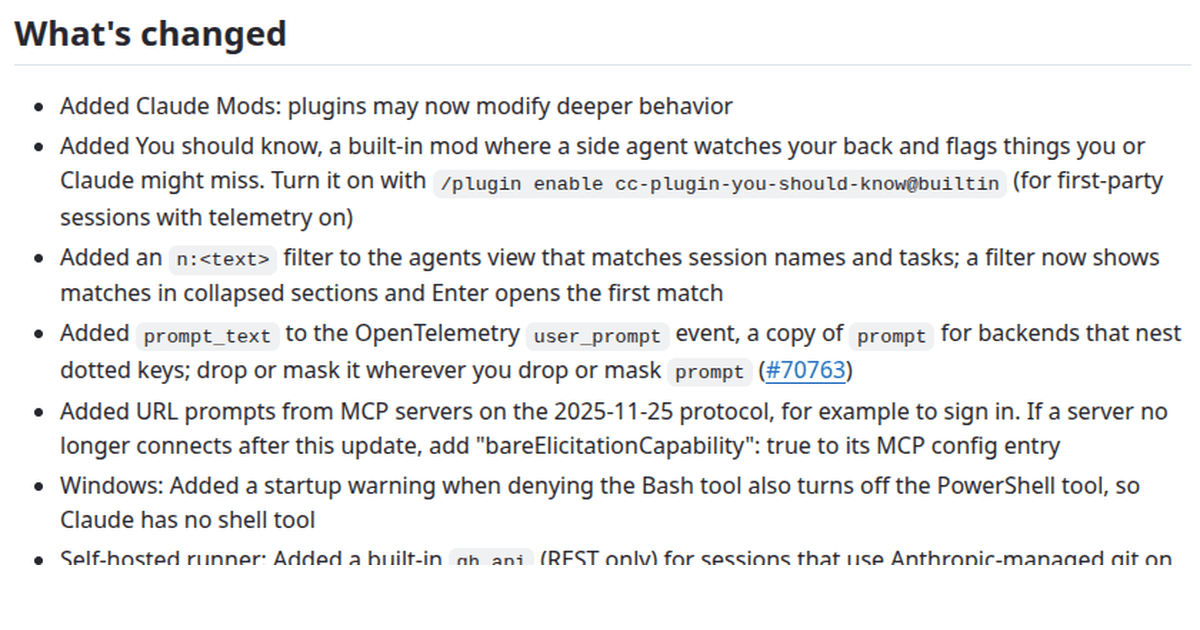
- Mods landed in Claude Code 2.1.287 as plugins that may modify deeper behavior, then grew turn.step server tool uses, tool.check agent IDs, and theme typings through 2.1.290.
- A mod is three files: a plugin manifest, a hooks.json naming your module, and a register function that hooks engine events as ($, e, next).
- Four mods ship in the binary (diff, telemetry, sec-default, agents-md) and Anthropic publishes their TypeScript in the claude-code repository.
- You run a mod from source with claude –plugin-dir and test it with claude plugin test, using a test kit that hands you the engine’s own $.
Mods are the newest extension surface in Claude Code: plugins that ride the engine’s own events instead of sitting around the session. They arrived in version 2.1.287 and picked up server tool visibility, agent aware permission checks, and theme aware drawing types by 2.1.290. In this tutorial you build one that works end to end, from manifest to passing test.
Mods: What You’ll Learn
Mods sit one level deeper than the skills, commands, and agents you may already know from the plugins guide. Where those add content around the session, mods hook the events inside it: the turn, the permission check, the prompt on its way in. This tutorial covers the file layout, the event surface, the runtime you call from a hook, and a complete worked example you can run yourself.
A mod is a plugin whose behavior lives in hooks
The mods README in the claude-code repository defines the shape in one sentence: a mod is “a Claude Code plugin whose behaviour lives in a hooks module: one register(on, options) entry that hooks the engine’s events”. Everything else follows from that.
The register function receives an on binder and options, and registers one function per event. Each hook takes three arguments: the $ runtime, the event e, and next. Call next(e) and the event continues down the chain the way middleware does. Return without calling next and you have withheld the event, which is how a mod denies a spawn or answers a call itself. Some events also flow answers back up: a hook can return a value object instead of, or after, calling next.
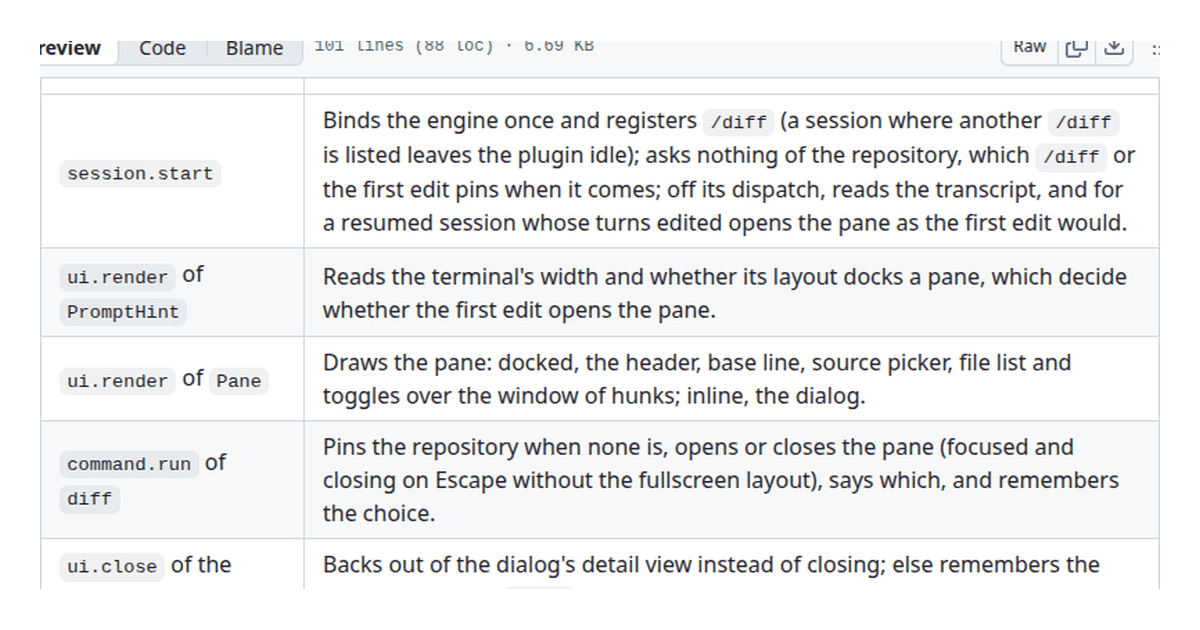
Four mods ship inside the binary, and Anthropic publishes their source under mods/ in the repository. The diff mod draws the /diff pane beside your transcript. The telemetry mod records first party analytics rows and sends nothing wherever analytics are off. The sec-default mod shields organization policy from plugins a person installs. The agents-md mod decides how AGENTS.md files are read as project instructions. Reading them is the fastest way to learn the surface, and this tutorial borrows their conventions throughout.
One caveat before you invest a weekend: this surface is early access, it loads only where the function hooks capability is switched on, and the README warns that the API “may change between releases without notice”. Treat everything here as the surface as it stands in 2.1.290.
The three files of a minimal mod
A mod is a directory that is also a plugin, which means the layout is fixed. The manifest lives in .claude-plugin/plugin.json, and it looks exactly like any other plugin manifest:
{
  "name": "turn-watcher",
  "version": "0.1.0",
  "description": "Logs the tool calls the API runs itself, turn by turn",
  "author": { "name": "Your Name" }
}
Next to it, hooks/hooks.json names the module that holds your register function. The description documents what the module hooks; the modules array says where it lives:
{
  "description": "Watches turn.step for server tool uses and logs each one",
  "modules": ["./register.ts"]
}
Then hooks/register.ts is your entire behavior. It is TypeScript, typed against declaration files that the /plugin-types command writes inside Claude Code. You import types from the claude-code package the README keeps in its own types/ folder, so your editor knows what $ carries before you call it. If you have built hooks before, per the hooks guide, the mental model transfers: mods use the same event vocabulary, but you write functions instead of shell commands.
The events worth hooking first
The events a mod can hook cover the session lifecycle, the turn, tools, and the UI. Four of them matter most for the newest mods, and all four changed in the 2.1.290 release we first spotted this surface detailed in:
turn.stepfires as a turn progresses. Its result now includesserverToolUses, described in the release notes as “the tool calls the API ran itself (the advisor), each with its id, name, input, start and end”. Before 2.1.290 a mod could not see these at all; the model’s own tool calls were invisible between your messages.tool.checkfires when a tool use needs permission. The event now carries anagentId, added “so a hook can tell a subagent’s permission check from the main session’s”. In mods, the event also carries a ceiling, the approval level an organization mandates for that tool, so policy can sit above user preference.prompt.submitfires as a prompt goes in. The diff mod uses it to arm file hunks onto the next prompt as context, once.engine.createfires when the engine is built. The telemetry mod hooks it to put$.telemetryon the runtime, which is the sanctioned way for a mod to extend$with a new noun.
Around those four sit the events the shipped mods demonstrate daily: session.start for one time binding, command.run for slash commands like /diff, tool.call for Edit, Write, NotebookEdit, Bash, and PowerShell after they land, and the ui.* family (render, open, close, scroll, focus) for anything drawn on screen. The diff mod’s README lists its full event table, which is the closest thing to a live catalog of the surface.
What $ hands your hook
The $ argument is the engine, handed to your hook one call at a time. The nouns on it cover the world a mod acts on. The diff mod alone calls clock.after, clock.every, command.register, fs.list, fs.read, fs.stat, process.run, session.messages, store.get, store.set, telemetry.log, telemetry.mark, and half a dozen ui.* calls.
Three recent additions are worth knowing by name. First, $.ui.selection(): per the 2.1.288 release notes, it “returns the text you last selected in fullscreen mode and, when the selection lies within one transcript row, that row”, which finally gives a mod honest access to what you are looking at. Second, $.process.spawn can be vetoed by another mod; when that happens the rejection explains that the spawned call already ran and a plugin blocked its result. Third, drawing got typed: 2.1.290 brought ThemeKey and Color into the hooks typings, so your editor can offer the palette names a drawing may reference rather than leaving you to hardcode hex values.
The security posture around these calls tightened in the same release. Mods now work behind gateways configured through ANTHROPIC_BASE_URL and ANTHROPIC_AUTH_TOKEN, where they previously did not load at all. And a user installed mod that tries to unload organization plugins or bypass the org guard now gets unloaded itself.
A Worked Example
Build a mod called turn-watcher that logs every tool call the API runs itself during a turn. This is the smallest mod that exercises the newest surface: it hooks turn.step, reads serverToolUses from the event, and writes one line per use through $.ui.log.
Create the directory and the three files from the layout section: .claude-plugin/plugin.json and hooks/hooks.json exactly as shown there, then put this in hooks/register.ts:
export function register(on, options) {
  on('turn.step', ($, e, next) => {
    for (const use of e.serverToolUses ?? []) {
      $.ui.log(`advisor ran ${use.name} (${use.id})`)
    }
    return next(e)
  })
}
The loop is the whole behavior. Each server tool use carries its id, name, input, start and end per the 2.1.290 notes, so you could as easily time the call from start to end or dump input. The ?? [] keeps the hook quiet on turns where the API ran nothing itself. Calling next(e) at the end is deliberate: this mod observes, and everything downstream should see the turn exactly as it was.
Run it from source the way the README does for the shipped mods:
claude --plugin-dir /path/to/turn-watcherInside the session, ask Claude something that triggers a server side tool, a web search for instance, and watch the transcript pick up one log line per advisor call. To stop running it, exit and relaunch without the flag.
Now test it. A mod’s tests live in a tests/ folder and run with the same command the repository uses for its own:
claude plugin test /path/to/turn-watcherA test imports the kit, names the tier it loads in, and receives two things: the engine’s real $, and an on binder playing the part of everything further out. Here is a test for the observer, following the pattern the shipped tests use:
import { describe, expect, test, tier } from 'claude-code/testing'

tier('user')

describe('register', () => {
  test('a turn with one server tool use logs one line', async ($, on) => {
    const lines: string[] = []
    on('ui.log', ($, e) => {
      lines.push(e.text)
      return { value: undefined }
    })

    await $.session.start({ surface: 'terminal', isInteractive: true, cwd: '/work' })
    await $.turn.step({
      serverToolUses: [
        { id: 'srv_1', name: 'web_search', input: {}, start: 0, end: 120 }
      ]
    })

    expect(lines.length).toBe(1)
  })
})
Because $ is the real engine, each call you make on it travels through the mod exactly as it will in production. Anything you register with on plays the rest of the world, and forgetting to answer a call fails loudly with the event’s name, not silently. Field names here follow the 2.1.290 changelog; the declarations /plugin-types writes are the authoritative spelling once you generate them.
Before shipping a mod anywhere, run claude plugin validate. As of 2.1.290 it lists your gating hooks and whether each has a .catch, with a gatingHooks array under --json. A gating hook is one that can withhold a result, and a missing .catch on that path is exactly the kind of finding you want from a validator rather than from a user.
The built-in mod worth enabling first
You do not have to write mods to benefit from them. There is also one that arrives off by default: “You should know”, a side agent that “watches your back and flags things you or Claude might miss”, per the 2.1.287 release notes. Enable it with:
/plugin enable cc-plugin-you-should-know@builtinIt runs in first party sessions with telemetry on, and as of 2.1.290 it respects your language setting. Turning it on is a useful calibration exercise: watch what it flags for a day, then ask which of those flags you would have implemented as a hook yourself.
When a mod adds a new noun to $
The telemetry mod does something the others do not: in the engine.create fold it puts $.telemetry on the runtime. The rule that makes this safe is a types rule. Whoever adds a noun declares it exactly once, in a declaration file at types/index.d.ts with no imports, and registers it on EngineInterface from the claude-code package. That file is the whole contract: the mod’s own hooks import from it, and TypeScript compares what engine.create hands back against what callers were promised, so the two cannot drift apart.
Consumers get the same treatment. When the diff mod calls $.telemetry.log(), it does not guess at the shape: the shared tsconfig pulls in every mod’s contract, so the call is checked against telemetry’s file as written. A test that needs the noun stands in a provider of its own, a small inline plugin whose engine.create hook supplies the noun and answers for it; leave the provider out and the build names the missing noun rather than failing mysteriously.
The wiring is manual today: an outside plugin points its tsconfig include at the provider mod’s types folder. The README expects that to end once the engine can write out the contracts of everything a session has installed, at which point /plugin-types will emit them next to claude-code.d.ts.
Why sec-default loads outermost
Mods are seated, and the seat order is policy. On a machine that carries managed settings, or inside a Team or Enterprise organization, sec-default takes the outermost position unless the managed prependPlugins setting moves it. From there it walls off the organization’s own hooks, prompt material, settings, and tool policy, deny rules included, so that nothing a person installs can reach them; it asserts nothing of its own.
Version 2.1.290 hardened the arrangement after it found a user installed mod could unload organization plugins or slip past the org guard. The resolution favors the organization: the trespassing mod is the one that gets unloaded. That is the instinct to copy when your own mods compose badly; when two mods disagree, the less trusted one loses its seat.
Tiers reach the tests too. A test declares the tier its mod loads in, which is why the shipped tests open with tier('builtin') and ours opens with tier('user'). A wrong tier does not corrupt anything; it just runs your mod in the wrong neighborhood.
Driving time and input in tests
The kit’s mock object stands in for everything beneath your mod, one noun at a time, and each stand in is just a function over on: mock.env(on, variables) answers $.env, mock.store(on, entries) answers $.store, and mock.clock(on) answers $.clock. The clock is the interesting one. advance(ms) jumps time forward and settles every timer the mod set, whether that is a sleep, a one shot after, or a repeating every.
Two techniques earn their keep once a mod does anything asynchronous. Fire a dispatch without awaiting it, then call await clock.settle() and inspect the state: the clock has not moved, but everything scheduled has happened, which makes mid flight assertions possible. And when a test renders buttons, $.ui.press({ plugin, key }) clicks one exactly as a person in the terminal would.
Layout convention keeps the suite readable: each test file sits beside the hooks it covers, named for them, states which tier its mod loads under, and holds one describe; fixtures that several tests want live under tests/fixtures as one export per file.
Mods: Common Mistakes to Avoid
Even developers who know Claude Code hooks well trip over the same issues with mods. The failures are quiet ones: nothing crashes, the mod just does less than you think.
- Forgetting
next(e)in an observing hook, which withholds the event from everything downstream and breaks plugins you never heard of. - Reading the event after awaiting something else, when the payload you wanted was replaced by a later dispatch in the meantime.
- Hardcoding colors into drawn UI instead of naming them through the
ThemeKeyandColortypings added in 2.1.290. - Treating a missing
.catchon a gating hook as cosmetic, then shipping it and learning otherwise fromclaude plugin validate.
Mods: Best Practices
- Start from a shipped mod’s source rather than a blank folder; the conventions in
mods/are the working ones. - Keep one mod to one concern, one event family, and a README that says what it withholds.
- Type against the declarations
/plugin-typeswrites instead of the shapes you remember from release notes. - Write the test beside the module from the first commit, since the kit makes the engine’s
$cheap to drive. - Pin your mod to a Claude Code version in its README while the surface changes between releases without notice.
Mods: Frequently Asked Questions
What is the difference between a mod and a plugin?
A mod is a plugin, with its behavior in a hooks module instead of commands, agents, and skills. The manifest and marketplace mechanics are shared; what changes is that a mod’s register function hooks engine events directly.
Which Claude Code version do mods need?
2.1.287 introduced mods. Use 2.1.290 or newer for server tool uses on turn.step, agentId on tool.check, theme typings, and mods behind ANTHROPIC_BASE_URL gateways.
Can mods change what Claude is allowed to do?
Yes, within limits. A mod can withhold events and answer permission checks, but an organization’s ceiling arrives in the tool.check event, and a mod that fights org policy gets unloaded rather than obeyed.
Where do I find working mods to read?
The claude-code repository publishes the four shipped mods under mods/: diff for panes and commands, telemetry for a runtime noun, sec-default for policy seating, and agents-md for reading AGENTS.md as project instructions. Their tests are the reference suite.
Do mods work offline or behind a proxy?
Behind gateways set with ANTHROPIC_BASE_URL and ANTHROPIC_AUTH_TOKEN, yes, as of 2.1.290; before that release mods simply did not load there. The usual network needs of Claude Code itself still apply.
Mods come down to three moves: a manifest declaring the plugin, a hooks module registering functions on engine events, and the $ runtime those functions call. Watch turns with turn.step, gate tools with tool.check, extend the runtime through engine.create, and validate and test before anyone else loads your work.