30 sec5 min coredeep dive optional
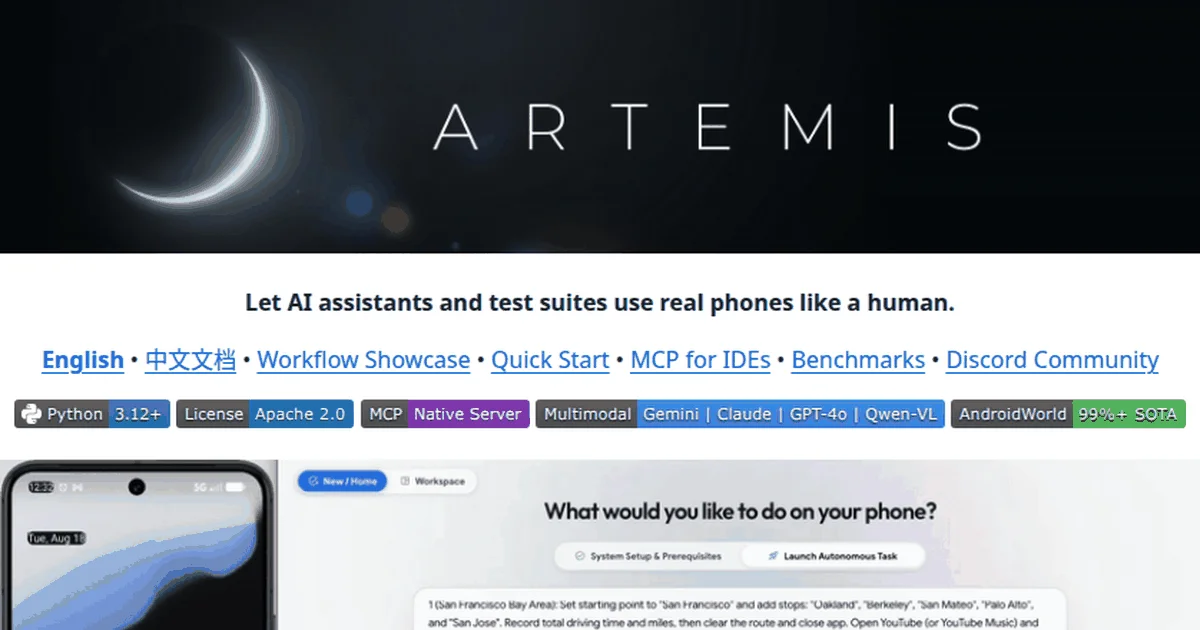
Artemis is Google’s open-source agent framework that drives real Android phones and emulators from natural language, combining 3 to 5 second steps with a 99 percent completion rate on Google’s own AndroidWorld benchmark.
- Cross-app automation and testing on Android, from one natural-language instruction to a completed workflow.
- Multimodal targeting falls back from element indices to coordinates to visual matching, so custom interfaces still work.
- MCP integration lets Claude Code, Antigravity, and Windsurf drive devices and pull Logcat output with screenshots.
- Apache 2.0, Python, from google, with a one-click setup that installs the whole toolchain.
Screen-scraping automation breaks the moment an app moves a button. Artemis, open-sourced by Google, takes the agent approach instead: give it a natural-language instruction and it observes the screen, decides the action, and taps, swipes, and types its way through real Android apps the way a person would. It is automation that tolerates a moved button, because it never depended on where the button was.
- 9,665 stars
- 960 forks
- Python
- Apache 2.0
An agent, not a script recorder
The distinction from classic mobile automation is architectural. Tools like macro recorders and Appium scripts encode a path through an interface, and any redesign breaks them. Artemis encodes an intention and re-derives the path every run: it observes the current screen state, matches what it sees against the goal, and chooses the next action. The README’s demonstration gives the flavor: planning driving routes in Google Maps, computing their durations, then switching applications to play a song on YouTube, all from a single instruction that crosses app boundaries the way a human task naturally does. That cross-app reach matters more than any single-app trick, because real workflows live across apps, and most automation still stops at the app border.
The engineering that makes this usable shows up in the numbers. Each step completes in roughly three to five seconds, thanks to a reactive loop that alternates observation with action and summarizes its history off the critical path, so the agent never stalls while narrating itself. And on Google Research’s AndroidWorld benchmark, a suite of more than a hundred multi-step tasks, Artemis reports above 99 percent completion, which is the strongest published figure we have seen for an open Android agent.
Targeting that survives weird interfaces
Screen interaction quality is decided by targeting, how the agent finds the thing to tap. Artemis uses a three-level fallback: element indices when the accessibility tree exposes them, coordinate targeting when it does not, and visual locating for custom-rendered interfaces where neither is available. That last tier is what separates agents that work on real apps from agents that work on demo apps, because games, canvases, and heavily customized interfaces render everything as pixels. Watching the fallback chain operate is also diagnostic: an agent that drops to visual matching constantly is telling you your app’s accessibility tree is under-specified, which is a finding about your product, not just about the agent.
The other half of reliability is knowing when not to act. The exploration mode verifies each target before acting on it, and when an action is blocked it escalates that action back to the operator instead of retrying blindly, which is what keeps hour-long exploratory and stability runs from dissolving into silent failure loops.
MCP: your IDE drives the phone
For our audience the headline feature is the Model Context Protocol integration. Artemis runs as an MCP server, so coding agents including Claude Code, Antigravity, and Windsurf can drive a test device directly: execute workflows, pull Logcat output, capture screenshots, and fold the results into a development loop. A test request turns into a planned sequence, real execution on the device, and a diagnostics package, with no human shuttling artifacts between phone and editor.
This is the same protocol direction our computer use coverage tracks from the model side, applied to the device side: agents gaining standardized access to real interaction surfaces. For mobile teams, it points at a workflow where the agent writes the feature, tests it on a real device through Artemis, reads the logs, and iterates, a loop that compresses what used to be a handoff between developer, device, and QA into a single conversation. The screenshot capability matters as much as the Logcat access, because visual regressions are the failures text logs never catch, and an agent that can both act and see closes the loop on the class of bug mobile teams miss most.
What you can realistically automate on day one
Setting expectations by task type saves the first week. Installation flows, settings walkthroughs, form completion, and any documented user journey convert immediately, because they follow paths a reasonable observer can re-derive. Cross-app workflows, the showcase strength, work well when both apps behave conventionally and need patience when one of them fights the accessibility tree. Deeply custom interfaces, games above all, work through the visual fallback but at lower reliability, so budget supervision there. And anything gated behind logins needs your test accounts wired in beforehand, since the agent escalates rather than improvises credentials, which is the correct behavior even when it feels like friction.
The honest summary: scripted-test replacement is the mature use, exploratory coverage is the high-value use, and end-user task automation on personal devices remains aspirational outside controlled setups. That ladder maps to how teams actually adopt it, one hated test, then a suite, then exploratory runs overnight The teams that stall at the first rung usually skipped sizing the first experiment correctly: pick a test that matters but not one that gates a release, so early failures cost curiosity rather than credibility, and the second experiment gets authorized on the strength of the first..
Where it sits among Android testing tools
The established tooling answers a different question than Artemis does. Appium and Espresso verify that a known path still works, and they remain the right answer for stable regression suites on stable interfaces. Artemis answers the exploratory question, what happens when an intelligent actor pursues a goal through this app estate, and it keeps working when the interface moves because it never encoded the path. The two compose rather than compete: scripted suites for what must never break, agent-driven runs for what nobody has scripted yet, and the agent’s discoveries graduating into scripts once they matter enough.
The second neighbor is device farms and cloud testing, which solve fleet scale but keep the scripting model. An agent-driven layer on top of a device farm is the obvious combination, and the MCP surface makes that composition a configuration problem rather than a research project. What Artemis does not replace is the human tester’s judgment about whether behavior is correct, it executes and observes faithfully, but deciding that a workflow now makes no product sense remains a person’s job.
Try it: one script to a running agent
Setup is deliberately painless for a toolchain this deep. With a connected device or emulator and USB debugging enabled, the one-click startup script auto-installs ADB, scrcpy, FFmpeg, and the Python dependencies, then offers to install the global MCP configuration and a mobile-testing rules file into your IDE, with supported editors spanning Antigravity, Cursor, Claude Code, Codex, Windsurf, VS Code, and the Cline family. English and Chinese documentation ship together, which given Android’s global developer base is a practical courtesy rather than a checkbox.
Is a 99 percent benchmark completion rate believable on real devices?
Believable with two qualifiers. AndroidWorld is Google Research’s own benchmark, run in controlled environments with a defined task set, and controlled benchmarks systematically flatter agents relative to the chaos of production devices, carrier overlays, random popups, and apps that break their own accessibility trees in updates. The honest reading: the architecture is capable of near-complete reliability on structured multi-step tasks, which is genuinely exceptional, and your mileage on an arbitrary app estate will be lower in proportion to how nonstandard your interfaces are. The right evaluation for an adopting team is a two-hour spike, ten real tasks from your own test plan, counted honestly, which tells you more than any published benchmark can. Run it twice, once on a freshly booted device and once on a used one with notifications pending, and the gap between those two runs is your real-world reliability band.
How does Artemis differ from generic computer-use models?
Generic computer-use agents trade generality for speed and depth: they work on any screen but act through broad visual reasoning that costs seconds per step and misses platform affordances. Artemis inverts the trade: Android only, but with native access to the accessibility tree, ADB, Logcat, and device screenshots, which yields both the fast step times and the diagnostic integration no generic agent has. The practical consequence for choosing: if your target is Android apps and devices, the specialized agent dominates on every axis that matters, and the MCP integration means your general-purpose coding agent can delegate to it, which is increasingly the correct architecture, general agents orchestrating specialized ones through standard protocols, a division of labor that keeps each side doing what it is genuinely best at.
Who should adopt this, and for what first?
The strongest immediate fit is mobile teams doing exploratory and regression testing, where Artemis’s blocked-action recovery and long-run stability tests convert directly into saved QA hours, and where the Logcat-plus-screenshot diagnostics close the loop inside an MCP-connected IDE. The second fit is developers building Android automation features, for whom Artemis is a reference implementation of production-grade mobile agency. The weaker fits: individuals hoping to automate their personal phones, where setup and reliability expectations will disappoint, and non-Android platforms, which are simply out of scope. If you are in the first group, start with your flakiest manual test, the one nobody wants to run, and hand exactly that to the agent as the first experiment, because converting a hated manual test is both the quickest win and the most convincing demo a team can see. From there the expansion path is natural: one test becomes the smoke suite, the suite gains stability runs, and the Logcat integration starts feeding failures straight back into the IDE where the fix happens.
What does the rules file installed into IDEs actually do?
Alongside the MCP configuration, the setup offers to install what it calls a mobile-testing mindset, a rules document, into your AI IDE. The mechanism deserves explanation because it is a pattern worth stealing: agents follow project and global rules as standing instructions, so packaging expert testing judgment as a rules file means every coding agent on the team inherits consistent mobile-testing behavior without training or prompt archaeology. The rules encode the discipline a senior QA engineer would apply, how to structure exploratory passes, when to capture diagnostics, what counts as a blocked action, and they sit versioned in the repository rather than in one person’s chat history. Teams extending Artemis should treat that file as the customization surface: your app-specific testing doctrine belongs there, in review, where every agent and every teammate reads the same rules.
What are the failure modes to expect in daily use?
Three, in rough order of arrival. Popups and system dialogs the instruction did not anticipate, which the blocked-action escalation catches but which still consume steps, so instructions should include cleanup allowances rather than assuming pristine screens. Interface updates that degrade the accessibility tree, pushing more interactions onto coordinate and visual fallbacks that are slower and occasionally misfire, visible as a step-time creep rather than outright failure. And credential friction, since real workflows cross login walls that agents should not solve autonomously, making pre-authenticated test accounts the practical norm. None of these are defects so much as the texture of real-device agency, and a team that expects them designs instructions and monitoring around them, while a team that does not concludes the tool is flaky when it is really just being honest about phones. Instrument the escalations from day one, because the pattern of what blocks, popup here, dialog there, is a map of your app estate’s rough edges that no dashboard else provides.
Why does Google open-sourcing this matter?
Because the reference implementation legitimizes the category. Android automation agents have existed as research demos and startup products, but a Google release, under Apache 2.0 with benchmark transparency and Chinese-language docs alongside English, signals that agent-driven device interaction is infrastructure now rather than experimentation. It also places the Android ecosystem’s owner in the position of defining how agents should touch Android, which likely previews platform-level answers to accessibility, permission, and safety questions that every mobile agent will eventually face. For adopters, the practical meaning is maintenance confidence: the organization that owns the platform has reason to keep this working as the platform evolves, which is the strongest longevity signal an infrastructure dependency can offer short of a contractual one.
Can Artemis run stability tests unattended overnight?
The exploration mode is explicitly designed for long-running work, and the mechanics support it: target checks before actions, escalation of blocked actions rather than infinite retries, and asynchronous history summaries that keep the loop moving without unbounded context growth. Overnight viability therefore comes down to your guardrails rather than the agent’s stamina. Practical setup for an unattended run: a device on stable power with notifications silenced where the OS allows, a bounded task list rather than one open-ended instruction, credential walls handled through pre-authorized test accounts, and a morning report expectation set to a summary of blocked escalations rather than zero failures. Teams running such setups report that the blocked-action log is the most valuable artifact the night produces, because it enumerates exactly the states your app creates that no scripted test ever reaches, which is exploratory coverage arriving as a side effect of stability testing, and frequently the cheapest testing investment the team makes all quarter.
What does the emulator-versus-real-device choice change?
Emulators win for development iteration: they are free, snapshot-able to a known state before every run, and immune to the carrier and OEM overlays that complicate real hardware, which makes them the right surface for authoring instructions and catching regressions early. Real devices win for truth: performance feel, manufacturer-specific dialogs, hardware sensors, and the popup ecology no emulator reproduces faithfully, which makes them mandatory before any conclusion about production behavior. The mature pattern is both, emulator for the inner loop and a small real-device pool for verification, and the ADB-based setup treats the two identically from the agent’s perspective, so the promotion path costs a configuration change rather than a workflow change, and teams who start on emulators routinely keep both surfaces alive for exactly that reason, with the emulator catching regressions overnight and the real pool confirming anything that matters before release.
Artemis is the most credible open answer we have seen to real-device Android agency, and its MCP integration makes it a natural extension of a Claude Code or Antigravity workflow rather than a separate tool to learn. Point it at your most annoying manual test first, and let the three-second steps change what you think automation is allowed to cost.