AI Engineering Hub gives you one folder per project, 93 of them, covering the applied LLM stack end to end: RAG pipelines, agents, MCP integrations, voice bots, and fine-tuning. Every folder is runnable, and the README grades each project beginner, intermediate, or advanced before you clone anything. The repo passed 37,000 stars in under two years, which says something about how starved this niche is for finished, working examples.
View AI Engineering Hub on GitHub
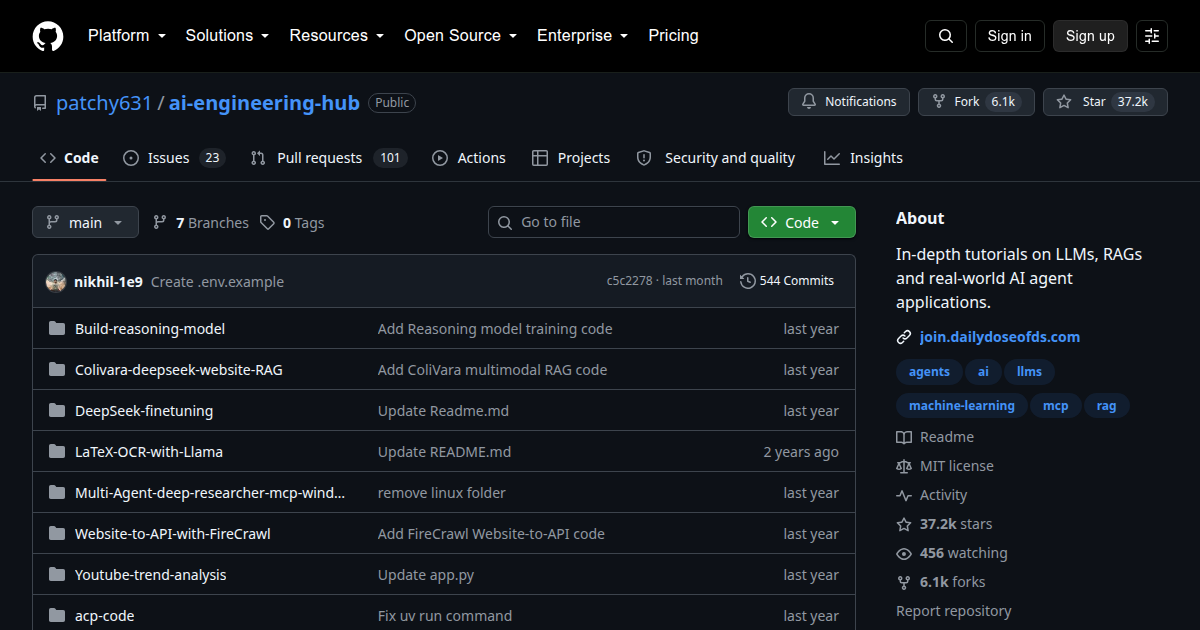
- 37,156 stars
- 6,141 forks
- Jupyter Notebook
- MIT
A ladder of 93 runnable projects
The structure is the selling point. Twenty-two beginner projects build single components: local OCR apps running Llama 3.2 vision, ChatGPT clones in Streamlit and Chainlit, first RAG workflows on LlamaIndex and Ollama. Forty-eight intermediate projects combine those components into systems: a CrewAI crew that analyzes YouTube trends, an AutoGen stock analyst, multi-agent hotel booking, real-time voice bots.
The twenty-three advanced projects are where it gets interesting. You can fine-tune DeepSeek with Unsloth, build a reasoning model that trains the way DeepSeek-R1 does, implement the transformer from the “Attention Is All You Need” paper, or assemble a NotebookLM clone with retrieval, citations, and podcast generation. One of the advanced agent systems ships with a React frontend (a stock portfolio analyst), and a paralegal crew works over retrieved case material. A dedicated AI engineering roadmap folder sequences a path through all of it.
Fifteen projects speak MCP
The MCP coverage is deeper than most course catalogs manage: ten intermediate projects and five advanced ones. You can build a local MCP client with LlamaIndex, wire an agent to Graphiti long-term memory through an MCP server, or reproduce a financial analyst workflow where every tool arrives as a server. If the protocol is new to you, start with our explainer on what an MCP server is, or take Microsoft’s curriculum via MCP for Beginners.
The bakeoff shelf
Eight intermediate projects do nothing but pit models against each other under the same harness: Llama 4 against DeepSeek-R1 on a RAG workload, Qwen3 against DeepSeek-R1 under Opik tracing, Sonnet 4 against Qwen3-Coder on code generation, GPT-OSS against Qwen3 on reasoning tasks. An evaluation and observability project wires end-to-end RAG scoring into Comet’s Opik. Comparison blog posts age in weeks; a harness you fork and rerun yourself does not, which is what makes this corner of the repo more useful than it first looks.
Read the fine print before you clone
Three caveats worth knowing up front. Many projects wrap commercial APIs (Bright Data, AssemblyAI, Comet, SambaNova, Cartesia), so a number of folders need accounts and keys before anything runs; each one ships a .env.example listing exactly what. The README funnels toward the Daily Dose of Data Science newsletter at every turn, because the repo feeds that business; the projects themselves stay free. And as with most teaching code, error handling is light, so pair it with Agents Towards Production when you move from demo to deployment.
Run one this afternoon
Every folder is self-contained: its own README, a .env.example, and a pyproject.toml or requirements file sitting next to the notebook. Pick a beginner RAG folder and go.
git clone https://github.com/patchy631/ai-engineering-hub.git
cd ai-engineering-hub/agentic_rag
pip install -e .
jupyter lab
Some folders use requirements.txt instead of pyproject.toml; the folder’s README says which. Several beginner projects also run fully local through Ollama and a laptop-sized Llama model, which keeps the API-key count down.
AI Engineering Hub is the widest project ladder in this space: clone a folder, finish it, move up a grade. Start with a beginner RAG workflow, then jump to the MCP shelf once basic retrieval feels routine. New folders have kept landing since late 2024, so the ladder keeps growing.
Continue learning:
- Awesome MCP Servers: The Field Guide to 3,300+ Servers
- MCP for Beginners: Microsoft 6-Language Curriculum
- Browse more Creator Picks
- oncall-kit: Anthropic’s Kit for a Claude-Assisted On-Call
- AI Engineering from Scratch: the Free 20-Stage Path
- ripwire: Ripgrep-Grade Context Search for Agents
- LLM Zoomcamp: the Free 10-Week LLM Course
- Ed Donner's Free LLM Engineering and Agentic AI Courses
- Artemis: Google's Android Automation Agents