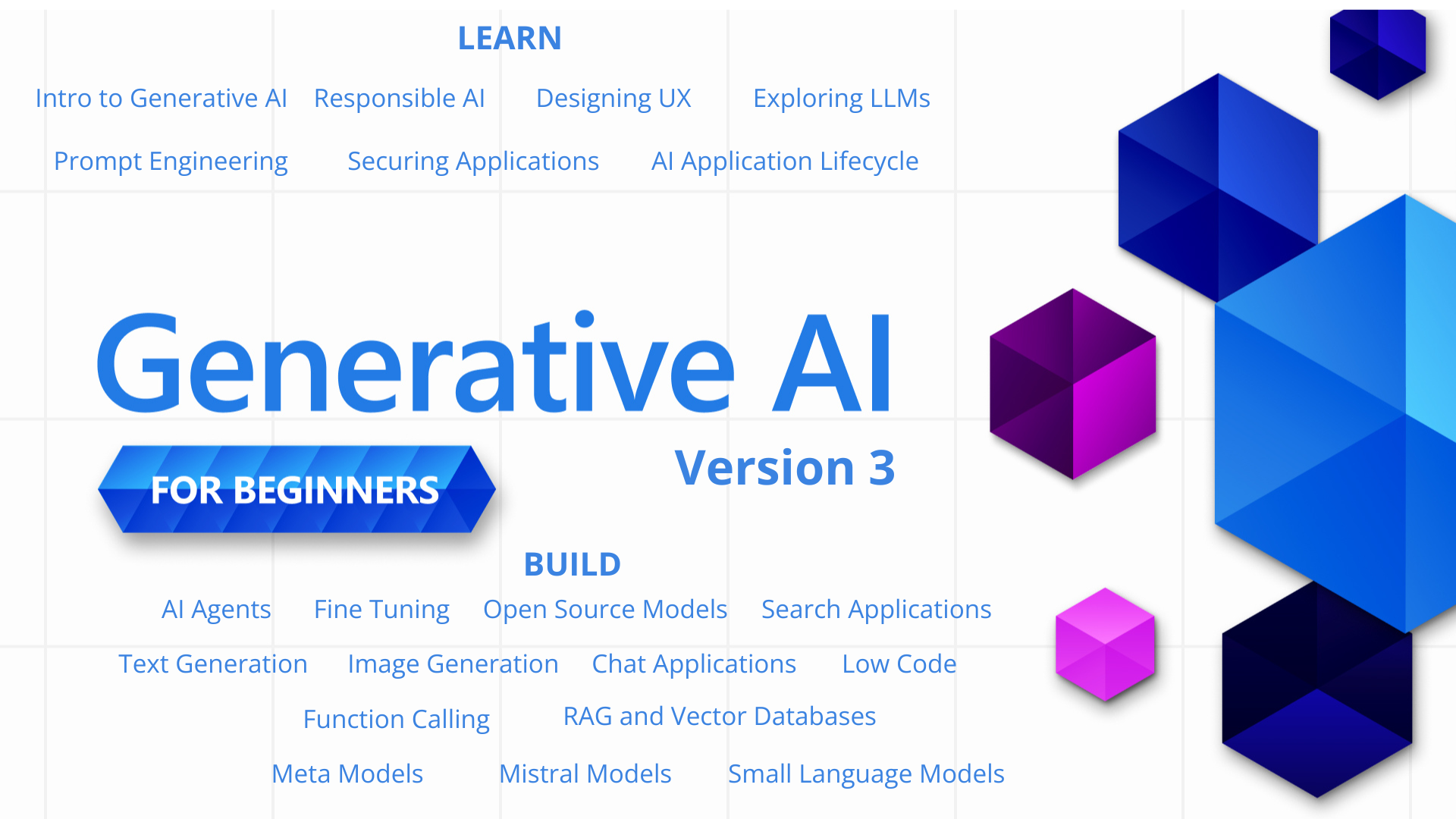
Microsoft’s Generative AI for Beginners is the rare full-stack GenAI curriculum that doesn’t oversell itself: 21 lessons, each one self-contained, each one labeled either “Learn” (the concept) or “Build” (real code in Python and TypeScript). It’s the course most people bookmark and never finish. At 113,000 stars and counting, that’s a lot of bookmarks.
View Generative AI for Beginners on GitHub
- 113,089 stars
- 60,735 forks
- Jupyter Notebook
- MIT License
Generative AI for Beginners: 21 lessons, not 21 blog posts
The structure is what makes it work. Lessons split cleanly into two flavors: Learn lessons explain a single GenAI concept (prompt engineering, function calling, RAG, embeddings), Build lessons show the concept in actual Python and TypeScript code. You can read a Learn lesson in 15 minutes; the matching Build lesson is the homework.
Topics run the full stack: setup, prompts, function calling, RAG, chat apps, image generation, audio, integrations with Azure OpenAI and OpenAI directly. There’s an explicit “Keep Learning” section at the end of every lesson pointing outward (papers, docs, other repos) so the curriculum extends rather than dead-ends.
Four ways to run it, including fully offline
Most GenAI courses quietly assume you’ll pay an OpenAI bill. This one supports four runtimes: Azure OpenAI Service, Microsoft Foundry Models, the OpenAI API, and Foundry Local, which runs models entirely on your own device with no cloud subscription. That last option is what makes the course actually accessible to a curious high-schooler with a laptop, not just engineers with a corporate Azure account.
Setup is documented in a dedicated lesson zero (00-course-setup), and each later lesson declares which runtime it expects. You won’t get halfway through a notebook and discover it assumes a service you don’t have.
50+ languages, translated automatically
The repo ships translations in 50+ languages: Arabic, Bengali, Hindi, Chinese (Simplified and Traditional), Swahili, Vietnamese, and on, all kept up to date automatically by an in-repo tool called Co-op Translator. This isn’t a one-time community translation that rotted in 2024; it’s a maintained surface, regenerated as the English source changes.
For non-native English speakers this is a meaningful on-ramp into a topic where most good material is English-only. It also means the repo is unusually large if you clone it naively. Use the sparse-checkout command from the README to skip the translations and pull only what you need.
Modular by design
Unlike a textbook where lesson 14 assumes you’ve done lessons 1-13, each lesson here stands alone. Skip straight to function calling if that’s what you need today; come back to prompt engineering later. The 21-lesson count looks intimidating in the README but reads as a menu, not a queue.
If you’re already shipping GenAI features at work, the early lessons will feel slow. That’s expected, skim them. The value is in the middle and later lessons where the curriculum gets into RAG architecture, function-calling patterns, and integration choices that most “intro to LLMs” posts skip entirely.
Now on its third major version and pushed forward by Microsoft Cloud Advocates, the curriculum has had time to mature. The rough edges that early-2023 GenAI tutorials had are largely gone.
Get started
Clone it without translations to keep the download lean:
git clone --filter=blob:none --sparse https://github.com/microsoft/generative-ai-for-beginners.git
cd generative-ai-for-beginners
git sparse-checkout set --no-cone '/*' '!translations' '!translated_images'
Then start with 00-course-setup to pick your runtime, and jump to whichever lesson you actually need. The official Discord is the active support channel.
Generative AI for Beginners is what it claims to be: a serious, free, well-organized intro to building with LLMs. If you’ve been picking up GenAI in fragments, do lessons 1-4 in order. The structure will fill gaps you didn’t know you had.
Continue learning:
- Prompt Engineering Guide: The Technique-by-Technique Reference
- LLM Course: The Roadmap and Notebooks to Actually Understand LLMs
- Awesome LLM Apps: 100+ Runnable AI Agents and RAG Apps
- Agency Agents: AI Specialist Team for Claude Code
- Browse more Creator Picks
- AI Engineering from Scratch: the Free 20-Stage Path
- LLM Zoomcamp: the Free 10-Week LLM Course
- Ed Donner's Free LLM Engineering and Agentic AI Courses